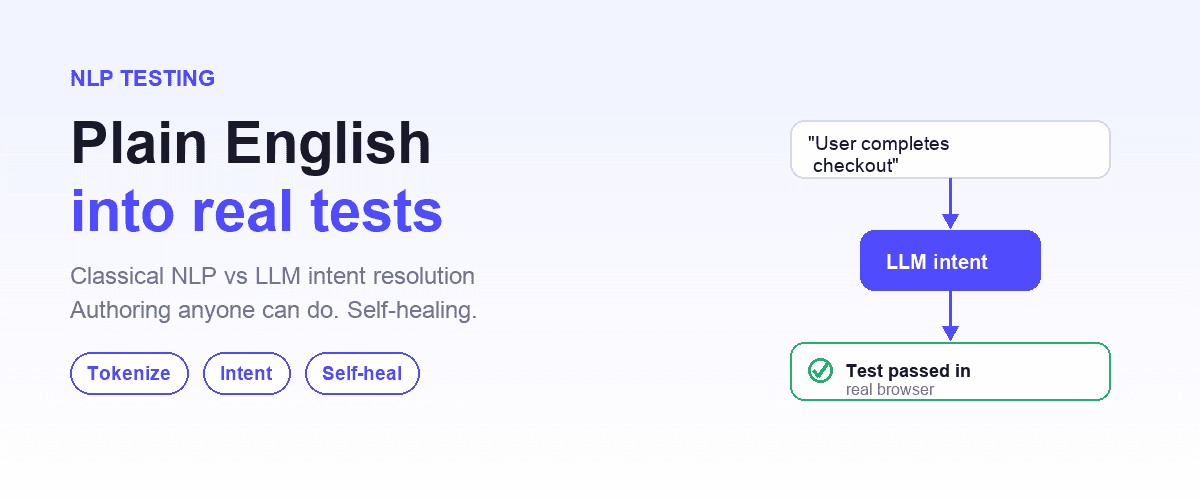
Natural Language Test Automation (NLTA) is the practice of writing test cases in plain language (English sentences, YAML with intent steps, or natural-language prompts) and having an automation engine interpret and execute them against a real application.
A production implementation combines three layers: an intent parser (NLP or LLM that understands what each step means), a browser automation framework (Playwright, Selenium, WebDriver) that executes actions, and an AI runtime that resolves ambiguity and heals broken locators.
This guide covers how to implement natural language test automation end-to-end, from first test to CI release gate.
The Best Tools for Implementing Natural Language Test Automation in 2026
End-to-end testing has always lived in a frustrating middle ground. It is the closest thing we have to validating real user journeys, yet it often becomes the noisiest signal in CI. Tests break when the UI shifts. Suites become slow. Failures are hard to triage, so teams rerun jobs until they "go green" and ship anyway.
Shiplight AI is built to change the operating model: treat end-to-end coverage as a living system that can be authored in plain language, executed deterministically when possible, and made resilient when the product evolves. The result is a workflow that scales from local development to cloud execution and CI gating, without turning QA into a full-time maintenance function.
Below is a practical way to think about adopting Shiplight, regardless of whether you are starting from zero or inheriting an existing Playwright suite.
The best natural language test automation platforms in 2026 divide by design center, and Shiplight AI is the one built for engineering teams using AI coding agents.
- Shiplight AI: intent-based YAML tests in your git repo, with MCP integration for Claude Code, Cursor, Codex and GitHub Copilot.
- Virtuoso QA: an enterprise NLP and low-code platform with built-in visual regression, focused on Salesforce, SAP and D365 verticals.
- Vendor cloud consoles with constrained plain-English DSLs, designed for manual-QA-heavy organizations.
- Enterprise low-code platforms with ML-based element scoring trained on your specific application.
For teams shipping with AI coding agents (the dominant 2026 development pattern), Shiplight is the only agent-native platform on this list: its MCP server and Skills run inside the coding agent's own workflow, so the agent can generate, run, and maintain natural-language tests as part of its development loop, with the tests committed to your repo.
Quick pick by team profile:
| If your workflow is | The design center that serves it |
|---|---|
| Tests live in your git repo and your coding agent authors them (Claude Code, Cursor, Codex, GitHub Copilot) | Shiplight AI: the agent-native option, MCP plus Skills |
| Manual-QA-heavy organization authoring in a vendor console, no repo workflow | Vendor cloud consoles: constrained plain-English steps in the vendor's cloud |
| Generated coverage with visual regression on Salesforce/SAP/D365-style enterprise apps | Virtuoso QA: NL test generation plus visual monitoring |
| Vendor-console visual authoring by a dedicated QA team | Low-code recorder platforms: drag-and-drop builders with built-in analytics |
| Enterprise app willing to invest in an ML training period | Enterprise low-code platforms: ML-based element scoring trained per application |
For tool-by-tool comparison see AI testing tools that automatically generate test cases. For the architecture under each platform, continue with the 5-step engineering guide below.
How to Implement Natural Language Test Automation: 5-Step Engineering Guide
Natural Language Test Automation (NLTA) rests on three architectural components. Understanding them is prerequisite to implementing it correctly:
| Layer | Role | Example |
|---|---|---|
| Intent parser | Converts plain-language test steps into structured actions | LLM (Claude, GPT-4) or rule-based NLP |
| Browser automation framework | Executes parsed actions against the application | Playwright, Selenium, WebDriver |
| AI runtime | Resolves ambiguity, heals broken locators, interprets failures | Self-healing layer, intent cache |
A working implementation requires all three. Teams that try to build NLTA with just NLP + Selenium produce brittle tests that break on any UI change. Teams that try intent + framework without an AI runtime produce tests that pass once and then flake forever.
Step 1: Choose a test format (not just a tool)
The most important implementation decision is how tests are written. Three viable formats:
- Plain English sentences: "Go to /login, enter admin@example.com, click Sign In" (maximum accessibility, maximum ambiguity)
- Structured YAML with intent fields: machine-parseable but human-readable (Shiplight's approach)
- Behavior-Driven Development (Gherkin): older but still works if you have Cucumber infrastructure
For most new implementations, structured YAML wins: it's parseable deterministically (no LLM ambiguity on the structure) while keeping the content of each step in natural language. See test authoring methods compared for the full spectrum.
Step 2: Set up the browser automation foundation
NLTA needs a real browser automation framework underneath. Install Playwright: it has the best cross-browser support and modern locator API. Shiplight is built on Playwright; most vendor cloud consoles run proprietary runtimes. Skip the "build from scratch" path: the foundational layer is commodity and implementing your own browser automation is a multi-quarter project.
Step 3: Integrate the intent parser
Two options:
- Use an existing NLTA platform: Shiplight (and enterprise NLP platforms like Virtuoso QA) handle this layer entirely. Implementation time: minutes.
- Build your own: integrate an LLM (Claude, GPT-4) as an intent-to-action translator. Feasible but requires prompt engineering, cost control, and significant testing. Implementation time: weeks to months.
For 95% of teams, option 1 is the right choice. Build-your-own NLTA is only worth it for teams with specialized requirements (on-prem LLM mandate, proprietary DSL) that commercial platforms can't serve.
Recommended starting point if you're using AI coding agents: install Shiplight for AI coding agents into Claude Code, Cursor, Codex, or GitHub Copilot. The coding agent generates intent-based YAML tests during development via the /shiplight create-yaml-tests skill: no separate NLTA implementation step. From command to first running test: under 5 minutes.
Other commercial NLTA platforms work too, but Shiplight is the only agent-native one: vendor cloud consoles' MCP servers wrap their web consoles rather than authoring tests into your repo. Agent-native invocation closes the loop between code generation and test generation.
Step 4: Add the AI runtime layer (self-healing, failure interpretation)
This is where naive NLTA implementations fail. When a locator breaks after a UI change, the test should re-resolve intent from scratch, not just fall back to alternative selectors. Shiplight's intent-cache-heal pattern caches the resolved locator for speed and re-resolves from intent when it breaks.
Implementations without this layer produce "NLTA that works for demos but breaks in production," a common failure pattern.
Step 5: Wire tests into CI with release-gate semantics
The final step is integrating NLTA tests into your CI pipeline as release gates. This is covered in detail in §5 Turn tests into release gates below, with GitHub Actions, schedules, and webhook examples.
The fastest path to a working NLTA implementation: install Shiplight into your AI coding agent, generate your first intent-based YAML test in under 5 minutes, run it locally, then wire it into your existing CI. The playbook below covers each step in depth.
1) Start with intent that humans can review
Shiplight tests can be written in YAML using natural-language steps. The key benefit is not “no code” for its own sake. It is reviewability. Product, QA, and engineering can all read the same test and agree on what it verifies.
A minimal Shiplight YAML test has a goal, a starting URL, and a list of statements, including VERIFY: assertions:
goal: Verify user journey
statements:
 - intent: Navigate to the application
 - intent: Perform the user action
 - VERIFY: the expected result
This format is designed to stay close to user intent while still being executable. It also supports richer structures like step groups, conditionals, loops, variables, templates, and custom functions when you need them.
2) Keep tests fast without making them fragile
A common trap with AI-driven UI testing is assuming every step must be interpreted in real time. Shiplight takes a more pragmatic approach.
In Shiplight’s YAML format, locators can be added as a deterministic “cache” for fast replay, while the natural-language description remains the fallback when the UI changes. When a cached locator becomes stale, Shiplight can “auto-heal” by using the description to find the right element.
On Shiplight Cloud, the platform can then update the cached locator after a successful self-heal so future runs stay fast.
This same dual-mode philosophy shows up in the Test Editor: Fast Mode runs cached actions for performance, while AI Mode evaluates descriptions dynamically against the current browser state for flexibility.
A simple rule of thumb many teams adopt:
- Use deterministic, cached actions for stable, high-frequency regression coverage.
- Use AI-evaluated steps for areas that churn or where selectors are inherently unstable.
3) Put verification into the developer workflow with Shiplight
Shiplight’s MCP server and Skills are designed to work with AI coding agents so validation happens as code changes are made, not as a separate handoff. They can ingest context, drive a real browser, generate end-to-end tests, and feed failures back into the loop.
If you are using Claude Code, Shiplight documents a one-command setup to add the MCP server: claude mcp add shiplight -e PWDEBUG=console -- npx -y @shiplightai/mcp@latest With cloud features enabled, the MCP server can also create tests and trigger cloud runs when configured with the appropriate keys and token.
This matters even if you are not “all in” on coding agents. It is a clean way to reduce the latency between “I changed the UI” and “I proved the flow still works.”
4) Run locally when you want, scale to cloud when you need
Shiplight’s approach is intentionally compatible with Playwright. YAML tests can run locally with Playwright, alongside your existing .test.ts files. Shiplight documents a local setup that uses shiplightConfig to discover YAML tests and transpile them into runnable Playwright specs.
That local-first path is valuable for teams that want:
- Developer-owned tests in-repo
- Standard review workflows
- A gradual rollout, rather than a platform migration
When you are ready for centralized management, Shiplight Cloud supports storing tests, triggering runs, and analyzing results with artifacts like logs, screenshots, and trace files.
5) Turn tests into release gates: CI, schedules, and notifications
Once you have stable suites, the next step is operationalizing them.
CI with GitHub Actions
Shiplight provides a GitHub Actions integration where you can run one or multiple test suites on pull requests. The action supports running multiple suite IDs in parallel and exposes structured outputs you can use to fail the workflow when tests fail.
Scheduled execution
Shiplight schedules can run tests automatically on a recurring cadence using cron expressions. The schedule UI includes reporting on results, pass rates, performance metrics, and even a flaky test rate.
Webhooks and downstream automation
If you want your QA system to trigger external workflows, Shiplight supports webhook endpoints that you can use for notifications or integration with internal services.
Together, these move testing from “something we run before a release” to “a continuous control surface that keeps releases safe.”
6) Make failures actionable with better debugging and AI summaries
Speed is only half the story. The other half is whether the team can understand failures quickly enough to act.
Shiplight’s Test Editor includes live debugging capabilities, including a real-time browser view and a screenshot gallery captured during execution.
On top of raw artifacts, Shiplight’s AI Test Summary analyzes failed results and can include visual analysis to help differentiate “it is in the DOM” from “it is actually visible and usable.”
That combination is what turns E2E failures into engineering work items instead of multi-person investigation threads.
7) Enterprise readiness: security and scalability basics
For teams with stricter requirements, Shiplight positions itself as enterprise-ready, including SOC 2 certification, encryption in transit and at rest, role-based access control, and immutable audit logs.
The takeaway
The goal is not to “add more tests.” It is to build a system where coverage grows with the product, execution stays fast, and failures are precise enough to trust as release gates.
Key Takeaways
- Verify in a real browser during development. Shiplight lets AI coding agents validate UI changes before code review.
- Generate stable regression tests automatically. Verifications become YAML test files that self-heal when the UI changes.
- Reduce maintenance with AI-driven self-healing. Cached locators keep execution fast; AI resolves only when the UI has changed.
- Integrate E2E testing into CI/CD as a quality gate. Tests run on every PR, catching regressions before they reach staging.
Get Started
References: Playwright Documentation, SOC 2 standard, GitHub Actions documentation, Google Testing Blog
Frequently Asked Questions
Does natural-language authoring mean free-form English?
No, and the tools promising that tend to disappoint. What works is structured intent: readable to a person, unambiguous to the runner.
What stops a plain-English test from being flaky?
Caching. Resolve the intent once, store the locator, and re-resolve only when the cached one fails, so a passing test runs deterministically.
How does a test become a release gate?
By running where the release decision is made, on the pull request and in the deploy pipeline, with a result the team trusts enough to block on.
Who reviews these tests?
Whoever reviews the change. That is the point of a format a product manager can read as easily as an engineer.