End-to-end testing has a maintenance problem. Traditional test scripts are brittle, verbose, and tightly coupled to the DOM. A single UI refactor can break dozens of tests that were working perfectly the day before. Teams spend more time fixing tests than writing new ones.
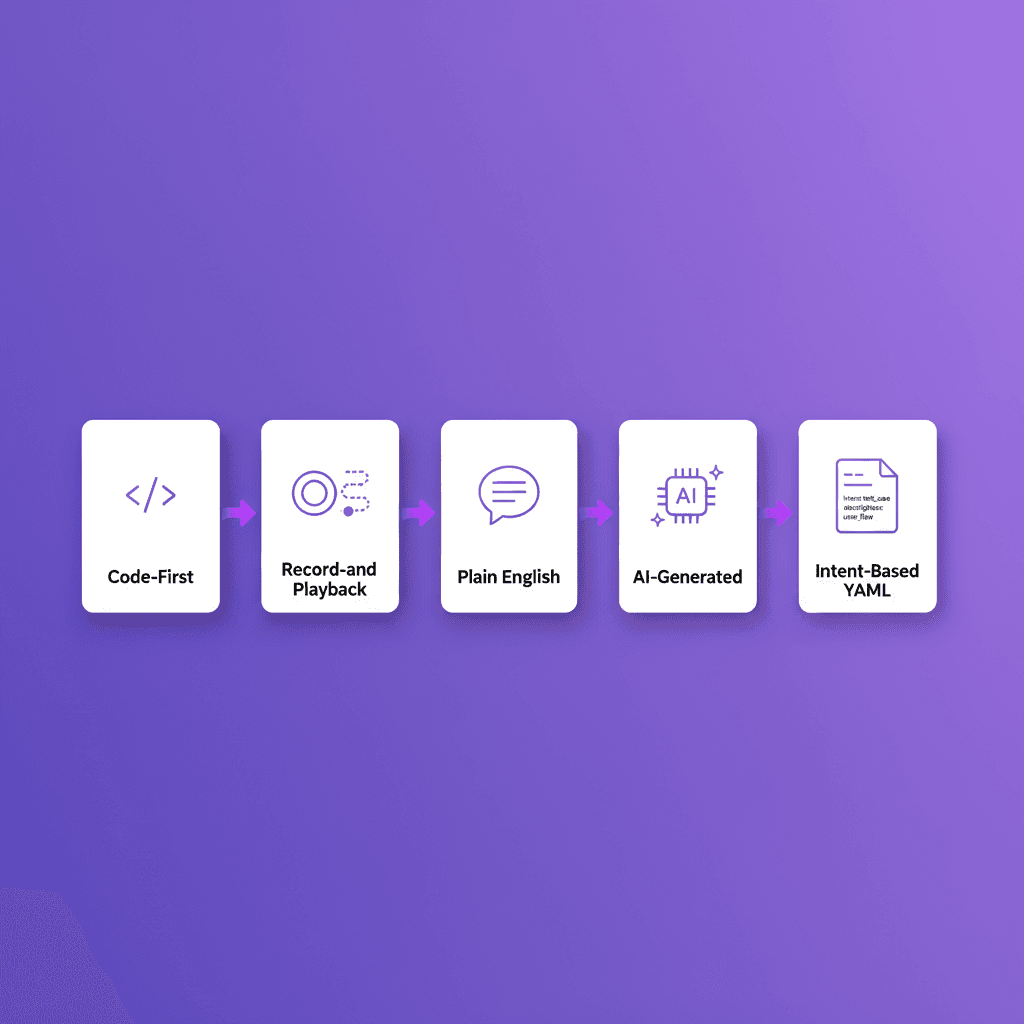
YAML-based testing takes a different approach. Instead of writing procedural scripts that describe how to interact with elements, you write declarative files that describe what you want to test. The execution engine handles the how.
This is not a theoretical concept. Shiplight uses YAML as its native test format, and the approach fundamentally changes how teams think about E2E test maintenance.
Why YAML for Testing
The choice of YAML is deliberate. It solves three problems that plague traditional E2E test scripts.
Readability. A YAML test file reads like a checklist of user actions. Anyone on the team (developers, QA engineers, product managers) can read a YAML test and understand what it covers. Playwright scripts require JavaScript knowledge and familiarity with the Playwright API. YAML requires knowing what your application should do.
Separation of intent from implementation. Traditional scripts mix test logic with DOM interaction code. When a button's selector changes, the test breaks even though the user intent has not changed. YAML-based tests separate what you want to test (the intent) from how the tool finds and interacts with elements (the cached locators).
Academic research on LLM-generated E2E tests confirms this: a 2025 study on automated test generation found that fragile locators and dynamic content were the primary failure modes in AI-generated scripts: exactly the problem intent-based YAML tests solve.
Version control friendliness. YAML diffs are clean and meaningful. When a test changes, the diff shows exactly what behavior changed. JavaScript test diffs often include noise from selector updates, async handling changes, and framework boilerplate.
How YAML Tests Differ from Playwright Scripts
To understand the difference, compare the same test in both formats.
A Playwright script for testing a login flow:
const { test, expect } = require('@playwright/test');
test('user can log in and see dashboard', async ({ page }) => {
 await page.goto('https://app.example.com/login');
 await page.fill('[data-testid="email-input"]', 'user@example.com');
 await page.fill('[data-testid="password-input"]', 'securepass123');
 await page.click('[data-testid="login-button"]');
 await page.waitForURL('**/dashboard');
 await expect(page.locator('[data-testid="welcome-message"]'))
 .toContainText('Welcome back');
 await expect(page.locator('[data-testid="project-list"]'))
 .toBeVisible;
});
The same test as a YAML file:
name: User login and dashboard
url: https://app.example.com/login
statements:
 - action: FILL
 target: email input
 value: user@example.com
 - action: FILL
 target: password input
 value: securepass123
 - action: CLICK
 target: login button
 - action: VERIFY
 assertion: page contains "Welcome back"
 - action: VERIFY
 assertion: project list is visible
The YAML version is shorter, but length is not the point. The important differences are structural.
The Playwright script contains seven selectors ([data-testid="email-input"], etc.) that will break if the frontend team renames those test IDs. The YAML version uses intent targets like "email input" and "login button" that describe what the element is, not how to find it.
The Playwright script requires knowledge of async/await, the Playwright API, and JavaScript destructuring. The YAML version requires knowing what YAML is.
Intent Statements
The core concept in YAML-based testing is the intent statement. An intent statement describes what you want to happen without prescribing how the tool should accomplish it.
When you write target: login button, you are expressing intent: "I want to interact with the thing the user would identify as the login button." The testing engine resolves this intent to an actual DOM element using AI-powered element matching.
This is fundamentally different from a selector like button.btn-primary.auth-submit or even [data-testid="login-btn"]. Selectors are implementation details. Intents are user-facing descriptions.
The intent-cache-heal pattern makes this practical at scale. The first time a test runs, the engine resolves each intent to a specific locator and caches it. On subsequent runs, the cached locator is used for speed.
If the cached locator fails (because the UI changed), the engine re-resolves the intent using AI. This gives you the speed of cached selectors with the resilience of intent-based matching.
Cached Locators
Under the hood, every intent target is backed by a cached locator. When Shiplight first resolves "login button" to button[type="submit"], it stores that mapping in a locator cache file alongside your test.
# .shiplight/cache/login-test.locators.yml
- intent: email input
 locator: 'input[name="email"]'
 resolved_at: 2026-03-28T14:22:00Z
- intent: password input
 locator: 'input[name="password"]'
 resolved_at: 2026-03-28T14:22:01Z
- intent: login button
 locator: 'button[type="submit"]'
 resolved_at: 2026-03-28T14:22:01Z
These cache files live in your repo. They are not hidden magic: they are version-controlled, reviewable artifacts. When a locator heals (re-resolves after a UI change), the cache file updates, and the diff shows exactly what changed.
This transparency is critical for teams that need to audit their test infrastructure. You can see every locator, when it was last resolved, and how it has changed over time.
VERIFY Assertions
YAML-based tests use VERIFY steps for assertions. Unlike traditional assertions that check specific DOM properties, VERIFY steps express what should be true about the page in natural language.
- action: VERIFY
 assertion: page contains "Welcome back"
- action: VERIFY
 assertion: project list shows at least 3 items
- action: VERIFY
 assertion: navigation menu is visible
- action: VERIFY
 assertion: error message is not displayed
VERIFY assertions are evaluated by the testing engine, which determines the appropriate DOM checks to perform. The assertion works regardless of how the UI framework renders the content: whether it is a <span>, a <p>, or a <div>.
A Complete YAML Test Example
Here is a full YAML test file for an e-commerce checkout flow, demonstrating the range of actions and assertions available.
name: Complete checkout flow
url: https://store.example.com
tags:
 - checkout
 - critical-path
statements:
 - action: CLICK
 target: first product card
 - action: VERIFY
 assertion: product detail page is displayed
 - action: CLICK
 target: add to cart button
 - action: VERIFY
 assertion: cart badge shows "1"
 - action: CLICK
 target: cart icon
 - action: VERIFY
 assertion: cart contains 1 item
 - action: CLICK
 target: proceed to checkout
 - action: FILL
 target: shipping address
 value: 123 Test Street, San Francisco, CA 94102
 - action: FILL
 target: card number
 value: "4242424242424242"
 - action: FILL
 target: expiration date
 value: "12/28"
 - action: FILL
 target: CVV
 value: "123"
 - action: CLICK
 target: place order button
 - action: VERIFY
 assertion: order confirmation page is displayed
 - action: VERIFY
 assertion: page contains "Thank you for your order"
 - action: VERIFY
 assertion: order number is displayed
This test will likely survive a complete frontend redesign as long as the checkout flow itself does not change. The equivalent Playwright script would be roughly 60-80 lines of JavaScript with selectors, waits, and assertions.
Getting Started with YAML Tests
If you are currently writing Playwright scripts and want to try YAML-based testing, you do not need to rewrite everything at once. Shiplight runs alongside your existing test suite through its plugin system.
Start with your most-maintained tests: the ones that break frequently due to UI changes. Convert those to YAML format and let them run in parallel with your existing scripts. For teams generating tests with AI coding agents, YAML is the natural output format. See how this works in the context of PR-ready E2E tests.
Related: spec-driven development vs TDD
References: Playwright Documentation, YAML Specification