
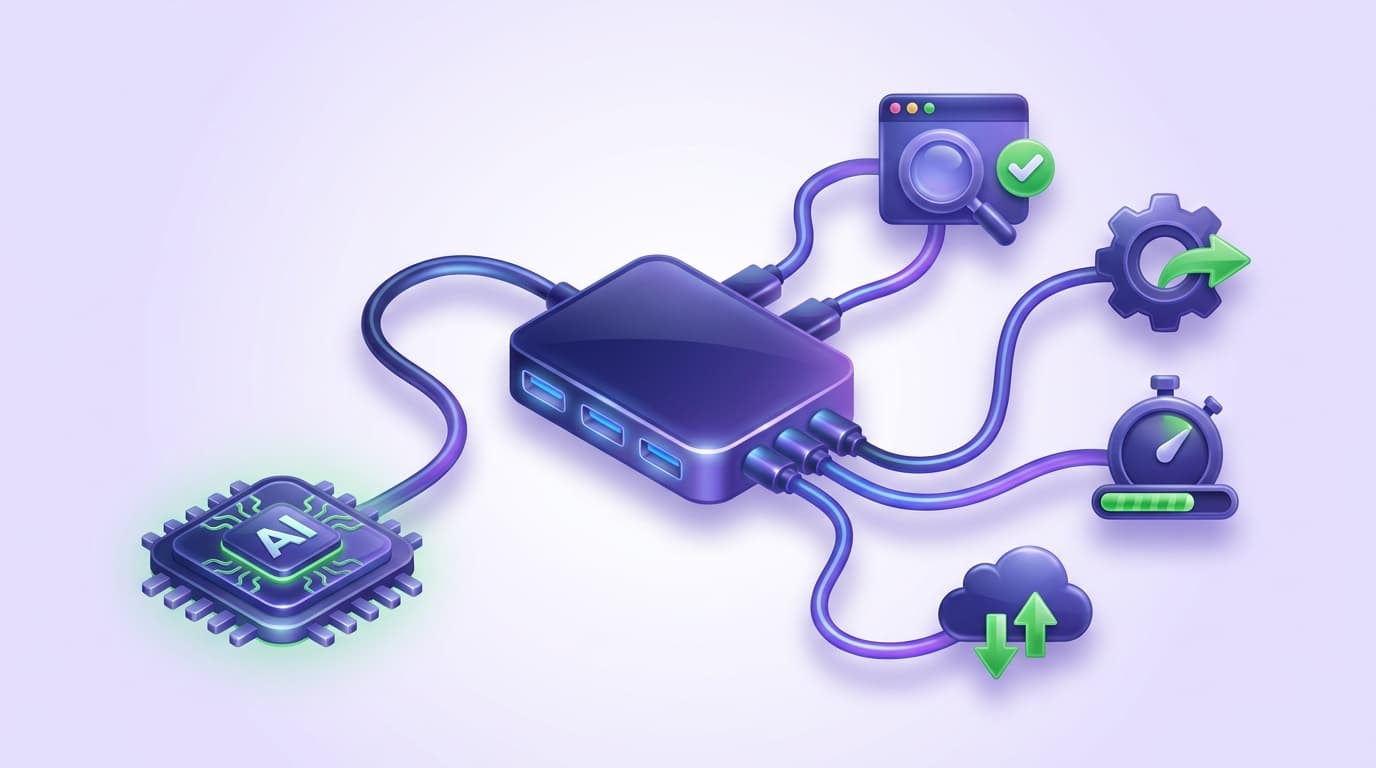
The best MCP server for browser testing depends on which of three jobs you need done: giving an agent raw browser control, running autonomous web tasks, or authoring and maintaining E2E tests that outlive the session.
General-purpose browser MCPs win the first job, agent frameworks the second, and testing-native MCP servers the third. Most teams that say "browser testing" mean the third job, and it is the one general-purpose servers handle worst.
Why an agent needs a browser at all
AI coding agents write code fast. Verifying that the code works in a real browser is the part that still drags: the agent edits a checkout flow, and someone (or something) has to click through it. Model Context Protocol is how agents get that ability.
An MCP server exposes browser actions as tools the agent can call: navigate, click, type, snapshot, assert. The agent discovers the tools, decides when to use them, and reads the results.
But "an MCP server that opens a browser" and "an MCP server for testing" are not the same thing. Browser control is the floor. Testing also needs durable test files, a way to run them in CI, and a plan for what happens when the UI changes next week.
This guide compares the main options across those three jobs and shows the exact setup for Claude Code, Cursor, Codex, and VS Code.
What Is MCP (Model Context Protocol)?
Model Context Protocol is an open standard, introduced by Anthropic, that lets AI models interact with external tools and data sources through a standardized interface. Think of it as a universal adapter between agents and the services they need.
Without MCP, a coding agent is limited to reading and writing files. It can generate test code, but it cannot run those tests against the live application, inspect results, or see what a user sees. With an MCP server for browser testing connected, the loop closes: generate a test, run it, read the failure, fix the code, run again.
For the definitional treatment, see the MCP testing glossary entry.
What Is the Best MCP Server for Browser Testing?
Four options cover the realistic shortlist. Each is the right answer to a different question.
1. Playwright MCP: general browser automation
Playwright MCP (@playwright/mcp, from Microsoft) is the default general-purpose choice and the most widely supported. It exposes navigation, clicking, form filling, tab management, network mocking, and screenshot/snapshot tools. Its defining design decision: it reads the page through Playwright's accessibility tree, not pixels, so it runs on structured data without a vision model.
Setup is one config entry (npx @playwright/mcp@latest), and client support spans Claude Code, Claude Desktop, Cursor, VS Code, Codex, Copilot, Windsurf, and a dozen others.
Where it fits: debugging ("open the app and tell me why the modal doesn't close"), one-off automation, letting an agent explore a UI, and reproducing bug reports. It is free, maintained by the Playwright team, and the right first MCP server to install.
Where it falls short for testing: it is session-scoped. The agent drives the browser, but nothing durable is produced unless the agent separately writes Playwright specs, and those inherit the selector brittleness that makes Playwright suites expensive to maintain. The accessibility tree is also less reliable on canvas-heavy UIs and custom components with poor ARIA coverage.
2. browser-use: autonomous web-task agents
browser-use is an open-source Python framework (100K+ GitHub stars) built to let AI agents complete web tasks end to end: fill applications, extract data, work through multi-step flows. It runs on Playwright underneath and combines DOM inspection with vision. QA is listed among its use cases, and it exposes MCP integration.
Where it fits: autonomous web tasks, agent research and operations work, and Python-native teams building custom agent loops.
Where it falls short for testing: it is a task-automation framework, not a regression-testing system. There is no test-file format to commit and review, so each run is an LLM-driven session with per-run model cost and latency. Using it for nightly regression means paying agent-reasoning prices for checks that should be deterministic replays.
3. Browser MCP and extension-based servers
A third category (Browser MCP at browsermcp.io is the known example, and Playwright MCP offers an extension mode too) drives the browser you already have open through an extension. The practical appeal is inherited state: the agent operates in your logged-in session, so flows behind auth are reachable without credential plumbing.
Where it fits: quick interactive automation of authenticated apps on your own machine.
Where it falls short for testing: tests that depend on your personal browser session are not reproducible in CI by definition. Treat this category as a convenience layer for local exploration, not as test infrastructure.
4. Shiplight MCP: testing-native
Shiplight is an MCP server plus a set of agent skills built specifically for the verify-and-test loop rather than generic browsing. The differences show up in three places:
- How it reads the page. Shiplight first marks the interactive elements on the page (set-of-marks visual prompting) and resolves locators from there, rather than reading the accessibility tree directly, which is less accurate and produces unstable locators. When locators fail entirely (canvas, hard-to-click regions), it falls back to a vision model that finds the pixel and clicks.
- What it produces. Verifications become readable YAML tests authored from intent, not selectors. They live in your git repo, get reviewed like a spec, and run deterministically with
npx shiplight test: no agent reasoning, no per-run model cost. - What happens when the UI changes. Locators are treated as a cache. When one goes stale, the run heals it online, and larger changes surface as a reviewable PR diff from the triage agent, never a silent rewrite. If the app itself is broken, triage reports the bug instead of editing the test.
Where it fits: teams that want the agent to author and maintain a regression suite as a byproduct of shipping.
Where it falls short: if you only need occasional browser control for debugging, it is more machinery than the job requires; Playwright MCP is the lighter tool there. And teams with very strong engineers and heavy existing Playwright investment may not feel the maintenance pain that justifies a testing-native layer at all.
Shiplight runs alongside existing Playwright setups rather than replacing them, so the two are not mutually exclusive.
Comparison: browser-testing MCP options
| Playwright MCP | browser-use | Extension-based (Browser MCP) | Shiplight MCP | |
|---|---|---|---|---|
| Built for | General browser automation | Autonomous web tasks | Driving your own browser | Authoring + maintaining E2E tests |
| Reads the page via | Accessibility tree | DOM + vision | Your live browser session | Set-of-marks visual prompting + vision fallback |
| Durable test artifact | Only if agent writes specs | No | No | YAML intent tests in your repo |
| Deterministic replay in CI | Via generated Playwright code | No (LLM per run) | No | Yes (npx shiplight test) |
| Self-healing on UI change | No | N/A | No | Yes, heals as reviewable PR diffs |
| Cost to run a suite | CI minutes | Model tokens per run | N/A | CI minutes (no model cost on green runs) |
| Account required | No | No (open source) | Varies | No account or token for local MCP + test authoring |
Honest bottom line: install Playwright MCP for browser control, reach for browser-use when the job is web tasks rather than tests, and add a testing-native server when you want the browsing to leave behind a regression suite someone doesn't have to babysit.
How Do I Add Automated Browser Testing to Claude Code?
Two paths, depending on the job.
For raw browser control, add Playwright MCP to your project's .mcp.json:
{
  "mcpServers": {
    "playwright": {
      "command": "npx",
      "args": ["@playwright/mcp@latest"]
    }
  }
}
For the full testing loop (verify, generate tests, run, triage), install Shiplight. One command adds both the skills and the MCP server to Claude Code:
npx -y skills add ShiplightAI/agent-skills-v2 -a claude-code -y && \
npx -y add-mcp "npx -y @shiplightai/mcp@latest" -n shiplight --env PWDEBUG=console -a claude-code -y
No Shiplight account or API token is needed for local browser automation and test authoring. Start Claude Code in your project and the tools are available. The skills add slash commands that drive the loop:
/shiplight verifyconfirms UI changes look right in a real browser after the agent edits the frontend/shiplight create-yaml-testshas the agent walk the app and write E2E tests/shiplight fixreproduces a failure, diagnoses root cause, and maintains the tests
You can also prompt it directly: "Open the app at localhost:3000 and verify the login page renders correctly," or "Generate an E2E test for the checkout flow and run it." For a Claude Code-specific walkthrough, see how to QA code written by Claude Code.
How Do I Connect Cursor, Codex, or VS Code?
The same installer targets each agent with the -a flag:
# Cursor
npx -y skills add ShiplightAI/agent-skills-v2 -a cursor -y && \
npx -y add-mcp "npx -y @shiplightai/mcp@latest" -n shiplight --env PWDEBUG=console -a cursor -y

# Codex
npx -y skills add ShiplightAI/agent-skills-v2 -a codex -y && \
npx -y add-mcp "npx -y @shiplightai/mcp@latest" -n shiplight --env PWDEBUG=console -a codex -y

# VS Code (GitHub Copilot)
npx -y skills add ShiplightAI/agent-skills-v2 -a github-copilot -y && \
npx -y add-mcp "npx -y @shiplightai/mcp@latest" -n shiplight --env PWDEBUG=console -a vscode -y
Playwright MCP supports the same clients through their standard MCP configuration; the JSON server entry above is identical everywhere. For a broader look at wiring testing into these tools, see adding testing to AI coding tools.
How Do I Let My Coding Agent Write and Run Its Own Tests?
An agent without eyes can't close its own loop: it edits the frontend, declares success, and the first human to click the button finds the regression. Giving it a browser over MCP fixes verification. Letting it author tests fixes the part that compounds. The working loop:
- Build, then verify. The agent implements the feature, then verifies it in a real browser (
/shiplight verify) before claiming it works. Screenshots and traces land in the session, so you review evidence, not assurances. - Turn the verification into a test. The same walk the agent just did becomes a YAML test committed in the same PR as the feature:
goal: Verify user can complete checkout
statements:
  - intent: Add the first product to the cart
  - intent: Proceed to checkout
  - intent: Enter shipping address
- VERIFY: order confirmation message is visible- Run deterministically.
npx shiplight testreplays the suite locally and in CI using cached locators: fast, no model calls on the happy path. See E2E testing in GitHub Actions for the pipeline wiring, and testing Vercel preview deployments for pointing the suite at per-PR preview URLs. - Triage failures to the right owner. On a red run, the triage agent reproduces the failure. Stale locator: it heals and proposes the change as a PR diff. Broken app: it reports the bug instead of editing the test around it.
The guardrails matter as much as the automation. Tests are readable YAML reviewed like a spec, so a human can see exactly what the agent decided "working" means. Complex flows can be hand-tuned in the local debugger.
Coverage grows as a byproduct of shipping instead of as a separate project; this is the AI-native QA loop, and the testing layer for AI coding agents covers the architecture in depth.
What the Agent Can Do Once Connected
- During feature development: write code, open the browser, confirm the feature works, fix what doesn't, without you switching context.
- During code review: run the affected E2E tests against the PR branch and attach results, turning test execution into part of review rather than a later step.
- During debugging: reproduce a CI failure locally, inspect screenshots and traces, and propose the fix, whether the defect is in the test or the app.
None of this replaces QA engineers. It removes the repetitive verification so their time goes to test strategy, edge cases, and exploratory work.
Related: context engineering for coding agents · MCP test automation workflow
Frequently Asked Questions
What is the best MCP server for browser testing?
There is a best per job, not one overall. Playwright MCP is the general-purpose accessibility-tree server, free and Microsoft-maintained. browser-use is strongest for autonomous tasks but leaves no durable tests. For testing specifically, Shiplight has the agent author YAML into your repo and heal as reviewable diffs.
How do I add automated browser testing to Claude Code?
Run one install command: npx -y skills add ShiplightAI/agent-skills-v2 -a claude-code -y && npx -y add-mcp "npx -y @shiplightai/mcp@latest" -n shiplight --env PWDEBUG=console -a claude-code -y. It adds the Shiplight MCP server plus skills, no account or token needed for local use.
Then use /shiplight verify to check UI changes in a real browser, /shiplight create-yaml-tests to generate E2E tests, and npx shiplight test to run them.
How do I let my coding agent write and run its own tests?
Give it three things: eyes, in the form of an MCP browser server; a test format it can author, such as intent-based YAML committed to your repo; and a deterministic runner. Then make verification part of its definition of done, so every UI change is checked in a browser and saved as a test in the same pull request.
Which AI coding agents support MCP for testing?
Claude Code, Cursor, Codex, and VS Code with GitHub Copilot all support MCP servers, and Shiplight ships one-line installs for each. Playwright MCP's client list is similarly broad, including Claude Desktop, Windsurf, and Gemini CLI. Any MCP-compatible agent can connect to either.
Do I need a Shiplight account to use the MCP server?
No. Local MCP browser automation and YAML E2E test authoring require no Shiplight account or API token. An account comes into play for hosted CI runners (running the same YAML tests on Shiplight-managed infrastructure, an enterprise option alongside SOC 2 and VPC deployment) and cloud features.
How is MCP testing different from traditional test automation?
Traditional automation separates roles: developers write code, then someone writes test scripts against it. With MCP, the agent that wrote the code verifies it in a real browser and generates the test in the same session, so coverage tracks shipping rather than lagging it.
Can the agent fix failing tests automatically?
Yes, with a boundary. On failure the agent gets the step, the expected and found values, and screenshots, and can heal stale locators as reviewable diffs. But if the app itself is broken, a good triage agent reports the bug rather than rewriting the test to pass. Without that boundary, a healer silently deletes coverage.
References
Playwright MCP, browser-use, Model Context Protocol, Playwright Documentation
Related posts

Guides
What is MCP?
Jul 30, 2026 · 5 min read
Guides
MCP vs API
Jul 30, 2026 · 4 min read
Guides
MCP Inspector
Jul 30, 2026 · 4 min read

Guides
Claude MCP
Jul 30, 2026 · 4 min read
Guides
GitHub MCP server
Jul 30, 2026 · 4 min read

Engineering
MCP security
Jul 30, 2026 · 4 min read
Guides
Build an MCP server
Jul 30, 2026 · 4 min read