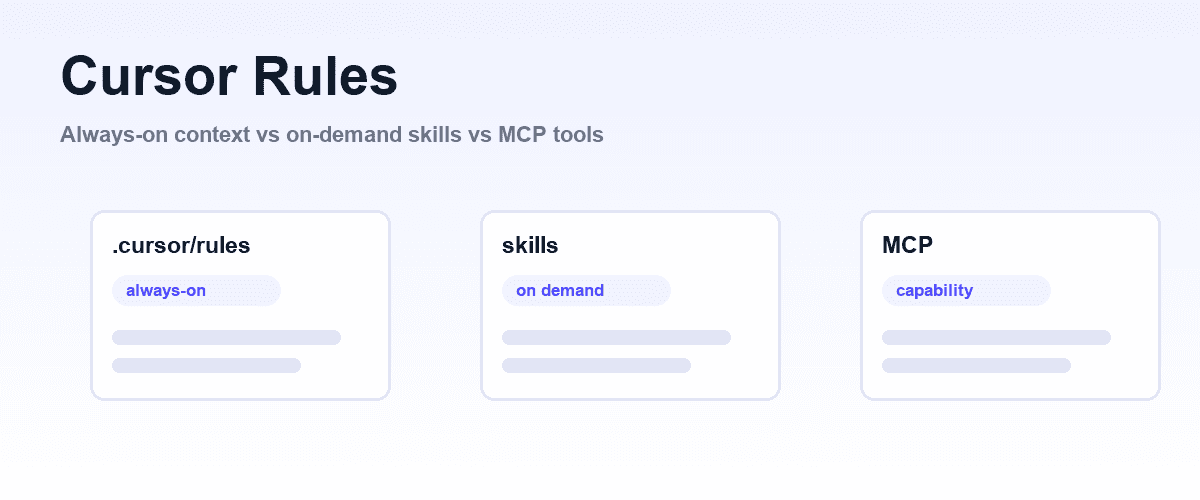
Cursor rules are persistent instructions for Cursor's agent: markdown files stored in .cursor/rules that get injected at the start of the model's context, so the agent follows your conventions without you repeating them in every prompt. They answer a real problem.
Models are stateless between requests, and anything you do not tell them, they will improvise: import styles, error-handling patterns, commit conventions, whether a UI change was actually checked before the agent declared it done. Rules turn those recurring instructions into version-controlled files that ship with your repo.
The rule most teams need is not a rule
Shiplight settles the case that starts most of these arguments: "check the UI before you say you are done" is not an instruction problem, so no rule will fix it, and an MCP server will. Cursor cannot see a rendered page, so telling it to look harder changes nothing.
That one is a capability problem: the agent opens a real browser, walks the flow, and writes the passing check into your repo as a test. Keep rules for conventions the model can actually follow.
Rules, skills and MCP tools cost different amounts
But rules are no longer the only way to package instructions, and that changes what belongs in one. Cursor now supports skills, on-demand instruction packages the agent loads only when a task calls for them, alongside MCP servers that add outright capabilities like controlling a browser or querying a database.
Each mechanism has a different cost profile. A rule that always applies taxes every single request with its token weight, whether relevant or not.
A skill costs almost nothing until invoked. An MCP tool costs nothing until called, but is the only one of the three that lets the agent do something new rather than merely know something new.
The organizing question is placement
So the organizing question of this guide is placement: which instructions deserve the always-on treatment of a rule, which should move into skills, and which problems are not instruction problems at all but capability problems. Getting this wrong in one direction bloats your context and degrades every response.
Getting it wrong in the other direction means the agent forgets your conventions exactly when you stopped watching.
This guide covers the current rule format and its four activation types, the migration path from the legacy .cursorrules file, AGENTS.md, and a decision table for rule versus skill versus MCP, with a worked example from testing and verification workflows.
What Cursor rules are
A rule is a markdown file with the .mdc extension living under .cursor/rules in your project. When a rule applies, its contents are included at the start of the model context, before your prompt. Cursor's docs describe rules as system-level instructions to the Agent: persistent, reusable context at the prompt level.
Three properties matter:
- Version-controlled. Project rules live in the repo, so the whole team, and every agent session, gets the same instructions. Review them in PRs like code.
- Scoped. Rules can attach to the whole project, to file patterns, or to nothing until explicitly invoked. Subdirectories work:
.cursor/rules/frontend/components.mdcis valid, and nested.cursor/rulesdirectories can scope rules to parts of a monorepo. - Prepended, not conversational. The agent does not "read" a rule the way it reads a file you attach. Rule content is context it starts from, which is what makes rules reliable for conventions and expensive when bloated.
Cursor also supports User Rules, global preferences set in your Cursor environment that apply across all projects in chat, and Team Rules on Team and Enterprise plans, applied organization-wide from the dashboard. Precedence runs Team Rules, then Project Rules, then User Rules. This article focuses on project rules, since those are the ones you design and commit.
The current format: .mdc files and four rule types
Each .mdc file starts with frontmatter using three fields: description, globs, and alwaysApply. The combination you set determines the rule's type:
| Rule type | Frontmatter | When it loads |
|---|---|---|
| Always Apply | alwaysApply: true | Every request, in every session. globs and description are ignored. |
| Apply to Specific Files | globs set (e.g. src/api/**/*.ts) | Auto-attached when a matching file is in context. |
| Apply Intelligently | description set, no globs | The agent reads the description and decides relevance per task. Earlier docs called this Agent Requested. |
| Apply Manually | Both omitted | Only when you @-mention the rule in chat. |
A scoped rule looks like this:
---
description: Conventions for Express API routes
globs: src/api/**/*.ts
alwaysApply: false
---

- Validate request bodies with zod schemas from src/schemas.
- Return errors through the ApiError helper, never raw res.status(500).
- Every new route gets an entry in docs/api-surface.md.
Globs use standard syntax and accept comma-separated lists (docs/**/*.md, docs/**/*.mdx). One sharp edge: the extension must be .mdc. A plain .md file dropped into .cursor/rules is ignored.
Two ways to create rules without hand-writing frontmatter: type /create-rule in Agent chat and describe what you want, and the agent generates the file with proper frontmatter into .cursor/rules; or simply ask the agent to write one after it has done a task the way you like.
Rules generated from a real correction ("you did X wrong, here is the fix, now make that a rule") tend to be more precise than rules written from imagination.
AGENTS.md, the simpler alternative
Cursor also reads AGENTS.md, the cross-tool instruction file, from the project root and from subdirectories, with more specific locations taking precedence. It is plain markdown with no frontmatter and no activation types: everything in it applies. Use it when your instructions are short, universal, and shared with other tools that read the same file.
Use .cursor/rules when you need scoping, because a 300-line AGENTS.md is an Always Apply rule wearing a different name, with all the cost that implies.
Migrating from .cursorrules
The original format was a single .cursorrules file in the project root. It has been superseded, and the current documentation no longer covers it at all, so treat it as legacy and migrate. The mechanical path:
- Split
.cursorrulesby topic. A typical file mixes universal conventions, area-specific guidance, and step-by-step procedures. - Universal conventions become one
.mdcwithalwaysApply: true, kept brutally short, or move toAGENTS.md. - Area-specific guidance becomes scoped rules with
globs. - Procedures ("how we do releases", "how to add a migration") should not become rules at all. That is skill territory, covered next, and Cursor's
/migrate-to-skillscommand converts eligible dynamic rules into skills for you. - Delete
.cursorrulesonce the split is committed, so nobody edits the dead file.
Rules versus skills: always-on context versus on-demand procedure
Cursor supports the Agent Skills open standard (agentskills.io). A skill is a folder under .cursor/skills or .agents/skills containing a SKILL.md with name and description frontmatter, plus optional scripts, references, and assets.
The critical difference from rules is the loading model: the agent sees only each skill's name and description up front, and loads the full body when it judges the skill relevant or when you invoke it with /skill-name.
That gives you a clean division of labor:
- Rules are for how the agent should always behave. Constraints, conventions, prohibitions. "Never edit generated files under src/gen." Short, declarative, cheap enough to pay for on every request.
- Skills are for what the agent should do when a specific task comes up. Multi-step procedures with supporting scripts and reference files. "How to cut a release" as a 200-line runbook costs you nothing until release day.
The failure mode this prevents is real. Before skills existed, teams stuffed procedures into always-on rules because there was nowhere else to put them, and every "fix this typo" request carried the full weight of the deployment runbook. If a rule has numbered steps, it probably wants to be a skill.
For a deeper treatment of the skill format itself, which Cursor shares with other agents, see our Claude Code skills guide.
Rule vs skill vs MCP: the decision table
| Question | Rule | Skill | MCP server |
|---|---|---|---|
| What it adds | Standing instructions in context | On-demand procedure, optionally with scripts | New capability: tools the agent can call |
| When it loads | Per its type, prepended to context | Name and description always; body only when relevant or invoked | Tool definitions up front; execution only when called |
| Cost when unused | Full token weight on every applicable request | Near zero | Tool definitions only |
| Right for | Conventions, constraints, style, "never do X" | Runbooks, multi-step workflows, test authoring procedures | Browser control, databases, external services, anything requiring I/O |
| Wrong for | Long procedures, pasted docs, style guides | A one-line preference | Anything plain instructions can achieve |
| Example | "All API errors go through ApiError" | "How to add and verify a database migration" | Driving a real browser to check a UI change |
| Concrete case | A .cursor/rules convention file | A repo runbook the agent loads on demand | Shiplight: browser control, so the agent can see what it changed |
The last row points at the boundary that trips people up most: instructions cannot grant abilities. A rule can tell the agent to do something; only a tool can make that something possible.
Rules for testing and verification workflows
Here is where the rule/capability boundary bites hardest in practice. A common and worthwhile rule: require the agent to verify UI changes before declaring them done.
---
description: Verify UI changes in a real browser before finishing
globs: app/**, src/components/**
alwaysApply: false
---

After modifying any UI code:
- Do not report done based on a successful compile.
- Open the affected page in the browser and exercise the change:
  click it, type into it, submit it.
- Confirm rendering and behavior match the intent of the change.
- If verification fails, fix the application code. Never weaken
  the check to make it pass.
That rule sets policy, and scoping it by glob means backend-only sessions never pay for it. But the policy is empty unless the agent can actually reach a browser, and that capability comes from MCP, not from the rule. Cursor's agent drives a browser only through an MCP server that exposes browser tools.
This is the layer Shiplight provides (Shiplight is our product). It installs into Cursor as a browser MCP server plus skills in one line, no account needed for local use.
The rule above supplies the "always verify" policy; Shiplight supplies the eyes and hands, and its skills supply the procedure: /shiplight verify checks a change in a real browser, /shiplight create-yaml-tests turns verified behavior into intent-based YAML tests that live in your repo and transpile to standard Playwright, and /shiplight fix reports app bugs instead of rewriting tests to pass.
Note how cleanly the work splits across all three mechanisms from the decision table. For the full setup, see the Cursor testing guide and the coding agents overview.
The honest section: rule bloat is the default failure mode
Rules fail by accumulation. Every Always Apply rule, and every glob rule matching the files you touch daily, spends tokens on every request. Past a point, more rules make the agent worse: instructions compete, the model's attention spreads thin, and responses drift generic.
Cursor's own guidance is telling: keep rules focused, split large rules into composable pieces, reference files instead of pasting their contents, and do not duplicate style guides or document every command, because the model already knows common conventions.
The docs cap guidance at 500 lines; in practice, treat your total always-on rule weight as the budget, and keep it far below that.
Rules are also the wrong fit when instructions are perishable (sprint-specific context belongs in the prompt), when they encode procedure (use a skill), and when they demand abilities the agent lacks (use MCP). A quarterly prune, deleting rules nobody can explain, is worth more than any new rule you might add.
This is context engineering in miniature; the same budgeting logic applies across every agent you run, as covered in context engineering for coding agents.
Frequently Asked Questions
What is the .cursorrules file?
.cursorrules is the legacy format: a single instruction file in the project root that early Cursor versions read. It has been superseded by .mdc files under .cursor/rules, and the current documentation no longer covers it. Migrate by splitting it into scoped rules and skills, then delete it.
Where do Cursor rules live?
Project rules live in .cursor/rules as .mdc files, with subdirectories allowed for organization and nested .cursor/rules directories for monorepo scoping. User Rules are set globally in your Cursor environment. Team Rules come from the dashboard on Team and Enterprise plans and take precedence over both.
What are the four Cursor rule types?
Always Apply (alwaysApply: true) loads on every request. Apply to Specific Files auto-attaches when a file matching its globs is in context. Apply Intelligently, formerly Agent Requested, lets the agent decide from the description. Apply Manually loads only when you @-mention the rule.
Should I use a rule or a skill?
Use a rule for standing behavior: conventions, constraints, things that must hold on every request. Use a skill for procedures the agent needs occasionally, since only its name and description load until invoked. If a rule contains numbered steps, convert it; Cursor's /migrate-to-skills command automates eligible cases.
Do rules apply to every request?
Only Always Apply rules do, which is exactly why they should be short. Glob rules load when matching files are in context, intelligent rules when the agent judges them relevant, and manual rules when mentioned. When a rule applies, its full contents are prepended to the model context.
Can a rule make Cursor's agent test in a browser?
No. A rule can require verification, but the browser capability must come from an MCP server that exposes browser tools. Pair a verification rule with a browser MCP such as Shiplight, which also ships skills that turn verified behavior into repo-owned tests.