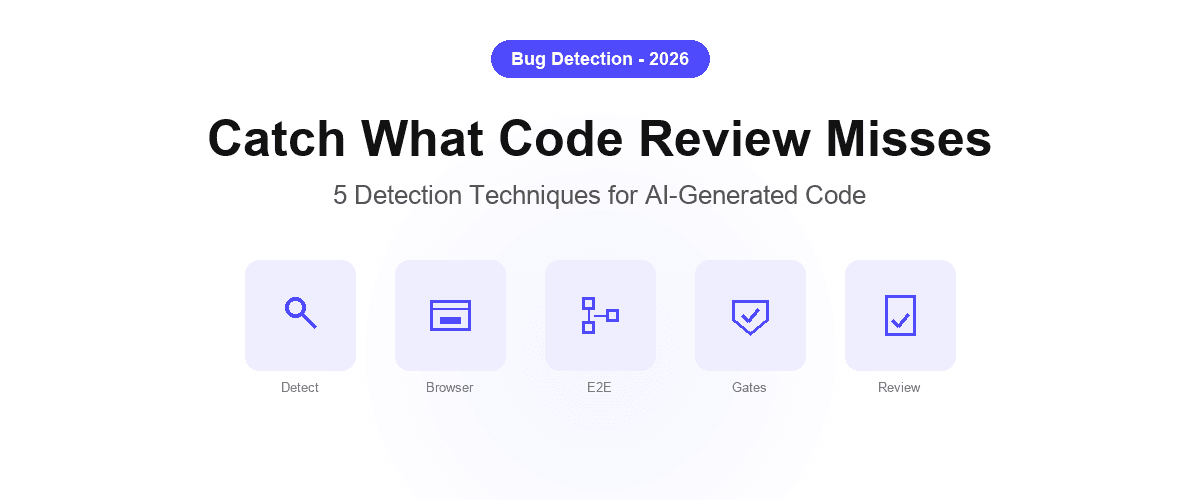
AI coding agents ship code fast. That is the point. But speed without verification creates a specific failure mode: hidden bugs that pass linting, type checks, and even unit tests, but break under real user conditions. A checkout flow that works in dev fails in Safari.
An auth edge case silently drops users. A refactored component breaks a flow three screens away.
Studies consistently show that AI-generated code has 1.7x more bugs than carefully reviewed human code. The issue is not that the models are incompetent; it is that the verification step has not kept pace with the generation step.
AI generates code faster than any human can review it end-to-end, and most teams have not yet built the detection layer to close that gap.
This guide covers the specific techniques that catch hidden bugs in AI-generated code before users find them.
Why Hidden Bugs Are a Specific AI Code Problem
Traditional code review scales with the size of the diff. A developer writing 50 lines of code produces a 50-line PR that a reviewer can meaningfully evaluate. An AI coding agent implementing a feature across five files produces a 500-line diff in minutes, and the reviewer can approve it in seconds without actually verifying the behavior.
The bugs that survive this process are not syntax errors or obvious logic mistakes: those get caught by static analysis. The hidden bugs are:
- Edge case failures: the agent implemented the happy path correctly but did not account for empty states, network failures, or invalid input
- Cross-browser inconsistencies: CSS and JavaScript that behaves correctly in Chrome but fails in Firefox or Safari
- Regression side effects: the agent changed a shared component and broke a flow it did not explicitly modify
- Integration failures: a feature that works in isolation fails when combined with real authentication, session state, or live data
- Silent failures: code that runs without errors but produces wrong outputs: the most dangerous category
These bugs have one thing in common: they require running the application in a real environment to detect. No static analysis tool catches a Safari layout regression. No unit test catches a state management bug that only appears after a user has navigated through three screens.
Detection Technique 1: Live Browser Verification on Every Agent Commit
The most direct way to detect hidden bugs in AI-generated code is to run the application in a real browser immediately after the agent commits. Not in CI: during development, before the code is even pushed.
Shiplight's browser MCP server enables this for any MCP-compatible agent (Claude Code, Cursor, Codex). After implementing a feature, the agent can:
- Open the application in a real Playwright-powered browser
- Navigate through the new feature end-to-end
- Assert that expected elements are present and behave correctly
- Capture screenshots as verification evidence
- Flag any failures back to the developer before the PR is opened
This catches the largest category of hidden bugs (integration failures that are invisible in code review) at the point when they are cheapest to fix: before the diff leaves the developer's machine.
Detection Technique 2: Intent-Based E2E Regression Tests
One-time browser verification catches bugs at implementation time. Regression tests catch bugs that future agent commits introduce in code that was previously working.
The key design decision is how tests express what they are verifying. Tests written against specific DOM selectors (#checkout-btn, .form__total, data-testid="submit") break constantly as the agent refactors components. Tests written against user intent survive refactors because the intent does not change when the implementation does.
goal: Verify checkout flow completes for logged-in user
base_url: https://app.example.com
statements:
  - URL: /cart
  - intent: Click Proceed to Checkout
  - intent: Confirm shipping address is pre-filled
  - intent: Click Place Order
  - VERIFY: Order confirmation is displayed with order number
When the agent restructures the checkout component, this test does not need to be updated: the steps describe what the user does, not which CSS class the button currently has. The intent-cache-heal pattern resolves the correct element automatically when a cached locator becomes stale.
For teams using AI coding agents, this is the sustainable approach: tests that grow with the codebase without becoming a maintenance burden that requires its own engineering effort.
Detection Technique 3: Automated Regression Gates on Pull Requests
A test suite that runs manually is a test suite that gets skipped. The detection layer for AI-generated code needs to run automatically on every pull request, blocking merges when regressions are found.
The critical properties of an effective regression gate:
- Runs on every PR, not on a schedule: regressions should be caught at the commit that introduces them, not discovered later
- Blocks merge on failure: advisory-only results get ignored under shipping pressure
- Provides actionable failure output: the agent needs to know which step failed, what was expected, and what was found, so it can diagnose and fix without human intervention
name: E2E Regression Gate
on:
  pull_request:
    branches: [main, staging]

jobs:
  e2e:
    runs-on: ubuntu-latest
    steps:
      - uses: actions/checkout@v4
      - name: Run regression suite
        uses: shiplight-ai/github-action@v1
        with:
          api-token: ${{ secrets.SHIPLIGHT_TOKEN }}
          suite-id: ${{ vars.SUITE_ID }}
          fail-on-failure: true
When this gate is in place, AI coding agents receive structured failure output and can diagnose and fix regressions before the PR reaches human review. This creates the AI-native QA loop: the agent writes code, the gate catches regressions, the agent fixes them, without waiting for a human to click through the feature.
See E2E testing in GitHub Actions for a complete setup guide.
Detection Technique 4: Cross-Browser and Edge Case Coverage
AI coding agents are trained predominantly on code that targets the most common browser and environment configurations. Edge cases are underrepresented in the training data and underspecified in the prompts. This produces a predictable bug distribution: happy path in Chrome works, everything else is uncertain.
A detection strategy for AI-generated code should explicitly cover:
Cross-browser execution:
- Run regression tests against Chromium, Firefox, and WebKit (Safari) automatically
- Flag browser-specific failures separately so they can be triaged by affected audience
- Pay particular attention to CSS layout, form behavior, and JavaScript API compatibility
Edge case scenarios:
- Empty states: what happens when there is no data to display?
- Error states: what happens when an API call fails?
- Boundary conditions: maximum input lengths, minimum/maximum values, zero quantities
- Concurrent actions: what happens if a user double-clicks a submit button?
User journey combinations:
- Test flows that the agent did not explicitly implement: what happens to adjacent features?
- Test with real session state (logged-in users, different role permissions, expired tokens)
These scenarios are underrepresented in agent-generated tests because the agent optimizes for the specified requirement. The detection layer needs to explicitly cover the space the agent did not think to test.
Detection Technique 5: AI-Powered Failure Analysis
Detecting that a bug exists is half the problem. The other half is diagnosing it fast enough that the fix happens in the same development session, not a week later when the context is cold.
Modern AI test platforms generate structured failure summaries that go beyond "step 3 failed." A useful failure summary includes:
- Which step failed and why: not just the error message, but what was expected vs. what was found
- Screenshot context: what the browser showed at the point of failure
- Root cause hypothesis: is this a locator failure (UI changed) or a behavioral failure (application broke)?
- Suggested fix direction: enough context for the agent to start diagnosing without re-running the test manually
Shiplight's AI Test Summary provides this output automatically on every test failure, reducing the time from "something failed" to "we know why and who fixes it," which matters particularly when AI agents are processing multiple PRs simultaneously.
Building Your Detection Stack
The detection techniques above layer on each other. A practical implementation sequence:
| Phase | Technique | Catch Rate |
|---|---|---|
| 1 | Live browser verification during development | Integration failures, layout bugs |
| 2 | Intent-based E2E regression suite | Behavioral regressions, edge cases |
| 3 | Automated PR gate | Regressions on every commit |
| 4 | Cross-browser coverage | Browser-specific bugs |
| 5 | AI failure analysis | Fast diagnosis and fix loop |
Start with Phase 1 and 3: browser verification during development and a blocking CI gate. These two steps catch the largest categories of hidden bugs with the least setup overhead. Add coverage depth as the agent generates more features.
Related: how to verify AI-generated code · catching hallucinations in AI-generated code
Frequently Asked Questions
What types of bugs does AI-generated code most commonly hide?
Four categories: edge case failures (empty states, error states, boundary conditions), cross-browser inconsistencies, regression side effects where a change to a shared component breaks an adjacent flow, and silent failures that run without errors but produce wrong outputs. All require runtime verification; static analysis misses them.
Can unit tests catch hidden bugs in AI-generated code?
Unit tests catch logic errors in isolated functions but miss integration bugs, browser-specific behavior, and regression side effects. A function that processes a payment correctly in isolation can still fail inside a real checkout flow with auth, session state, and API calls. End-to-end browser tests are needed to catch these categories.
How do you test AI-generated code without slowing down the development loop?
The key is running verification at two points: immediately after implementation (browser verification during development via MCP), and automatically on every PR (CI gate). The first catches bugs before they are pushed. The second catches regressions before they merge. Both are automated: the developer does not manually run tests on every change.
What is the best way to write tests for code that changes frequently?
Write tests against user intent rather than DOM selectors. An intent-based test ("click the submit button", "verify the confirmation message") remains valid when the agent renames classes, restructures components, or refactors the implementation. Selector-based tests break on every refactor. See what is self-healing test automation for a full explanation of how intent-based healing works.
How does browser verification differ from unit testing for AI code?
Browser verification runs the actual application in a real browser and simulates real user interactions: clicking buttons, filling forms, navigating between pages. It catches bugs that unit tests cannot: layout regressions, cross-browser inconsistencies, integration failures between components, and behavioral bugs that only appear in the context of a full user journey.
What is the best tool for catching bugs before they reach production?
A required E2E gate on every pull request catches the most, because it exercises real flows in a real browser before merge. Pair a browser-verification layer such as Shiplight with unit tests in CI; monitoring catches what escaped, not what is about to.
References
Playwright Documentation, GitHub Actions documentation, CodeRabbit AI Code Quality Report