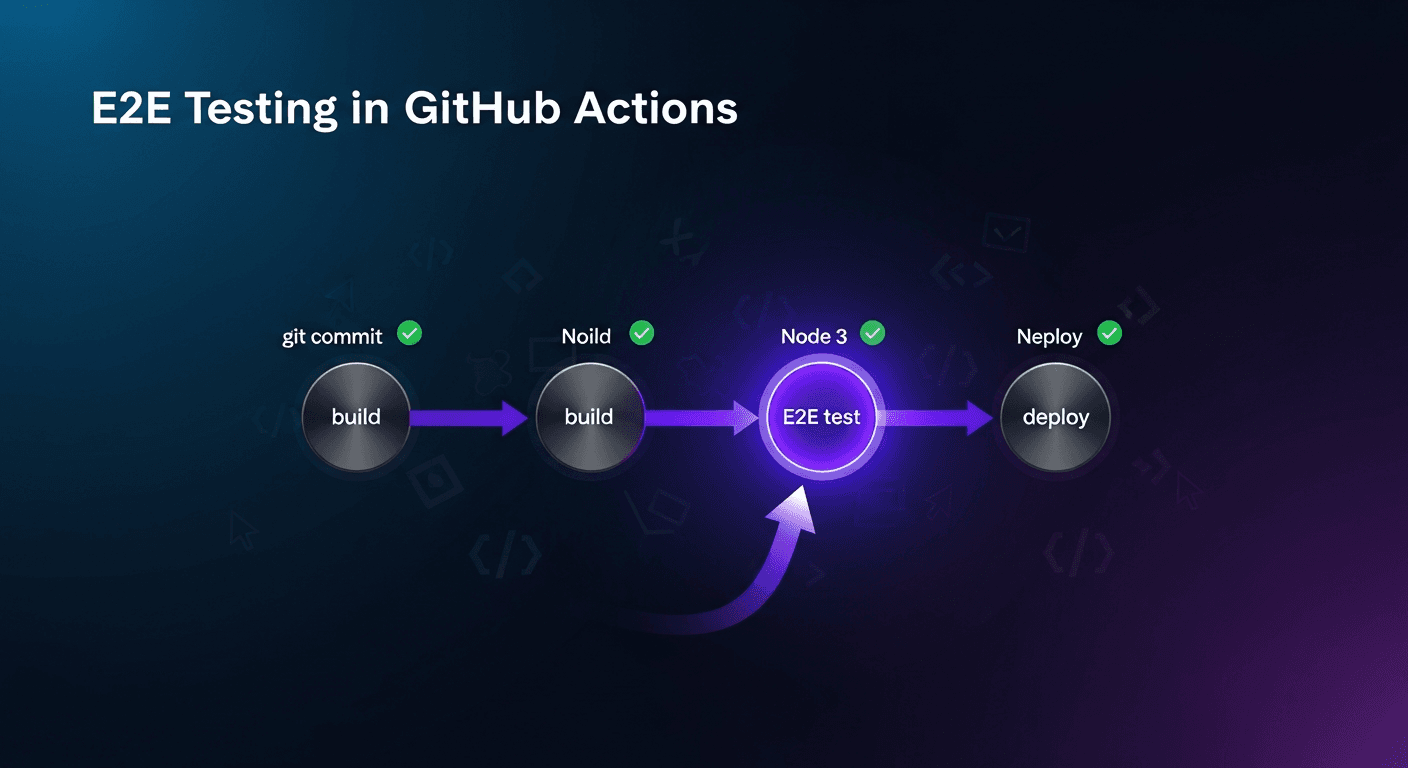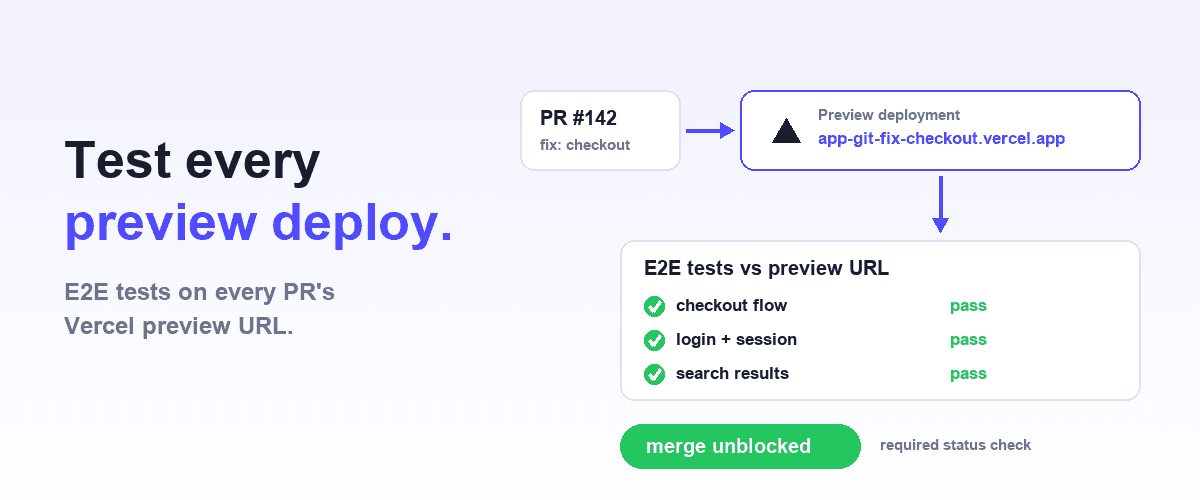
To test Vercel preview deployments automatically with Shiplight, trigger a GitHub Actions workflow when Vercel finishes deploying the pull request, read the preview URL from the event, pass it to your E2E suite as a base-URL environment variable, and mark the test job as a required status check.
Use either a deployment_status event or a wait-for-preview action to catch the deploy; a failing preview then blocks merge.
The pattern works with any browser testing tool, including plain Playwright, Cypress, or intent-based YAML tests.
Why Test Preview Deployments Instead of Staging?
Vercel creates a fresh deployment with its own URL for every push to a non-production branch and every pull request. That URL is the exact build artifact that will ship if the PR merges: same code, same environment variables, same edge configuration. Testing it is strictly better than testing a shared staging server that may be minutes or days behind.
The only work is wiring: getting the URL into CI, aiming the tests at it, and deciding what a red run should block.
This guide covers that wiring end to end, plus the constraints nobody mentions until they hit them: preview URLs behind Vercel Authentication, test data on shared databases, and third-party services that call back to fixed URLs.
Three properties make the per-PR preview the best test target in a Vercel setup:
- Isolation. Each PR gets its own URL, so a failure is attributable to that PR. On shared staging, ten merged branches interleave and every red run starts with "whose change was that?"
- Fidelity. The preview is the deployment, not a simulation of it. Build-time environment variables, framework config, redirects, and middleware all behave as they will in production.
- Timing. Results arrive while the PR is open, when the author still has context. A nightly staging run reports failures a day later to someone who has moved on.
Staging still has a job for long-lived integration testing and pre-release soak. But the merge gate belongs on the preview. This is the PR-time verification pattern applied to deployment infrastructure you already have.
How Do Vercel Preview Deployments Work?
By default, Vercel creates a preview deployment when you push a commit to a branch that is not your production branch, open a pull request on GitHub, GitLab, or Bitbucket, or run vercel from the CLI without --prod.
Each deployment gets a generated URL, and Vercel exposes two kinds: a commit-specific URL that points at that exact deployment, and a branch-specific URL that always points at the branch's latest.
For merge gating, use the commit-specific URL from the deployment event so you test exactly what will merge.
Vercel's GitHub integration also reports each deployment to GitHub as a deployment object, which means GitHub Actions can react to it natively. That is the hook the next section uses.
How Do I Get the Preview URL in GitHub Actions?
Two reliable patterns. Pick one.
Pattern 1: Trigger on deployment_status (no third-party action)
Vercel's GitHub integration marks the deployment successful when the preview is live. Trigger directly on that event and read the URL from the payload:
# .github/workflows/preview-e2e.yml
name: Preview E2E

on:
  deployment_status:

jobs:
  e2e:
    # 'Preview' is the environment name Vercel's GitHub integration reports
    if: >-
      github.event.deployment_status.state == 'success' &&
      github.event.deployment_status.environment == 'Preview'
    runs-on: ubuntu-latest
    timeout-minutes: 15
    steps:
      - uses: actions/checkout@v4
        with:
          ref: ${{ github.event.deployment_status.deployment.ref }}

- uses: actions/setup-node@v4
        with:
          node-version: '20'
          cache: 'npm'

- run: npm ci
      - run: npx playwright install --with-deps chromium

- name: Run E2E tests against the preview
        run: npx playwright test
        env:
          BASE_URL: ${{ github.event.deployment_status.environment_url }}

- uses: actions/upload-artifact@v4
        if: always()
        with:
          name: preview-e2e-report
          path: playwright-report/
          retention-days: 7
No polling, no extra dependencies, and the workflow runs exactly once per successful preview deploy. The checkout ref pins the test code to the deployed commit so tests and app stay in sync.
Pattern 2: Wait for the preview from a pull_request workflow
If you prefer everything in one PR-triggered workflow (for example, to combine unit tests and E2E in one file), poll for the preview instead:
on:
  pull_request:
    branches: [main]

jobs:
  e2e:
    runs-on: ubuntu-latest
    timeout-minutes: 20
    steps:
      - uses: actions/checkout@v4

- name: Wait for Vercel preview
        id: preview
        uses: patrickedqvist/wait-for-vercel-preview@v1.3.1
        with:
          token: ${{ secrets.GITHUB_TOKEN }}
          max_timeout: 300

- uses: actions/setup-node@v4
        with:
          node-version: '20'
          cache: 'npm'
      - run: npm ci
      - run: npx playwright install --with-deps chromium

- name: Run E2E tests against the preview
        run: npx playwright test
        env:
          BASE_URL: ${{ steps.preview.outputs.url }}
The trade-off: the runner sits idle while Vercel builds, which costs Actions minutes on slow builds. Pattern 1 avoids that entirely.
How Do I Point My E2E Tests at the Preview URL?
Make the app origin an input, not a constant. Every tool supports this; the mechanics differ slightly.
Playwright: read BASE_URL in the config and use relative paths in tests:
// playwright.config.ts
import { defineConfig } from '@playwright/test';

export default defineConfig({
  use: {
    baseURL: process.env.BASE_URL || 'http://localhost:3000',
  },
});
Any test that calls await page.goto('/checkout') now runs unchanged against localhost, staging, or the ephemeral preview URL. Tests with hardcoded absolute URLs are the first thing to fix; they silently keep testing the wrong environment.
Shiplight YAML tests follow the same principle: the suite lives in your repo, environment-specific values (origin, credentials) come from variables rather than being baked into test steps, and npx shiplight test runs the same suite against whichever URL the environment provides. Nothing about the preview URL being ephemeral matters to the tests, because nothing in the tests names it.
Cypress uses CYPRESS_BASE_URL as an environment-variable override for the same effect.
| Where the E2E suite runs against a preview | Setup effort | Catches server-side and env-specific breakage | Blocks merge |
|---|---|---|---|
| Nowhere; check the preview by hand | None | Only what you happen to click | No |
| Local run pointed at the preview URL | Low | Yes | No |
GitHub Actions on deployment_status | Medium, once | Yes | Yes, as a required check |
| Shiplight in that workflow | Medium, once | Yes | Yes, and your coding agent authors the tests |
How Do I Gate Merges on Preview Test Results?
A test run that doesn't block anything is advisory, and advisory suites get ignored. In GitHub, go to Settings → Branches, add (or edit) the protection rule for main, enable Require status checks to pass before merging, and select the e2e job.
From then on a failing preview run physically prevents the merge, and the PR page shows the red check next to the Vercel deployment link.
Two practical notes. First, keep the preview suite fast: this is a PR gate, so aim for the critical-path subset in under five minutes and leave deep regression to a nightly run. Second, decide the flake policy before enabling the gate, because a gate that fails for reasons unrelated to the PR trains people to click past it.
See how to fix flaky tests for the root-cause work that has to precede strict gating.
What Are the Honest Constraints?
Preview testing is the right default, but four issues bite real teams. Plan for them up front.
1. Deployment Protection blocks your tests. Many teams enable Vercel Authentication on previews so random visitors can't see unreleased work; your test runner is one of those random visitors.
Vercel's answer is Protection Bypass for Automation: the project generates a secret (exposed to deployments as VERCEL_AUTOMATION_BYPASS_SECRET), and requests carrying it in an x-vercel-protection-bypass header skip the auth wall. For browser tests, add x-vercel-set-bypass-cookie: true as well so follow-up requests stay authorized:
// playwright.config.ts
export default defineConfig({
  use: {
    baseURL: process.env.BASE_URL || 'http://localhost:3000',
    extraHTTPHeaders: process.env.VERCEL_AUTOMATION_BYPASS_SECRET
      ? {
          'x-vercel-protection-bypass': process.env.VERCEL_AUTOMATION_BYPASS_SECRET,
          'x-vercel-set-bypass-cookie': 'true',
        }
      : {},
  },
});
Store the secret in GitHub Secrets, never in the repo, and remember that regenerating it invalidates previously built deployments until they are redeployed.
2. The preview shares a database. Vercel gives each PR its own compute, not its own data. Unless you wire up per-branch databases (several Postgres providers offer database branching for exactly this), every preview points at the same preview-environment database. Consequences: tests that write data can collide across concurrent PRs, and leftover records accumulate.
Mitigations, in order of effort: scope test data to a per-run ID and clean up in teardown, use dedicated seeded test accounts per worker, or provision an ephemeral database per PR and set its connection string as a preview-scoped environment variable.
3. Third-party callbacks don't know your preview URL. OAuth redirect allowlists, payment webhooks, and email links are configured against fixed domains. A Stripe webhook will not call your-app-git-fix-checkout-team.vercel.app.
Options: mock the third-party calls at the network layer in tests, run webhook-dependent flows against staging instead, or for services that must reach the preview, use the bypass secret as a query parameter (?x-vercel-protection-bypass=...), which Vercel supports for exactly the header-less webhook case.
4. Auth flows still need real credentials. The bypass secret gets you past Vercel's wall, not your own login page. Handle app-level auth the same way as any E2E setup: seeded test users in secrets, session reuse via storage state, and special handling for magic links and verification emails (see stable auth and email E2E tests).
Where Does Shiplight Fit?
Everything above works with plain Playwright, and if that setup serves you, keep it. Shiplight is one clean implementation of the same pattern with the authoring and maintenance problems handled:
- Your coding agent connects to Shiplight over MCP and authors the E2E tests by walking the app, so the suite exists without a test-writing project.
- Tests are intent-based YAML committed to your repo and reviewed in the same PR as the feature, so the preview workflow tests the app and its new tests together.
npx shiplight testruns the suite against whatever URL the workflow provides, locally or in CI; enterprise teams can run the same YAML on Shiplight-hosted runners.- When the preview reveals drift (a renamed button, a moved form), the test heals and the change surfaces as a reviewable diff. When the app is genuinely broken, triage reports the bug instead of editing the test.
The preview URL gives you a perfect disposable target; the agent-authored suite gives you something worth pointing at it.
Frequently Asked Questions
How do I test Vercel preview deployments automatically?
Add a GitHub Actions workflow that reacts to the preview going live and runs your browser tests against it. The cleanest version triggers on the deployment_status event, filters for state == 'success' and the Preview environment, and passes environment_url to your runner as BASE_URL.
Make the job a required status check so failures block merge, and if Deployment Protection is on, send the x-vercel-protection-bypass header.
How do I get the Vercel preview URL in GitHub Actions?
From the deployment event: workflows triggered on deployment_status read the live URL at github.event.deployment_status.environment_url. If your workflow triggers on pull_request instead, use a polling action such as patrickedqvist/wait-for-vercel-preview, which waits for the PR's deployment and outputs its URL. Avoid reconstructing the URL from naming conventions; the event payload is authoritative.
How do I run Playwright against a preview protected by Vercel Authentication?
Generate a Protection Bypass for Automation secret in the Vercel project settings, store it in GitHub Secrets, and send it via extraHTTPHeaders in playwright.config.ts: x-vercel-protection-bypass with the secret, plus x-vercel-set-bypass-cookie: 'true' so the bypass persists as a cookie for in-browser navigation. The bypass clears Vercel's wall, but your application's own login flow still needs normal test credentials.
Should preview tests block merging?
Yes, once the suite is trustworthy. The preview run is the last automated look at the exact artifact that will ship, which makes it the natural required status check. Fix flakiness first, keep the gated subset fast (critical paths, under five minutes), and route deep regression to a scheduled run, because a flaky gate gets administratively bypassed rather than respected.
Can I test Netlify or Cloudflare Pages previews the same way?
Yes, the pattern is platform-agnostic: every per-PR preview system exposes the deploy URL to CI somehow. Netlify's GitHub integration reports deploy statuses workflows can react to, and Cloudflare Pages provides per-branch preview URLs. The test-side mechanics are identical (parameterize the base URL, run the same suite, gate the merge); only URL discovery and auth-bypass are platform-specific.
Do preview tests replace staging tests?
Not entirely. Previews are ideal for PR-scoped verification: does this change break the critical flows? Staging still covers what previews structurally cannot: long-lived integration state, webhook-dependent flows against registered URLs, load patterns, and data migrations. A practical split is previews for the merge gate, staging for nightly regression, and production for a post-deploy smoke suite.
References
Vercel environments documentation, Vercel Protection Bypass for Automation, GitHub Actions documentation, Playwright documentation