The best AI testing tool in 2026 depends on which layer of the problem you are solving. Shiplight AI leads for engineering teams using AI coding agents: intent-based YAML tests in your git repo, built on Playwright, self-healing by default.
Open-source Playwright and Cypress remain the code-first baselines. Applitools and Percy own the visual-regression layer, and BrowserStack owns cross-browser execution.
Vendor-console platforms (testRigor is a representative example) serve manual-QA organizations authoring outside the repo, and managed services such as QA Wolf outsource the suite entirely. Choice depends on who authors your tests and where they should live.
How we picked, and the six axes
The AI testing market is crowded, and nearly every vendor in it now describes itself as "agentic" or "autonomous." Marketing labels won't make the choice for you, because the tools underneath them solve genuinely different problems.
We build Shiplight AI, so we have a perspective, and we'd rather state it than pretend otherwise. What follows is where each tool's design center actually sits, including where ours stops.
Six axes decide the shortlist: self-healing capability, test generation approach, CI/CD integration, learning curve, pricing model, and support for AI coding agent workflows.
How Do AI Testing Tools Reduce Manual QA Effort?
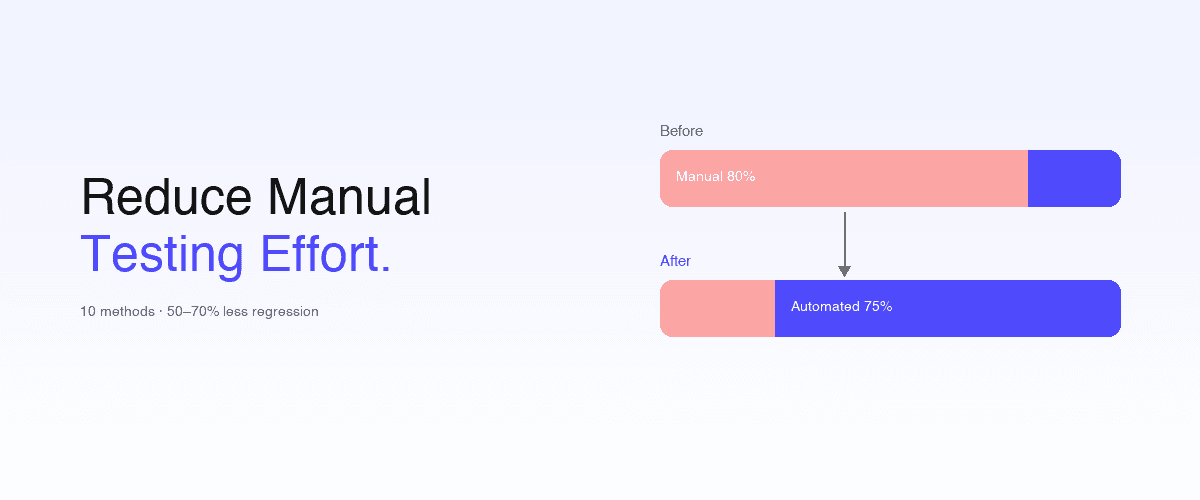
AI testing tools reduce manual QA effort in three specific places: test creation, test maintenance, and test execution triage. The goal isn't to remove QA engineers - it's to shift them from script-heavy execution work to higher-judgment roles: test design, edge-case exploration, and policy ownership.
A QA team that previously spent 70% of its time writing and fixing scripts can spend 70% of its time on product quality work if the right AI tools handle the mechanics.
Three axes where AI testing tools eliminate manual effort:
Test creation: from scripts to intent
Traditional automation: an engineer writes page.click('#submit-btn') and maintains CSS selectors forever. AI-native authoring: a manual tester writes "click the Sign In button" in plain English or YAML, and the AI resolves the correct element at runtime. Authoring time drops from hours to minutes. See test authoring methods compared for the full spectrum.
Test maintenance: from manual locator fixes to self-healing
In traditional automation, teams spend 40–60% of QA effort fixing tests broken by routine UI changes - not finding bugs, just maintaining selectors. AI-native self-healing eliminates this category of work: when the UI changes, the AI re-resolves intent and the test continues.
Intent-based healing handles more change than locator-fallback healing (attribute scoring, fallback selector lists) - but both reduce the manual maintenance burden substantially.
Test execution triage: from human investigation to structured failure output
Manual QA spends significant time triaging test failures to determine "is this a real bug or a flaky test?" AI testing tools with structured failure output flag the likely cause (timing, flakiness, UI drift, real behavior change) automatically - so engineers triage in seconds, not hours.
Combined, these three reductions transform QA from a script-heavy execution function into a judgment-and-design function. Manual testers moving into this new shape become test designers, automation editors, and exploratory testers - roles where human expertise compounds rather than gets replaced.
What Are the Types of AI Testing Tools?
Before diving into individual tools, it helps to understand the landscape. The categories below classify tools by how they actually operate, not by how they market themselves.
Agentic QA Platforms
Tools where an AI agent is the primary author and maintainer of tests: it generates them from intent, executes them, and adapts them when the UI changes without manual intervention. Example: Shiplight AI.
Open-Source Frameworks
Code-based browser automation your engineers write and own: Playwright, Cypress, Selenium. Not AI tools themselves, but the execution foundation most AI-native platforms build on, and the honest baseline every commercial tool must beat.
Vendor-Console Platforms with AI Features
A large commercial category where people author tests in the vendor's web application (visually, by recording, or in a constrained plain-English DSL) and AI accelerates authoring and reduces maintenance.
Tests live in the vendor's cloud rather than your repo. testRigor is a representative example of the DSL side; recorder-first low-code tools such as BugBug sit here too, where you capture flows in the browser rather than writing a DSL.
Mabl and Functionize are the same shape with heavier AI claims. Functionize is the sharpest version of the export problem, since its tests are data on its cloud VMs; Mabl alternatives and Functionize alternatives cover where teams go from each.
Managed QA Services
Outsourced services where a vendor's QA engineers build, run, and maintain your test suite, increasingly assisted by AI tooling. You buy coverage as an outcome rather than operating a tool. Example: QA Wolf.
Enterprise Codeless Suites
Platforms built for large QA organizations testing packaged enterprise applications (Salesforce, SAP, D365) with non-programmer testers: Tricentis Tosca, ACCELQ, Virtuoso QA. A different buyer from engineering-led web teams.
Katalon and Testsigma sell to that same buyer from a slightly different angle, authoring outside the repo for testers who do not write code. If you are already on one, Katalon alternatives and Testsigma alternatives compare each against the rest of the field.
Visual & Execution Layers
AI applied to specific layers that complement functional E2E rather than replacing it: visual regression (Applitools, Percy) and cross-browser execution infrastructure (BrowserStack).
One baseline before the comparison: if your team has a Playwright suite that already works well with low maintenance, you may not need anything on this list. The tools below earn their place where authoring and maintenance, not execution, are the bottleneck.
Quick Comparison Table
The axes that matter for choosing an AI testing tool are who authors the tests, where they live, what maintenance costs when the UI changes, and whether your development workflow can drive the tool. Device counts and platform breadth solve different problems and are described in prose, not scored here.
| Tool | Design center | Who authors tests | Where tests live | Maintenance model | Coding-agent integration |
|---|---|---|---|---|---|
| Shiplight AI | Agent-native functional E2E | Your coding agent or your team | YAML in your git repo | Intent-level heals as reviewable PR diffs | MCP + Skills across every major coding agent |
| Playwright | Open-source code framework | Your engineers (or their agents), in code | Your git repo | Manual: selectors are yours to fix | Via agent tooling you assemble |
| Cypress | Open-source code framework | Your engineers, in code | Your git repo | Manual | Via agent tooling you assemble |
| Selenium | Open-source code framework | Your engineers, in code | Your git repo | Manual | Limited |
| BugBug | Recorder-first low-code web testing | Your QA team, via a Chrome recorder | BugBug's workspace | Adaptive locator selection, not intent-level healing | None documented |
| TestMu AI (KaneAI / Kane CLI) | Agentic cloud platform plus a terminal-native CLI companion | Your QA team via KaneAI's cloud agent, or a coding agent via Kane CLI | KaneAI: TestMu's cloud; Kane CLI: local runs tied to a TestMu account | Agent-driven re-authoring, credit-metered | Kane CLI: npm-installable, callable from coding agents; KaneAI: none documented |
| Applitools Eyes | Visual-regression layer | n/a (asserts on your existing tests) | Baselines in their cloud | Baseline management | MCP (Playwright JS/TS only) |
| BrowserStack Percy | Visual snapshot review | n/a (snapshots from your suite) | Your repo (renders in their cloud) | Baseline approval workflow | Via BrowserStack MCP |
| BrowserStack Automate | Browser execution infrastructure | n/a (runs your existing suite) | Your repo | n/a | MCP wrapper over the grid |
| testRigor | Vendor-console DSL platform | Your QA team, in their console | testRigor's cloud console | AI re-interpretation on hosted runners | MCP wrapper over the cloud console |
| QA Wolf | Managed QA service | QA Wolf's engineers plus AI | QA Wolf's infrastructure (export is the escape hatch) | Human-backed SLA, not a self-healing runtime | No MCP server for coding agents |
| Tricentis Tosca | Enterprise model-based suite | QA org, in a Windows desktop app | Database objects in their repository | Module-model propagation | MCP wrappers over their tenant |
| ACCELQ | Enterprise codeless platform | QA org, codeless in their cloud | ACCELQ's cloud | Self-healing locators | None documented |
| Virtuoso QA | Enterprise NLP low-code platform | QA org, NLP authoring in their platform | Virtuoso's platform | Self-healing execution | None documented |
The 14 Best AI Testing Tools in 2026
The order below runs from the tools that author and maintain tests for you, through the free frameworks that leave that work with you, to the specialist layers and consoles that solve one slice each.
1. Shiplight AI
Category: Agentic QA Platform
Best for: Teams building with AI coding agents (Claude Code, Cursor, Codex) who want verification integrated into development
Shiplight connects to AI coding agents via its MCP server and Skills (Model Context Protocol), enabling the agent to open a real browser, verify UI changes, and generate tests during development, not after. Tests are written in YAML with natural language intent, live in your git repo, and self-heal when the UI changes.
Key features:
- Shiplight for Claude Code, Cursor, Codex, and more, via MCP with built-in agent skills for verification, test generation, and automated reviews
- Intent-based YAML tests (human-readable, reviewable in PRs)
- Intent-level self-healing: cached locators for speed, AI re-resolution on change, larger heals proposed as PR diffs
- Built on Playwright: supports every Playwright browser and runs alongside an existing Playwright suite
- Email and authentication flow testing
- SOC 2 certified
Strengths: Tests live in your repo and run in Shiplight Cloud: portable, no lock-in, works inside AI coding workflows, near-zero maintenance, enterprise-ready security
Limitations: Requires basic familiarity with coding agents; native mobile support is coming soon; Electron and browser-based desktop applications are partially supported, depending on the application
Pricing: Shiplight is free (no account needed). Paid plans start at $60/month; enterprise deployments by demo.
Why we built it: AI coding agents generate code fast, but there was no testing tool designed to work inside that loop. We built Shiplight to close the gap between "code written" and "code verified."
2. Playwright
Category: Open-Source Framework
Best for: Engineering teams that want maximum control and own the maintenance
Playwright is the most capable open-source browser automation framework: cross-browser (Chromium, Firefox, WebKit), fast, with auto-waiting and a strong tooling ecosystem, including its own codegen recorder and first-party agent tooling. It is also the foundation Shiplight is built on.
Strengths: Free, no vendor, full programmatic control, the largest modern ecosystem
Limitations: Tests are selector-bound code. Someone fixes them when the UI changes, and that holds whether a human or a coding agent wrote them; there is no built-in self-healing
Pricing: Free and open source
For the full head-to-head with Shiplight, see Shiplight vs Playwright.
3. Cypress
Category: Open-Source Framework
Best for: JavaScript-first teams that value interactive debugging
Cypress is the developer-experience-focused E2E framework: an in-browser runner with time-travel debugging and a mature JavaScript ecosystem. Parallel execution officially requires the paid Cypress Cloud.
Strengths: Excellent authoring and debugging experience, strong community
Limitations: Same selector-maintenance ceiling as any code framework; historically Chromium-focused; paid cloud for parallelization
Pricing: Free and open source; Cypress Cloud is paid
See Playwright vs Cypress for that decision.
4. Selenium
Category: Open-Source Framework
Best for: Organizations with existing Selenium investments and polyglot language requirements
Selenium is the longest-standing browser automation project, with the broadest language bindings and grid ecosystem. Most new suites start on Playwright or Cypress today, but Selenium remains widely deployed and deeply integrated in enterprise CI.
Strengths: Mature, language-agnostic, huge installed base
Limitations: More boilerplate and flakier defaults than modern frameworks; no AI capabilities
Pricing: Free and open source
See best Selenium alternatives if you're evaluating a move.
The three frameworks above are free, and all three leave maintenance with you. The commercial tools that follow charge for some version of taking that work back. The lowest-effort trade is the oldest one: let a recorder author the test instead of writing it.
5. BugBug
Category: Vendor-Console Platform
Designed for: SaaS and QA-led teams building web regression coverage through a browser recorder, with local runs, cloud scheduling, and CI/CD when they need it
BugBug is a Chrome-based low-code platform for web applications: you record real browser interactions and edit the result as visual steps. Adaptive Locators pick stable elements and Smart Waiting handles asynchronous pages, and tests run locally in Chromium or on BugBug's cloud runners.
Strengths: Fast browser-based recording, a custom JavaScript escape hatch, native GitHub Actions and CLI integration
Limitations: BugBug supports Chromium-based web applications rather than native mobile, desktop, or broad cross-browser testing. Adaptive Locators reduce failures caused by unstable selectors, but they are not intent-level autonomous healing; substantial interface or workflow changes may still require manual updates.
Pricing: Free plan for local testing; paid cloud plans start at $99/month billed annually. A 14-day free trial is available.
6. TestMu AI (KaneAI / Kane CLI)
Category: Autonomous and agentic test automation, delivered as a cloud platform with a terminal-native companion.
Designed for: Teams evaluating an end-to-end AI testing agent (KaneAI) or its companion terminal-native CLI, full-flow verification on your local browser in natural language (Kane CLI).
TestMu AI offers two related products. KaneAI is a cloud-based testing agent: describe intent in plain English, or give it a Jira ticket, PRD, or screenshot, and it generates and runs tests across web, mobile, API, and accessibility layers on TestMu AI's hosted infrastructure.
Kane CLI is the terminal-native counterpart, installable via npm and callable from coding agents, but both products are account-tethered and credit-metered rather than repo-native.
Limitations: KaneAI has no permanent free plan (14-day trial, capped at 10 AI authoring sessions and two agents). Kane CLI's local runs are Chrome-focused rather than fully cross-browser.
Pricing: KaneAI costs $199/month for Web or $299/month for Mobile + Web, billed annually, with enterprise pricing available on request. Kane CLI has a free local tier with 200 credits per month, paid plans start at $19/month for Starter and $99/month for Pro, with enterprise pricing by quote.
Each KaneAI + Kane CLI agent includes a Test Manager Premium license, so test case management comes with the agent rather than as a separate subscription.
The next three tools are layers rather than authoring platforms. Each assumes a functional suite already exists and adds one thing on top of it.
7. Applitools
Category: Visual Layer
Designed for: Visual regression testing and cross-browser UI validation, as a layer over functional E2E
Applitools is a visual-testing specialist: its Visual AI detects layout shifts, visual bugs, and cross-browser inconsistencies while tolerating antialiasing noise that pixel-exact comparison would flag. It integrates with Selenium, Cypress, and Playwright as an assertion layer; your tests stay in your repo while baselines and match settings live in Applitools' cloud.
Strengths: Visual-testing specialization, broad framework integrations, long track record
Limitations: Focused on the visual layer only, not a full E2E testing solution. You still need another tool for functional testing.
Pricing: Free trial only; plans are quote-based
8. BrowserStack Percy
Category: Visual Layer
Designed for: Teams that want cross-browser visual review integrated into an existing suite
Percy captures DOM snapshots during your test runs, re-renders them across browsers and viewport widths in its cloud, and diffs against approved baselines with a git-aware review workflow. It adds a visual layer to Playwright, Cypress, or Storybook runs without new test logic.
Strengths: Low-friction CI integration, unusual free tier (unlimited seats), codified review workflow
Limitations: Pixel-diff heritage means visual noise without the paid AI triage; asserts nothing functional
Pricing: Free tier (5,000 screenshots/mo); paid plans published on BrowserStack's site
9. BrowserStack Automate
Category: Execution Layer
Designed for: Teams that need real-device and cross-browser coverage for an existing suite
BrowserStack Automate runs your existing Playwright, Cypress, or Selenium tests across a cloud grid of browsers, OS versions, and real devices. It is execution infrastructure: it doesn't author, heal, or interpret tests, and it pairs with whatever functional tool produces the suite.
Strengths: The practical path to real iOS Safari and Android coverage without a device lab
Limitations: Solves execution coverage only; authoring and maintenance stay yours
Pricing: Per-parallel pricing, published on their site
10. testRigor
Category: Vendor-Console Platform
Designed for: manual-QA-heavy organizations where non-engineers author tests in a vendor cloud console
testRigor is a cloud-hosted platform (founded 2015, before the coding-agent era) built to make manual QA productive without engineers, and a representative example of the vendor-console category. Authoring uses a constrained plain-English DSL rather than free English: their own docs note the parsed English "has some syntax to it," and free-form phrasing is LLM-translated into their command set.
The platform supports web, mobile, API, and desktop testing. Tests live as suites in testRigor's cloud console, running on their hosted runners; Selenium export is available only under paid-customer agreements, per the founder's public statements.
Limitations: No repo copy of the tests; review-site complaint themes (G2, Capterra; small review base) include nondeterministic failures on their hosted runners; the MCP server they ship wraps the cloud console: agent-integrated, not agent-native
Pricing: Free sign-up advertised; paid plans quote-based, capacity sold in virtual machines
11. QA Wolf
Category: Managed QA Service
Designed for: Teams outsourcing QA rather than operating a testing tool
QA Wolf is a managed QA service, not a tool you run: its QA engineers, assisted by AI tooling, write and maintain standard Playwright/Appium tests for you. QA Wolf markets the offering with agentic and AI-platform language; the operating model is people-powered coverage under a human-backed SLA.
The tests are standard Playwright code the customer owns, but they live and run on QA Wolf's infrastructure, with export as the escape hatch. No MCP server for coding agents exists.
Limitations: Higher cost than self-serve tools; testing knowledge and maintenance sit outside your team; less control over authoring decisions
Pricing: Quote-only for the managed service; a self-serve platform is metered by AI credits and runner-minutes
12. Tricentis Tosca
Category: Enterprise Codeless Suite
Designed for: Global enterprises testing SAP, Oracle, and packaged-application landscapes with large manual-QA organizations
Tosca is the model-based-testing incumbent: screens are scanned into reusable Modules in a Windows desktop application, tests compose those modules, and changing a module once propagates everywhere. Tests are database objects in Tosca's proprietary repository, with a C# plugin SDK as the escape hatch.
SAP resells Tosca, and its coverage of legacy technologies extends far beyond what browser-first tools touch.
Strengths: The default choice for SAP-class enterprise estates; module-model maintenance genuinely centralizes change; large enterprise review base
Limitations: Windows desktop authoring, no documented export path out, quote-only pricing with a steep learning curve; reviewer complaints center on cost and execution speed
Pricing: Quote-only
13. ACCELQ
Category: Enterprise Codeless Suite
Designed for: Codeless automation across web, mobile, API, and packaged applications (Salesforce, SAP)
ACCELQ is a cloud-based codeless platform with broad coverage (web, mobile, API, database, and enterprise apps like Salesforce and SAP) plus genuine on-prem deployment options for behind-the-firewall requirements. Authoring is a constrained-vocabulary statement editor in their console; tests are proprietary server entities with no documented export path.
Strengths: Broad platform coverage including packaged enterprise apps, real on-prem deployment, codeless authoring for non-programmer testers
Limitations: Tests live in ACCELQ's proprietary object model, not files in git; no coding-agent surface; enterprise-oriented quote-only pricing
Pricing: Custom pricing
14. Virtuoso QA
Category: Enterprise Codeless Suite
Designed for: Enterprise QA teams testing packaged apps (Salesforce, SAP, D365, Workday) with non-programmer testers
Virtuoso combines constrained natural-language authoring with self-healing execution, visual regression, and API testing, with pre-built libraries for the major packaged enterprise applications. Tests are proprietary journey objects in Virtuoso's web console, executed exclusively on their cloud.
Strengths: Mature self-healing selectors and real enterprise deployments in packaged-app verticals
Limitations: Console-native with cloud-only execution and lossy export; no agent interface documented; performance statistics circulating about it are vendor-authored without published methodology
Pricing: Custom enterprise pricing
Other layers worth knowing
Beyond the 14 above, two adjacent patterns are worth knowing when scoping a shortlist:
- Cloud-agent generation services - a newer commercial pattern where the vendor's cloud agent writes tests (sometimes delivered into your repo) and heals them through billable cloud sessions. The code-ownership story varies widely by vendor; check where the tests execute and what healing costs before assuming portability. TestSprite is the one most teams meet first, through its MCP server, and TestSprite alternatives sets that pattern beside the others here.
- LLM browser-agent frameworks - open-source projects such as BrowserUse where an LLM-driven agent navigates apps dynamically from natural-language goals, without pre-authored scripts. An emerging pattern for exploratory and smoke coverage rather than deterministic regression suites.
For the category map behind these distinctions, see AI-native vs AI-augmented in AI-native software testing and what is AI testing.
How to Choose the Right AI Testing Tool
By Team Size
Team size is a weaker predictor of fit than how you develop: a 30-person team shipping daily with AI coding agents has more in common with a 300-person one than with a 30-person team on quarterly releases. With that caveat:
- Startups and fast-moving product teams: Shiplight - fast setup, low overhead, coverage in days. Vendor-console platforms target manual-QA-heavy organizations, a different operating model
- Scale-ups and mid-market: Shiplight - fast-growing product companies at significant revenue scale run Shiplight through enterprise agreements
- Enterprise: Shiplight (SOC 2, VPC deployment, hosted CI runners, dedicated CSM) for engineering-led testing. Enterprise codeless suites (Tosca, ACCELQ, Virtuoso) cover packaged-app estates with manual-QA organizations; a managed QA service is the route for teams that would rather outsource testing than operate a tool
By Use Case
- Web application E2E testing (the most common scenario): Shiplight if coding agents or engineers author tests that live in your repo; a vendor-console platform if a dedicated QA team authors tests on the vendor's cloud; a managed QA service to outsource coverage entirely
- AI coding agent workflows (Cursor, Claude Code, Codex): Shiplight - the agent authors, runs, and heals tests from inside the coding session via MCP plus Skills
- Visual regression testing for web apps: Applitools or Percy - specialist layers that complement any functional tool above; if visual testing is your primary need, compare the best Applitools alternatives first
- Cross-browser and real-device coverage: BrowserStack Automate runs whatever suite your functional layer produces
- Manual-QA staff authoring without engineers: a vendor-console platform with structured-English or recorder authoring, built for that buyer rather than for engineering-led teams
- Packaged enterprise apps (SAP, Salesforce, D365): the enterprise codeless suites, whose design center is exactly that estate
- Fully managed QA: a managed QA service outsources the entire testing process (humans plus AI write and maintain your tests on the vendor's infrastructure)
By Budget
- Free: Playwright, Cypress, and Selenium are free open-source frameworks. Shiplight is free with no account needed. Percy has a real free tier
- Published pricing: Shiplight's paid plans start at $60/month; BrowserStack publishes per-parallel pricing; Cypress Cloud publishes tiers
- Quote-based: Applitools, testRigor, the managed services, and the enterprise suites are all sold by quote; Shiplight's enterprise deployments are by demo
What Makes AI Testing Different from Traditional Automation?
The three reductions above (creation, maintenance, triage) describe what changes for a QA team. What changes for the tooling is narrower: traditional frameworks like Selenium and Cypress ask a developer to write and maintain scripts, so when the UI changes, tests break and someone fixes them.
AI testing tools add three capabilities on top of that foundation:
- Self-healing: AI adapts to UI changes automatically. Instead of brittle CSS selectors, tools use intent-based resolution, visual recognition, or smart locator strategies to find elements even when the DOM changes.
- Natural language authoring: Write tests in plain English or YAML rather than code. This makes testing accessible to PMs, designers, and QA engineers who don't write Playwright or Selenium scripts.
- Autonomous maintenance: AI detects when tests need updating, fixes them proactively, and reduces the maintenance tax that makes traditional automation unsustainable at scale.
All three are moving from "nice to have" to table stakes. The real differentiator is no longer whether a tool has them, but where it puts them: in your repo, in the vendor's cloud, or inside a managed service.
Final Verdict
There is no single "best" AI testing tool - it depends on your team, workflow, and priorities. Here's our honest recommendation:
- If you build with AI coding agents (Claude Code, Cursor, Codex) and want testing integrated into your development loop, Shiplight AI is designed for exactly this workflow. Tests live in your repo as YAML (with optional Shiplight Cloud execution), self-heal, and are reviewable in PRs.
- If you want code-first control and accept the maintenance, Playwright is the strongest open-source framework, and Shiplight runs alongside it if you later want the maintenance handled.
- If visual regression is your primary concern, Applitools and Percy are the specialist layers; treat them as complements to functional E2E.
- If you need cross-browser and real-device coverage, BrowserStack executes whatever suite you already have.
- If you want to outsource QA entirely, a managed QA service such as QA Wolf has QA engineers plus AI build and maintain coverage on the vendor's infrastructure. This is the opposite operating model from owning tests in your repo.
- If a manual-QA organization owns testing, the vendor-console category (testRigor is a representative example) is built for authoring outside the repo; the enterprise codeless suites serve packaged-app estates.
The AI testing space is evolving rapidly. Whichever tool you choose, the key question isn't "does it have AI?" - every tool claims that now. The question is: does it reduce the time your team spends on test maintenance, and does it fit into the way you already build software?
Get Started
- Try Shiplight - free, no account needed
- Book a demo
- YAML Test Format documentation
- Shiplight Documentation
- AI testing tools that automatically generate test cases - focused comparison by generation method
- 10 best AI test case generation tools (2026) - ranked guide with selection criteria
- Best AI automation tools for software testing - pillar comparison of AI automation tools across the testing category
- What is AI testing? - complete category guide covering all 5 subcategories of AI testing
- Best AI QA tools in 2026 - the sibling guide organized by the QA job each tool does
- Best AI test automation tools for fast-moving teams - picks against the constraints of daily shipping
References: Playwright Documentation, Gartner AI Testing Reviews, Google Testing Blog
Frequently Asked Questions
What are the best AI testing tools?
No single tool wins every scenario; match it to your bottleneck. Shiplight AI leads for teams building with AI coding agents: intent-based YAML in your repo, built on Playwright. Playwright and Cypress are the code-first baselines, Applitools and Percy the visual layer.
What are the two main categories of AI testing tools?
Two patterns. AI-assisted creation and maintenance adds smart locators and self-healing to a human-driven workflow. Autonomous AI testing generates and maintains coverage from intent with humans reviewing, which is how Shiplight works. See AI-native software testing for the distinction.
What is the best AI testing tool for AI coding agents?
Shiplight AI is the best AI testing tool for teams using AI coding agents: MCP lets Claude Code, Cursor, Codex, and Copilot invoke it to verify UI changes as they build, rather than testing after the agent finishes. See Shiplight for AI coding agents.
Which AI testing tools are best for web apps?
Three layers, three answers. Functional E2E: Shiplight AI (intent-based YAML, callable via MCP), or Playwright and Cypress for code-first teams. Cross-browser execution: a cloud grid like BrowserStack. Visual regression: Percy or Applitools. Full breakdown in the best AI testing tools for web apps guide.
What is the best free AI testing tool?
Shiplight is free with no account required. Playwright, Cypress, and Selenium are free open-source frameworks without AI; Percy has a genuine free tier on the visual layer. Watch for platforms that advertise a free tier but gate real usage behind metered credits.
What AI tools reduce manual QA testing efforts the most?
Natural-language test generation, visual AI testing, self-healing maintenance, and continuous regression in CI. Exploratory testing and release sign-off still need people. The biggest reduction comes where the agent that wrote the feature also authors its test over MCP.
Can AI testing tools replace manual QA?
Not entirely. AI reduces manual regression testing by 80–90%, but exploratory testing (finding unexpected bugs by creative investigation) still needs people. Combine automated regression with targeted manual exploration.
Do AI testing tools work with Playwright, Selenium, and Cypress?
Most integrate with existing frameworks. Shiplight is built on Playwright: its YAML transpiles at run time, so it runs alongside an existing suite. Applitools and Percy layer assertions onto all three; BrowserStack executes suites from all three.