The best low-code test automation tools in 2026 are Shiplight AI, Playwright Codegen, Selenium IDE, testRigor, ACCELQ, Virtuoso QA, and Tricentis Tosca.
- Shiplight AI: intent-based YAML in your git repo, with AI coding agent integration.
- Playwright Codegen: open-source recorder that emits Playwright code.
- Selenium IDE: open-source record-and-playback.
- testRigor: constrained plain-English authoring in its cloud console.
- ACCELQ: enterprise codeless across web, API, and packaged apps.
- Virtuoso QA: natural-language authoring for packaged-app estates.
- Tricentis Tosca: model-based testing for SAP-class enterprises.
To choose between them, match the authoring format to who actually writes the tests, verify self-healing on your own app before buying, and check whether tests live in your git repo or a vendor's cloud.
What Is Low-Code Test Automation?
"Low-code test automation" sits in the middle of a spectrum: more structured than purely no-code plain-English tools, less code-intensive than frameworks like Playwright or Selenium. It has become the dominant authoring model for modern testing platforms because it lets engineers and non-engineers both contribute to the same test suite.
The seven paths below cover the distinct ways teams do low-code testing in 2026: repo-resident intent formats, open-source recorders, vendor cloud consoles, and enterprise codeless suites. They differ in authoring format, where tests live, self-healing quality, AI coding agent support, and enterprise readiness.
We build Shiplight AI, so it's listed first, but we'll be honest about where each path fits and where it doesn't.
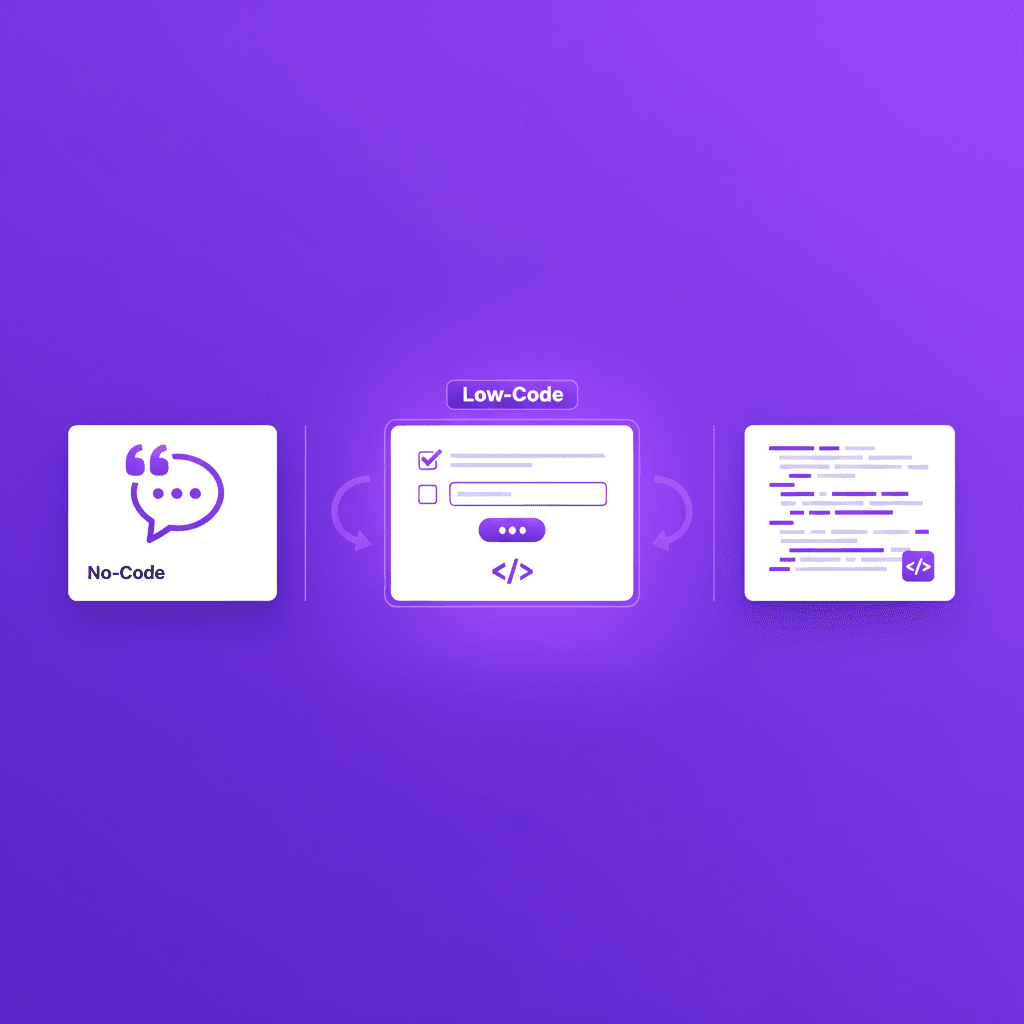
Low-code test automation is a category of testing platforms where tests are authored primarily through structured non-code formats (visual builders, YAML with natural-language intent, or NLP) with optional code extensions for complex scenarios. It's distinct from:
- No-code: zero code at any stage (constrained-English DSLs, pure visual builders)
- Code-first: tests are TypeScript/Python/Groovy scripts (Playwright, Selenium)
- Managed: a vendor's service writes and maintains the tests for you
Low-code sits between. You get readability and accessibility for non-engineers, plus optional code hooks when your team needs them.
How Low-Code Test Automation Is Evolving
Low-code testing was originally defined by visual drag-and-drop builders and recorders. That era is ending. In 2026, the category is splitting into two distinct directions:
- Recorder and console low-code: the original form. Record-and-playback and drag-and-drop builders, either open source (Playwright Codegen, Selenium IDE) or as vendor cloud consoles with auto-healing layered on. Mature and established.
- Intent-based low-code: the next form. Structured natural-language formats (YAML with intent steps, structured English commands) that self-heal by re-resolving user intent, not by trying alternative CSS selectors. Shiplight works this way; some vendor consoles and enterprise suites offer constrained-English variants.
The shift is driven by two forces:
- AI coding agents generate UI changes faster than recorded tests can keep up. A recorded test captures a specific interaction path; an intent-based test records what the user was trying to do. When AI coding agents refactor components weekly, intent survives; recorded click paths don't.
- Tests-as-files is displacing tests-in-vendor-platforms. Engineering teams want tests reviewable in pull requests, version-controlled in git, and portable across environments. Console platforms store tests as proprietary artifacts in the vendor's cloud, which can't do this. Repo-resident low-code formats can.
Neither direction obsoletes the other immediately. Console and codeless platforms remain the fit for manual-QA organizations and packaged-app estates. Intent-based, repo-resident low-code is the fit for engineering teams and anyone adopting AI coding agents.
Code Escape Hatches: A Design Principle for Serious Low-Code
The mature definition of low-code includes full code access when needed. No-code stops where its UI stops; low-code doesn't.
Any low-code tool being used in production encounters cases where pure low-code authoring can't express what the test needs to do: API setup before a UI flow, conditional assertions based on runtime data, complex preconditions, custom validation logic. A low-code tool without code escape hatches forces workarounds that bloat the test suite.
Good low-code paths handle this differently:
- Code blocks inside low-code tests: Shiplight's
CODE:blocks let engineers embed custom logic inside an intent-based YAML test - Recorder output is code: Playwright Codegen and Selenium IDE emit real code, so the escape hatch is the whole file; the trade is that you now maintain code
- Vendor-console script snippets: console platforms typically offer a JavaScript or vendor-scripting escape hatch inside their cloud, which extends the console but stays in the console
Evaluate any low-code tool on how its code escape hatch works. The ones with strong escape hatches scale to complex production test suites; the ones without hit a ceiling.
Human-in-the-Loop Self-Healing Approval
Self-healing is necessary for low-code test automation to be sustainable, but fully autonomous healing is dangerous in regulated industries. A test that silently heals a broken locator may also silently heal around a real bug.
The mature pattern is human-in-the-loop self-healing:
- When a locator fails, the AI resolves a replacement based on intent
- For minor changes (class rename, label tweak), the heal is applied and logged
- For substantial changes (new component, different flow), the heal requires approval before being committed
- Every healing decision is auditable
Shiplight implements this with heals surfaced as reviewable PR diffs; intent is preserved, so heals regenerate steps from the original intent. When evaluating any low-code tool for regulated environments, ask the vendor specifically: What is the approval threshold for auto-heals? Can we require review for major changes?
Manual Testers Becoming Automated: The 2026 Transition
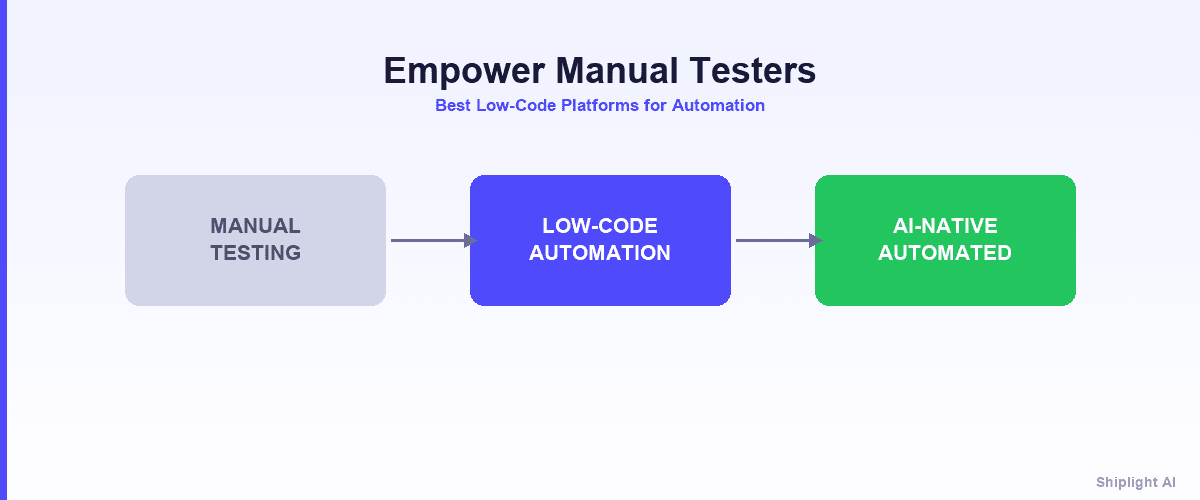
The biggest use case for low-code test automation in 2026 is manual testers becoming automated. QA professionals who have spent years running scripted manual tests are being asked to produce regression suites at the velocity AI coding agents generate code. Low-code test platforms are the bridge: they let manual testers contribute automation without becoming full-time developers.
The transition is real, but the reality is nuanced. Low-code tools are acceleration layers, not replacements:
- Simple regression flows → automated by AI/low-code authoring
- Repetitive click-through flows → recorded or generated once, re-run forever
- Complex business logic → still requires human design, but with less scripting overhead
Manual testers who transition successfully tend to move into three distinct roles, rather than becoming generic automation engineers:
- Test Designers: architects of what to test, owning business-logic reasoning and coverage strategy. The low-code tool handles mechanics; the human handles strategy.
- Automation Editors: refine AI-generated or recorded tests, spot edge cases the tool missed, and approve heal events. This is where manual testers' accumulated product knowledge compounds.
- Exploratory & Edge-Case Testers: the work automation can't replace. Human judgment finds bugs automation doesn't know to check for.
The tools that actually enable this transition need three capabilities: (1) accessible authoring so manual testers don't hit a coding wall, (2) self-healing that actually works so maintenance doesn't eat back the gains, and (3) a path to scale so the initial success doesn't plateau at 50 tests.
The reality check: why most low-code transitions stall
QA leads commonly report the majority of automation time going to maintenance on record-and-playback platforms at scale, flipping the productivity promise into a productivity trap. The transition works at 50 tests, stalls at 200, and breaks at 500+.
The reason is architectural. A recorded test replays a click path; when the UI changes, the path breaks, and someone re-records or re-maps it.
Platforms that heal tests from intent rather than replaying recorded click paths address the maintenance cliff: Shiplight stores the intent itself and re-resolves it when the UI changes, so tests survive the weekly UI churn AI coding agents produce.
If you're a manual tester evaluating options, the key question isn't "can I use this tool without coding": every tool on this list lets you do that for simple tests.
The question is: what happens at 200 tests and six months in? Tools that pass this test scale with you; tools that don't become the same maintenance burden in a different wrapper.
For a full guide on the transition timeline, role progression, and tool fit by starting profile, see Empower Manual Testers: Best Low-Code Platforms for Automation.
Who Uses Low-Code Test Automation?
Low-code test automation extends test authorship beyond traditional QA engineers. Five distinct roles benefit, each using the platform differently:
- QA testers: build flows using visual test logic and the record-and-refine approach (record once, edit the steps that need it). Test parameterization lets one test cover dozens of input variations without copy-paste duplication.
- Developers: embed reusable low-code functions into their workflow and run tests during coding. Hybrid test creation (low-code authoring with optional code blocks) gives developers a way to extend tests when complexity demands it without leaving the platform.
- Business analysts: validate workflows against business rules. Branching logic in low-code test cases handles "if user is admin, then…" logic that pure visual tools can't express. The natural-language step format keeps tests readable in product reviews.
- Product managers: review automated test flow diagrams to see which features have coverage. This is decision-making input, not authoring, but the visibility low-code platforms provide is a tier above what code-first frameworks offer.
- DevOps engineers: wire low-code test runs into CI/CD pipelines. Most modern low-code platforms support clean CI/CD integration with low-code solutions (CLI runners, GitHub Actions integration, webhook-based triggers) without requiring developers to maintain the test infrastructure.
This multi-role accessibility is the actual value of the low-code category. A test suite that only QA can read or only engineers can run becomes a single team's burden; a low-code suite distributes ownership across the organization.
Test Types You Can Automate with Low-Code
Low-code test platforms aren't limited to one test type. Modern platforms cover:
| Test type | What's automated | Specific features used |
|---|---|---|
| UI testing | Forms, buttons, full user journeys | Visual test logic + branching logic for conditional flows |
| API testing | REST and SOAP endpoints | Low-code API testing with test parameterization for dynamic values |
| Regression testing | Verifying existing features after changes | Reusable low-code functions + automated test flow diagrams |
| Cross-browser testing | Same test across Chromium, Firefox, WebKit | Reusable functions executed across browser configs |
| End-to-end testing | UI + API combined in one flow | Hybrid test creation with expression builder for custom logic |
| Performance baselines | Response time and user-action timing checks | Built-in instrumentation; not a replacement for load testing |
Scalable low-code testing means running these test types in CI/CD on every PR, not just on a schedule. Platforms vary on which test types they support: Shiplight focuses on web UI + API; the enterprise codeless suites extend to packaged apps (SAP, Salesforce) and in some cases desktop.
Match the test types you need to the platform's actual coverage, not its marketing claims.
For a deeper look at intent-based authoring across all these test types, see test authoring methods compared.
Quick Comparison: Low-Code Test Automation Tools in 2026
| Tool | Authoring Format | Where Tests Live | Maintenance Model | AI Coding Agent Support |
|---|---|---|---|---|
| Shiplight AI | Intent-based YAML | Your git repo | Intent-level heals; larger heals arrive as PR diffs | Yes (MCP + Skills, major coding agents) |
| Playwright Codegen | Recorder emitting Playwright code | Your git repo | Manual: selectors are yours to fix | Via agent tooling you assemble |
| Selenium IDE | Record-and-playback | Your repo (project files) | Manual re-recording or code export | No |
| testRigor | Constrained English DSL | testRigor's cloud console | NL re-interpretation on hosted runners | MCP wraps cloud console |
| ACCELQ | Codeless statement editor | ACCELQ's cloud | Self-healing locators | None documented |
| Virtuoso QA | Constrained natural language | Virtuoso's platform | Self-healing execution | None documented |
| Tricentis Tosca | Model-based modules | Database objects in Tosca's repository | Module-model propagation | MCP wrappers over their tenant |
The 7 Best Low-Code Test Automation Tools in 2026
1. Shiplight AI: Low-Code for AI-Native Engineering Teams
Best for: Engineering teams building with AI coding agents who want low-code authoring with git-native storage.
Shiplight's authoring is genuinely low-code: tests are structured YAML with natural-language intent steps, readable by anyone who can follow a bulleted list. Optional CODE: blocks let engineers embed custom assertions when needed. Shiplight exposes test generation and execution as Model Context Protocol (MCP) tools that Claude Code, Cursor, Codex, and GitHub Copilot can call directly.
goal: Verify user can complete checkout
steps:
  - intent: Log in as a test user
  - intent: Add the first product to the cart
  - intent: Proceed to checkout
  - intent: Complete payment with test card
  - VERIFY: order confirmation page shows order number
Strengths:
- Intent-based self-healing: tests survive UI redesigns, not just minor locator changes
- MCP integration: only low-code tool on this list callable by AI coding agents
- Tests live in your git repo: reviewable in PRs, portable, no vendor lock-in
- Built on Playwright: the YAML transpiles to Playwright at run time, so it supports every Playwright browser
- A full platform, not just an authoring format: hosted runners, dashboards, reporting, and first-party support
- SOC 2 certified
Tradeoffs: Web only (no mobile device cloud). Newer platform than the enterprise incumbents on this list.
2. Playwright Codegen: The Open-Source Low-Code Path into Code
Best for: Engineering teams that want a free, low-code entry point and are prepared to own the resulting code.
Playwright Codegen is Playwright's built-in recorder: you click through your app, and it emits real Playwright test code with auto-generated locators. It is the open-source answer to "I want to author tests without writing them from scratch," and it produces standard code in your repo, not a proprietary artifact.
Strengths: Free and open source. Output is real Playwright code: reviewable in PRs, portable, no vendor. The natural on-ramp for teams already invested in the Playwright ecosystem.
Tradeoffs: Low-code stops at recording. The output is selector-bound code, and maintaining it is on you: when the UI changes, the recorded locators break, and that holds whether a human or a coding agent recorded them. There is no self-healing; Codegen accelerates authoring, not maintenance.
Shiplight is built on Playwright, so teams often start with Codegen and adopt Shiplight when the maintenance bill arrives. See Shiplight vs Playwright for that comparison.
3. Selenium IDE: Open-Source Record-and-Playback
Best for: Teams in the Selenium ecosystem that want free record-and-playback for simple flows.
Selenium IDE is the longest-standing open-source recorder: a browser extension that records interactions as editable step tables, replays them, and can export to Selenium WebDriver code in several languages. Project files are plain files you can keep in your repo.
Strengths: Free and open source. Zero-install-friction authoring for non-engineers. Export to real code when a test outgrows the recorder.
Tradeoffs: Recorded steps are brittle against UI change; there is no AI and no self-healing. Serious suites migrate to WebDriver code (or a modern framework) and inherit the code-maintenance burden at that point. Best treated as an on-ramp, not a destination.
If you're evaluating a move off Selenium entirely, see best Selenium alternatives.
4. testRigor
Design center: pre-agent (2015) no-code platform built to make manual QA productive without engineers, and a representative example of the vendor cloud console category.
Tests are authored by QA staff in a constrained plain-English DSL, not free English: their own docs note the parsed English "has some syntax to it," and free-form phrasing is translated by an LLM into their command set.
Tests are stored as suites in testRigor's cloud console, not your git repo, and run on their hosted runners. It covers web, mobile native, and API.
Maintenance is visible-attribute matching with an AI screenshot fallback on those hosted runners (reviewers report nondeterministic reruns). Coding-agent integration is an MCP wrapper over the cloud console (agent-integrated, not agent-native). Pricing is quote-based, with Selenium export only under paid-customer agreements and an ES5.1 JavaScript escape hatch for logic the DSL cannot express.
Honest limits (our axes): tests do not live in your repo, so they are not reviewable as PR diffs, and DSL ambiguity can produce unpredictable behavior on complex flows.
See Shiplight vs testRigor for a head-to-head.
5. ACCELQ: Enterprise Codeless Across Web, API, and Packaged Apps
Designed for: Enterprise QA organizations with heterogeneous estates spanning web, mobile, API, database, and packaged apps like Salesforce and SAP.
ACCELQ is a cloud-based codeless platform with broad coverage, plus genuine on-prem deployment options for behind-the-firewall requirements. Authoring is a constrained-vocabulary statement editor in their console, accessible to non-programmer testers.
Strengths: Broad platform coverage including packaged enterprise apps. Real on-prem deployment. Codeless authoring for non-programmer testers.
Tradeoffs: Tests are proprietary server entities in ACCELQ's cloud with no documented export path, not files in git. No coding-agent surface documented. Enterprise-oriented quote-only pricing.
See ACCELQ alternatives.
6. Virtuoso QA: Natural-Language Codeless for Packaged-App Estates
Designed for: Enterprise QA teams testing packaged apps (Salesforce, SAP, D365, Workday) with non-programmer testers.
Virtuoso QA combines constrained natural-language authoring with self-healing execution, visual regression, and API testing, with pre-built libraries for the major packaged enterprise applications. Tests are proprietary journey objects in Virtuoso's web console, executed exclusively on their cloud.
Strengths: Natural-language authoring plus visual checks in one platform. Real enterprise deployments in packaged-app verticals.
Tradeoffs: Console-native with cloud-only execution and lossy export. No agent interface documented. Custom enterprise pricing.
7. Tricentis Tosca: Model-Based Low-Code for SAP-Class Enterprises
Designed for: Global enterprises testing SAP, Oracle, and packaged-application landscapes with large manual-QA organizations.
Tosca is the model-based-testing incumbent: screens are scanned into reusable Modules in a Windows desktop application, tests compose those modules, and changing a module once propagates everywhere. Tests are database objects in Tosca's proprietary repository, with a C# plugin SDK as the escape hatch. SAP resells Tosca, and its coverage of legacy technologies extends far beyond what browser-first tools touch.
Strengths: The default choice for SAP-class enterprise estates. Module-model maintenance genuinely centralizes change.
Tradeoffs: Windows desktop authoring, no documented export path out, quote-only pricing with a steep learning curve. A different buyer from engineering-led web teams.
How to Choose a Low-Code Test Automation Tool
By team profile
| Deciding factor | Best low-code fit |
|---|---|
| Engineers using AI coding agents; tests in your repo | Shiplight AI |
| Free, open-source authoring that outputs code you own | Playwright Codegen or Selenium IDE |
| Manual-QA org authoring outside the repo, no engineers in the loop | A vendor cloud console platform |
| Enterprise, mission-critical web flows | Shiplight AI (SOC 2, VPC, hosted CI runners, dedicated CSM) |
| Enterprise with SAP / packaged apps / desktop | ACCELQ or Tricentis Tosca |
| Packaged-app estate where visual regression matters | Virtuoso QA |
By what "low-code" means to you
| If you want… | Best fit |
|---|---|
| Tests-as-files in your git repo but low-code readable | Shiplight AI |
| Record once, then edit the generated code | Playwright Codegen |
| Record-and-playback with a code export path | Selenium IDE |
| Structured English steps, no code, no repo workflow | A vendor cloud console DSL platform |
| Codeless for non-web and packaged applications | ACCELQ or Tricentis Tosca |
| Natural-language authoring with visual checks, enterprise estate | Virtuoso QA |
By AI coding agent integration
Only Shiplight has native MCP integration today. If your team has adopted Claude Code, Cursor, Codex, or GitHub Copilot and wants low-code testing callable from the coding agent during development, Shiplight is the only option on this list that fits.
The other paths either offer no agent interface or, at most, an MCP wrapper around a vendor cloud console: agent-integrated rather than agent-native.
Low-Code vs No-Code vs Code-First Test Automation
A common confusion: "low-code" and "no-code" are not synonyms.
| Approach | Definition | Examples |
|---|---|---|
| No-code | Zero code at any stage | Constrained-English DSLs, pure visual builders |
| Low-code | Primarily structured non-code with optional code extensions | Shiplight YAML, enterprise codeless suites with script hooks |
| Code-first | Tests are source code in a programming language | Playwright, Selenium, Cypress |
Low-code is the most adopted category in 2026 because it balances accessibility (non-engineers contribute) with rigor (structured formats are deterministic). See what is no-code test automation? for the no-code side, and test authoring methods compared for all five authoring approaches side-by-side.
Conclusion
Low-code test automation is the dominant authoring category in 2026 because it lets engineers and non-engineers contribute to the same test suite. The right path depends on your team's workflow, platform coverage needs, and whether you're building with AI coding agents.
For teams building with AI coding agents, Shiplight AI is the clear first choice: it is the only low-code tool with native MCP integration, and its intent-based YAML format combines readability for non-engineers with the structure coding agents can generate, backed by a full platform (hosted runners, dashboards, reporting, first-party support).
Open-source recorders (Playwright Codegen, Selenium IDE) are the free on-ramp for teams prepared to own the resulting code.
The enterprise codeless suites (ACCELQ, Virtuoso QA, Tricentis Tosca) serve packaged-app estates with manual-QA organizations, a different buyer from engineering-led web teams. Vendor cloud consoles serve manual-QA organizations authoring outside the repo entirely.
Run a 30-day pilot on your highest-value user flow with two or three paths. Measure authoring time, healing success rate on UI changes, and maintenance burden: the numbers tell you which low-code test automation tool fits your team.
Frequently Asked Questions
How to choose a low-code test automation platform?
Match the authoring format to who writes the tests: recorders for engineers, vendor consoles for manual-QA organizations, intent-based YAML for engineering teams. Run a proof of concept on your own app, breaking tests deliberately to measure real healing. Then decide whether tests live in your repo or a vendor's cloud.
What no-code test automation platform suits business users?
For users who never touch git, vendor consoles are built for that buyer: structured English steps or a visual builder, tests in the vendor's cloud. Shiplight fits when those users work alongside engineers, because its YAML reads like a bulleted list while still living in the repo.
What is low-code test automation?
Tests authored mostly through structured non-code formats, visual builders, YAML with natural-language intent, or NLP sentences, with optional code extensions for the complex cases. It sits between no-code and code-first, and is the most adopted authoring category because it balances accessibility with rigor.
What is the difference between low-code and no-code test automation?
No-code means zero coding at any stage: English-like steps or visual recordings. Low-code means most authoring is non-code with optional extensions when logic gets complex. Constrained-English platforms sit closer to no-code; Shiplight is low-code because CODE: blocks extend the YAML.
Which low-code test automation tool is best for AI coding agents?
Shiplight AI, which exposes browser automation as MCP tools and test generation as skills, both called by Claude Code, Cursor, and Codex during development. Other low-code paths treat testing as a workflow separate from coding. See best AI QA tools for coding agents.
Is low-code test automation reliable for production?
Yes. Enterprise codeless suites have run production estates for years and open-source recorders longer still. Shiplight is newer but production-ready, SOC 2 certified with hosted CI runners. The real question is which path matches who owns testing on your team.
Can non-engineers use low-code test automation tools?
Yes, that's the primary value proposition. Product managers, designers, QA analysts, and business users can author and review tests without writing code. See no-code testing for non-technical teams for a practical guide, which applies to low-code approaches as well.
How does low-code test automation handle complex flows like authentication or payments?
Most handle OAuth, SSO, and 2FA out of the box. For API-level setup before a UI flow, or logic conditional on runtime state, code extensions such as Shiplight's CODE: blocks cover what visual authoring cannot. That escape hatch is low-code's advantage over pure no-code.