
A coding agent follows instructions the way a smart colleague does: usually, with judgment, and not always. That is fine for style preferences. It is not fine for the rules that keep a codebase safe, formatted, and tested.
Claude Code hooks exist for exactly those rules: they are shell commands (or HTTP calls, or prompts) that run automatically on lifecycle events, and they execute whether or not the model thinks they apply.
That is the whole distinction in one sentence: a skill is instruction the model interprets; a hook is code that runs. A model can be talked out of an instruction. It cannot talk its way past a hook.
This guide covers the event model, the configuration format, and a set of recipes we actually use, including the one that matters most in an agentic workflow: making "the tests ran" a fact rather than a claim.
What a hook is
A hook is an entry in your Claude Code settings that says: when this event fires, run this. The "this" is usually a shell command, and the event is a point in the session lifecycle: a prompt was submitted, a tool is about to run, an edit just finished, the agent stopped responding.
Hooks receive JSON on stdin describing the event (session ID, working directory, and event-specific fields such as the tool name and its input) and communicate back through exit codes and optional JSON on stdout. Exit 0 means proceed.
Exit 2 means block: the action is prevented and your stderr message is shown to the model, which reads it and adjusts. Any other exit code logs the error and lets the action continue.
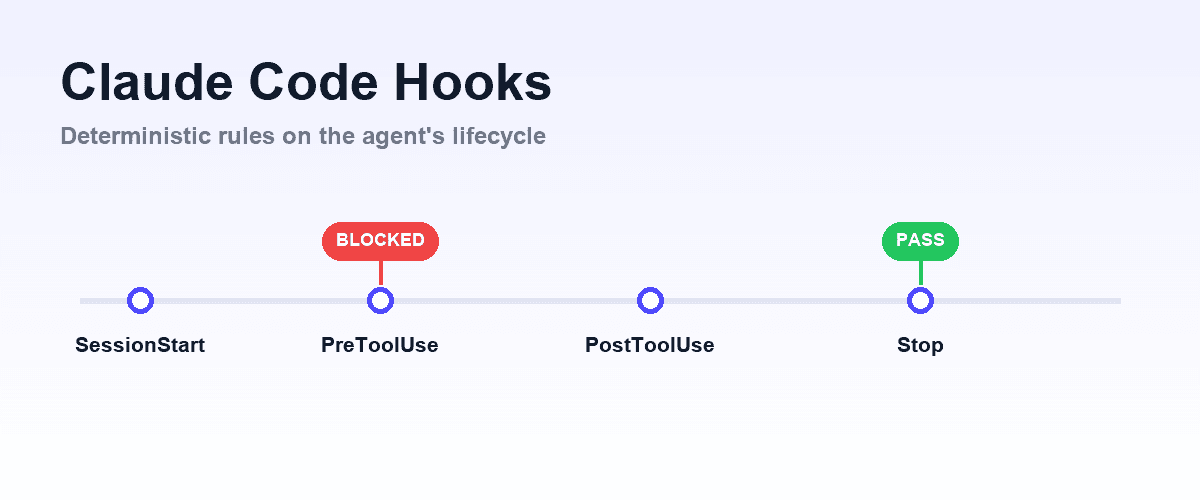
That blocking mechanism is what makes hooks a control surface rather than just automation. A hook that exits 2 from PreToolUse stops the tool call before it happens. A hook that exits 2 from Stop tells the agent it is not actually done, with a reason, and the agent keeps working.
The events that matter
Claude Code exposes a long list of lifecycle events. In practice, most teams use a handful:
| Event | Fires | Typical use |
|---|---|---|
SessionStart | When a session begins or resumes | Inject project context, load environment state |
UserPromptSubmit | Before Claude processes your prompt | Add context to every request, block disallowed asks |
PreToolUse | Before a tool call executes | Guardrails: block dangerous commands, protect paths |
PostToolUse | After a tool call succeeds | Auto-format, lint, type-check the file just edited |
Stop | When Claude finishes responding | Run tests, verify the task is actually complete |
SubagentStop | When a subagent finishes | Validate delegated work before it merges back |
PreCompact | Before context compaction | Save state that must survive summarization |
SessionEnd | When the session terminates | Cleanup, logging, metrics |
The long tail (there are events for permission decisions, config changes, file watches, task lifecycle, and MCP elicitation, among others) is documented in the official hooks reference. Start with PreToolUse, PostToolUse, and Stop; they cover most of what teams need.
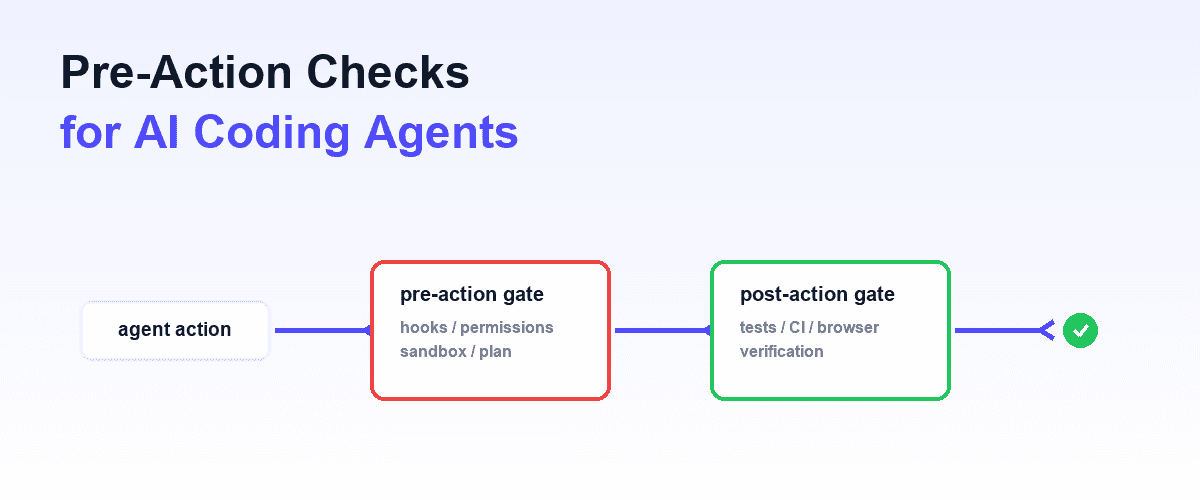
The first of those is a general pattern rather than a Claude Code feature, covered in pre-action checks for AI coding agents.
Configuration
Hooks live in JSON settings, at the same three levels as most Claude Code configuration: ~/.claude/settings.json for all your projects, .claude/settings.json for a project (committed, shared with the team), and .claude/settings.local.json for personal project overrides. Plugins and skills can bundle their own.
A hook entry pairs a matcher with one or more handlers. For tool events, the matcher is the tool name: Bash, Edit|Write, or a regex such as mcp__playwright__.* to match every tool from one MCP server. An empty matcher fires on every occurrence.
{
  "hooks": {
    "PostToolUse": [
      {
        "matcher": "Edit|Write",
        "hooks": [
          {
            "type": "command",
            "command": "npx prettier --write \"${tool_input.file_path}\""
          }
        ]
      }
    ]
  }
}
That is the classic first hook: every file the agent edits gets formatted, deterministically, with no instruction the model could skip or forget. The same pattern runs a linter or a type-checker instead, so drift is caught at the moment it is introduced rather than at review.
Recipes
Guardrail on destructive commands. A PreToolUse hook matching Bash inspects the command in the JSON input and exits 2 for anything matching patterns you never want an agent to run unattended (rm -rf, force pushes, production database URLs). The agent sees the reason on stderr and routes around it.
Unlike a line in your instructions file, this holds in every session, for every teammate, at 2 a.m.
Run the tests when the agent says it is done. A Stop hook runs your test suite (or the subset affected by the change) and exits 2 with the failure output if anything is red. The effect is an agent that cannot declare a task finished while tests fail: it reads the failures and keeps fixing.
This single hook converts "I ran the tests" from a claim in prose into a gate.
Protect files agents should not touch. A PreToolUse hook on Edit|Write that blocks edits to lockfiles, generated code, or migration history. Cheaper and more reliable than asking nicely.
Inject context at session start. A SessionStart hook that prints the current branch, recent failures from CI, or the state of a long-running task. Whatever it writes to stdout becomes context the agent starts with.
Verification gates on UI work. Test-runner hooks confirm the code passes its suite; they cannot confirm a UI change actually looks and behaves right in a browser.
That is a capability problem, not a hook problem, and it is the seam where hooks meet MCP: Shiplight gives Claude Code a real browser via an MCP server plus skills for the verification procedure, and a Stop hook can then require that npx shiplight test passes for the affected flows before the task closes.
The hook enforces that verification happened; the browser layer is what makes the verification real.
Hooks, skills, subagents: which one
The three get conflated because all three customize agent behavior. The separation is clean:
- Skill: knowledge and procedure the model loads and interprets. Use for "here is how we do migrations." See Claude Code skills.
- Hook: code that executes on an event. Use for "the linter runs after every edit, no exceptions."
- Subagent: an isolated context doing delegated work. Use for "review this diff without flooding the main context." See subagents.
A practical composite: a skill teaches the agent your verification procedure, a subagent runs the heavyweight review out of band, and a Stop hook refuses to close the task until the checks are green. Instruction, isolation, enforcement.
Where hooks are the wrong tool
Judgment calls. A hook can run a linter; it cannot decide whether an abstraction is right. Anything that needs the model's judgment belongs in a skill or review step, not a gate.
Slow feedback in the inner loop. A PostToolUse hook that takes ninety seconds runs after every edit. Put expensive checks (full suites, builds) on Stop, keep per-edit hooks under a few seconds.
Rules that are really preferences. Blocking the agent over import ordering makes sessions slower without making the code safer. If violating the rule is survivable, it is instruction, not enforcement.
Secrets and side effects. Hooks run with your shell environment on your machine. Treat hook scripts with the same review discipline as CI config: they execute on events you do not individually approve.
Frequently Asked Questions
What are Claude Code hooks?
Shell commands (or HTTP calls, prompts, or agent invocations) that Claude Code runs automatically on lifecycle events such as PreToolUse, PostToolUse, and Stop. They execute deterministically, so they enforce rules the model cannot skip: formatting, guardrails, and test gates.
What is the difference between a hook and a skill?
A skill is instruction the model loads and interprets, and it may judge a skill inapplicable. A hook is code that runs on an event regardless of the model's judgment. Teach with skills, enforce with hooks.
How do I make Claude Code run tests automatically?
Add a Stop hook that runs your test command and exits 2 with the failure output when anything fails. The agent then cannot end its turn on a red suite: it reads the failures and continues fixing. For per-edit checks, use a fast PostToolUse hook on Edit|Write instead.
Can a hook block Claude Code from doing something?
Yes. A PreToolUse hook that exits 2 prevents the tool call and shows the model your stderr message as the reason. Hooks can also allow, deny, or modify tool input via structured JSON output for finer control.
Where do I configure hooks?
In ~/.claude/settings.json (all your projects), the repo's .claude/settings.json (shared with the team), or .claude/settings.local.json (personal, gitignored). Plugins and skills can also bundle hooks.
Do hooks work with MCP tools?
Yes. MCP tools are matched as mcp__<server>__<tool>, and a regex matcher such as mcp__playwright__.* covers every tool from one server, so guardrails apply to browser automation and other MCP capabilities too.
References
Related posts

Guides
Claude Code skills
Jul 30, 2026 · 7 min read
AI Testing
Claude Code testing
Apr 10, 2026 · 10 min read
AI Testing
Best Claude Code skills for testing and QA
Aug 3, 2026 · 6 min read
Guides
Subagents
Jul 30, 2026 · 4 min read

Guides
Claude MCP
Jul 30, 2026 · 4 min read
Guides
Pre-action checks for AI coding agents
Aug 3, 2026 · 10 min read