Code an AI agent writes in your terminal still has to run in a browser, and testing it means confirming the running application behaves the way a real user expects, not just that the source compiles.
When an agent edits files, refactors components, and touches adjacent features in one command, the fastest reliable way to verify its work is a loop that opens the actual app, exercises the changed flow, and records that check as a test that survives the next refactor.
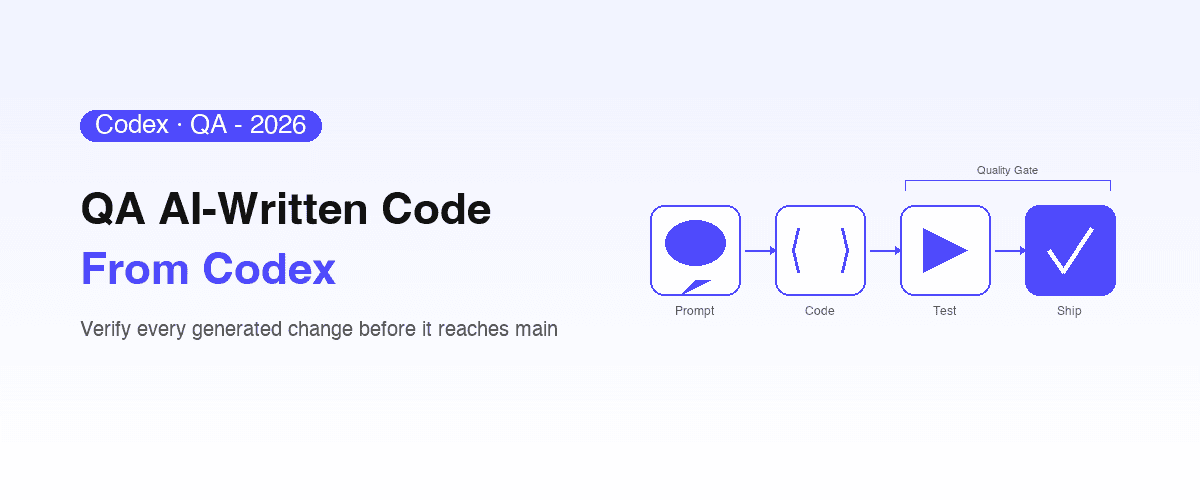
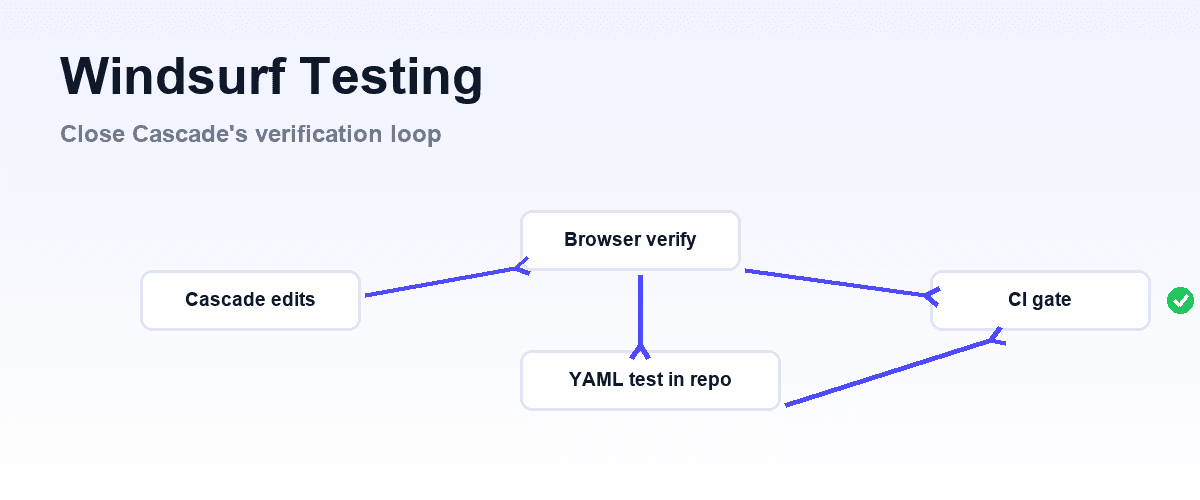
That loop has three parts: live confirmation that a change looks and works right, durable end-to-end tests that catch regressions later, and a CI gate that blocks any change breaking a flow that already worked.
This guide walks through each part, then shows how to wire the whole loop into a terminal-based coding agent so verification happens where the code gets written.
First, the migration: Gemini CLI is retired
If you arrived looking for Gemini CLI, the tool is gone.
Google announced the transition at I/O on 19 May 2026 and Gemini CLI stopped serving requests on 18 June 2026 for Google AI Pro and Ultra users, free-tier users on Gemini Code Assist for individuals, and GitHub organizations using Gemini Code Assist for GitHub. Developers got a thirty-day migration window.
One exemption: organizations on a Gemini Code Assist Standard or Enterprise license keep access through paid API keys, and can adopt Antigravity CLI at their own pace.
The replacement is Antigravity CLI, part of Google Antigravity. It is built in Go, orchestrates multiple agents asynchronously so long refactors run in the background without locking the terminal, and shares an architecture with the Antigravity 2.0 desktop application. Agent Skills, Hooks, Subagents and Extensions carried over, with Extensions renamed to Antigravity plugins.
Most usefully for verification work, the Model Context Protocol is supported across the platform, and the 2.0 IDE, the agy CLI and the SDK share one MCP configuration file.
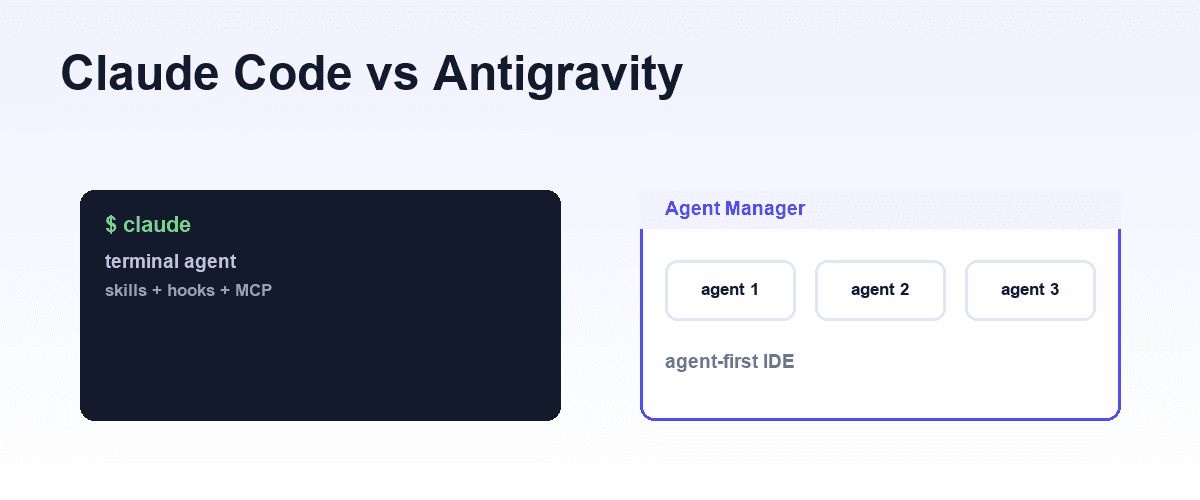
If you are weighing that whole workspace against a terminal agent, Claude Code vs Antigravity is the comparison. Everything below therefore applies to Antigravity CLI unchanged, and to any other MCP-capable agent.
This is worth noting as a general lesson rather than a Google-specific complaint. Automation built directly against one vendor's agent moves on that vendor's schedule. Verification tooling wired through an open protocol survives the agent being replaced, which is a large part of why we build on MCP.
Why terminal agent output needs verification
A terminal coding agent reads and edits your codebase, runs shell commands, and completes multi-step tasks from a natural-language prompt. Like every capable coding agent, it optimizes for code that satisfies the task you described, which is not the same as code that is correct across every path a user can take.
Four failure modes recur with agent-written code, and none of them are specific to any one agent:
- Unmentioned edge cases. The agent implements what the prompt described. Empty states, error paths, and unusual inputs that were never spelled out are frequently left unhandled.
- Cross-browser behavior. Generated CSS and JavaScript can render or execute differently across browser engines, and a terminal session never opens a browser to notice.
- Side effects in adjacent code. A change scoped to one feature can alter behavior in another feature it touched indirectly, especially when the agent refactors shared components.
- Real user flows under real conditions. A feature that works in isolation can still fail once authentication, live data, or a specific browser state is involved.
Research on AI-generated code points to the same root issue: bug rates climb when the verification step cannot keep pace with the generation step. An agent can rewrite a dozen files before you finish reading the diff, and manual click-through does not scale to that speed.
Asynchronous multi-agent orchestration, which is Antigravity CLI's headline capability, makes this sharper rather than gentler: work you are not watching still has to be checked by something.
Verification has to be automated and live in the same loop as the code. Every terminal agent hits this, which is why the workflow here mirrors what we cover for OpenAI Codex testing, Claude Code testing, and adding testing to Cursor, Copilot, and Codex.
Setup: connect verification through MCP
Antigravity shares one MCP configuration across the 2.0 IDE, the agy CLI and the SDK, so a server registered once is available everywhere. Servers are declared under an mcpServers object, and stdio is the common case for a locally installed tool:
{
  "mcpServers": {
    "shiplight": {
      "command": "npx",
      "args": ["-y", "shiplight", "mcp"]
    }
  }
}
Once a server is registered, its tools become available inside the agent's session, and MCP servers can also expose slash commands and packaged extensions.
That extension model makes MCP the right integration point: it turns "give the agent a browser" from a custom scripting project into a one-line config entry, and it is what let this workflow survive the Gemini CLI retirement without changes.
MCP for testing covers why the protocol fits verification work, and why intent-level tools matter more than raw browser primitives. For the browser side specifically, see Playwright MCP.
Shiplight's browser MCP server installs as an MCP server plus a set of Skills, with a one-line install across Antigravity CLI, Claude Code, Cursor, Codex, VS Code, and more. Local browser automation and test authoring need no account or token, so the loop below runs entirely on your machine before any hosted service is involved.
The verification loop: verify, create-tests, triage
With the MCP server connected, the agent gets three commands that map onto the three parts of the loop. Each one addresses a distinct failure mode.
Verify a change as soon as it is written
After the agent implements a change, /shiplight verify has it open the running application in a real browser, navigate to the affected feature, walk the user journey end to end, and confirm the expected result is on screen, capturing screenshots as evidence.
This is the step a terminal session cannot do on its own: the agent gets eyes on the change in the same loop that produced it, with no switch to a separate test environment.
Integration bugs that unit tests miss surface here, at the point of implementation, when they are cheapest to fix.
Create tests that outlive the next refactor
One-time verification catches a bug now. A persistent test catches the regression a future change introduces. /shiplight create-yaml-tests has the agent walk the app and write end-to-end tests as readable YAML, expressed as user intent rather than brittle DOM selectors:
goal: Verify project creation and collaborator invite
base_url: https://app.example.com
statements:
  - URL: /dashboard
  - intent: Click "New Project" to open the creation dialog
  - intent: Enter a project name and invite a collaborator by email
  - intent: Click "Create Project"
  - VERIFY: New project appears in the dashboard project list
Intent-based tests matter more, not less, with an agent that refactors aggressively. An agent of this kind renames classes and reorganizes component trees as part of ordinary work, and tests pinned to a CSS selector break every time it does. A test that describes what the user is doing survives, because intent does not change when the DOM does.
When a cached locator goes stale, the test resolves the intent against the current page instead of failing, which is the intent-cache-heal pattern: intent as the source of truth, cached locators for speed, AI resolution when the cache misses. Heals surface as reviewable pull-request diffs, not silent rewrites.
These tests live in your own git repository and run locally with npx shiplight test. They are Playwright-compatible and run alongside an existing Playwright suite, so there is no rip-and-replace to adopt them.
Triage failures without editing away the signal
When a test fails, /shiplight fix reproduces the failure in a real browser and works out the root cause. The discipline that matters: if the application is genuinely broken, triage reports the bug rather than quietly rewriting the test to pass.
A change that broke a real flow should fail loudly, which is what keeps a self-maintaining suite honest as the agent keeps shipping into it.
Gate every change in CI
A test suite that runs only when someone remembers is advisory. To make it a real quality bar, the suite has to run automatically on every change and block the ones that break a working flow. Because the YAML tests live in your repository, they run in CI like any other check. With GitHub Actions:
name: E2E Regression Tests
on:
  pull_request:
    branches: [main, staging]

jobs:
  e2e:
    runs-on: ubuntu-latest
    steps:
      - uses: actions/checkout@v4
      - name: Run E2E suite
        run: npx shiplight test
When a change from an agent session breaks a flow, the pull request goes red, and the agent reads the failure output and fixes the issue before a human opens the diff.
That closes the loop: the agent implements, verifies in a browser, writes tests, and answers to CI, all without waiting for someone to click through the feature by hand.
For teams that need managed execution, Shiplight-hosted runners run the same YAML in parallel across concurrent pull requests, and the enterprise tier adds SOC 2, private-cloud or VPC deployment. The tests stay in your repository either way, so there is no vendor-cloud lock-in on what matters most.
What to automate versus what to review by hand
| Automate with the verification loop | Keep in human review |
|---|---|
| Critical journeys: signup, login, checkout, key settings | Visual and design quality |
| Regression across existing features | Business logic for new requirements |
| Cross-browser behavior on changed flows | Security-sensitive paths |
| CI gate on every agent change | Accessibility audits |
| Evidence capture: screenshots, step logs | Final production sign-off |
The point is not to remove human judgment. It is to make sure that by the time an agent change reaches review, you already know it did not break anything that worked before. Reviewers then focus on whether the implementation is right for the requirement, not on whether it silently broke the login flow.
The same split applies to any terminal or editor agent; if you also drive Cursor for coding, our Cursor testing guide covers the editor-based variant of the same loop.
Key Takeaways
- A terminal coding agent produces code that satisfies the prompt, not code guaranteed to hold up across edge cases, browsers, and adjacent flows. Verification has to be automated to keep pace.
- MCP is the integration point: a few lines in
~/.gemini/settings.jsongive the agent a real browser and test-authoring tools in its own session. - The loop is verify, create-tests, triage: confirm a change live, capture it as an intent-based YAML test, and root-cause failures instead of editing them away.
- Intent-based tests survive the agent's frequent refactors because they describe user behavior, not DOM structure. A CI gate turns the suite from advisory into blocking.
Frequently Asked Questions
Is Gemini CLI still available?
No. It stopped serving requests on 18 June 2026 for AI Pro, AI Ultra, free-tier and GitHub Code Assist users, replaced by Antigravity CLI. Organizations on a Code Assist Standard or Enterprise license keep access through paid API keys.
How do I test code written by Antigravity CLI?
Connect a verification tool as an MCP server, then run a three-step loop: verify each change in a real browser as it is written, capture that check as a durable end-to-end test in your repository, and gate the suite in CI so any change breaking a working flow fails the pull request.
Why does terminal agent output need extra testing?
A terminal agent never opens a browser to check whether a UI change renders correctly, and it touches many files faster than a human reviews them. Antigravity CLI's async multi-agent orchestration widens that gap, because work you are not watching still needs checking.
Does Antigravity CLI support MCP?
Yes. The 2.0 IDE, the agy CLI and the SDK share one MCP configuration, so a server registered once is available across all three. That is why this workflow survived the Gemini CLI retirement unchanged.
Will tests break every time the agent refactors the UI?
Not if they describe user intent instead of CSS selectors. Agents rename classes and reorganize components constantly, which breaks selector-based tests; intent-based YAML survives, resolving against the current page and surfacing the heal as a reviewable diff.
Do the tests run in CI like the rest of my checks?
Yes. The YAML tests live in your git repository and run with npx shiplight test, so a GitHub Actions job runs them on every pull request and blocks any change that breaks a flow. When a Gemini CLI change fails a test, the agent can read the failure output and fix the issue before a human opens the diff.
References
Gemini CLI (google-gemini/gemini-cli), MCP servers with Gemini CLI, Introducing Gemini CLI, an open-source AI agent, Gemini CLI Extensions documentation, Model Context Protocol