
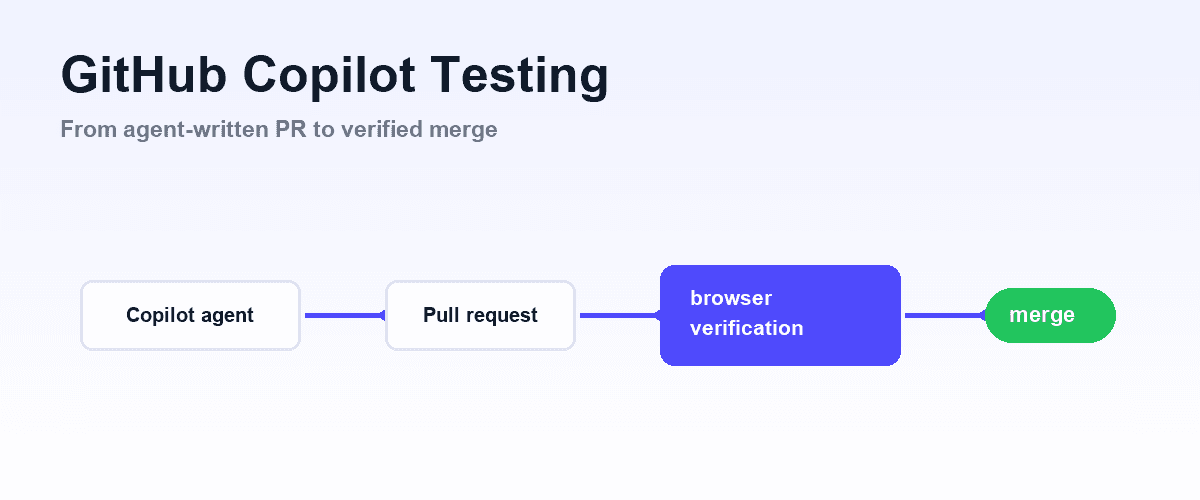
Testing code written by GitHub Copilot means adding a verification layer the agent can operate itself: Copilot already writes and runs unit tests, but end-to-end verification needs a real browser, which you add through an MCP server in VS Code or in the coding agent's repository settings.
This guide covers where that line sits, exactly how to configure the browser side, and how to gate Copilot's pull requests in CI.
Why Copilot Output Needs a Verification Layer
The reason this became urgent is that Copilot changed shape. Autocomplete-era Copilot suggested a line at a time, and the person accepting each suggestion was the verification layer.
Agent mode and the Copilot coding agent removed that person from the loop: agent mode edits across many files and runs terminal commands from a single prompt, and the coding agent takes an assigned issue, works in its own ephemeral GitHub Actions environment, and hands back a draft pull request.
GitHub's docs now call this the Copilot cloud agent; same product, wider blast radius.
That shift changes what kind of bug you get. A bad single-line completion is usually a local bug: wrong operator, off-by-one, a hallucinated method name, and a compiler or unit test catches it cheaply. A bad agent session produces integration bugs: each file plausible in isolation, the seams wrong.
A form that validates but posts to a stale endpoint. A component that renders but breaks the flow two screens later.
These are exactly the bugs that only surface when the application actually runs in front of something that can observe it.
So the organizing principle for Copilot testing is: match the verification layer to the failure mode. Unit-level failures, Copilot can already test natively. Flow-level failures need a browser the agent can drive. The rest of this guide builds that second layer.
For the same workflow across Cursor and Codex as well, see the multi-agent overview; this article goes deeper on Copilot specifically.
What Copilot's agent surfaces do, and do not, check
Copilot's agent surfaces are optimized for producing changes, not for confirming them against a running UI.
Agent mode in VS Code can iterate on its own output: it runs your build, executes terminal commands, reads compile errors and failing test output, and self-corrects. That loop is real verification, but it is bounded by what the terminal can see. tsc passing and vitest green tell you nothing about whether the checkout flow still completes.
The Copilot coding agent runs server-side. You assign it an issue or delegate a task, it works in an ephemeral GitHub Actions environment where it can execute automated tests and linters, and it opens a draft pull request. Sessions cap at 59 minutes and stay scoped to one repository and one branch.
The output artifact is a PR, which means the natural place to catch its mistakes is the PR gate, and the natural question is what evidence that gate actually checks.
If your answer is "whatever unit tests happened to exist," the agent is grading itself on a subset of the rubric.
Neither surface, by default, opens your application in a browser and watches a user journey succeed.
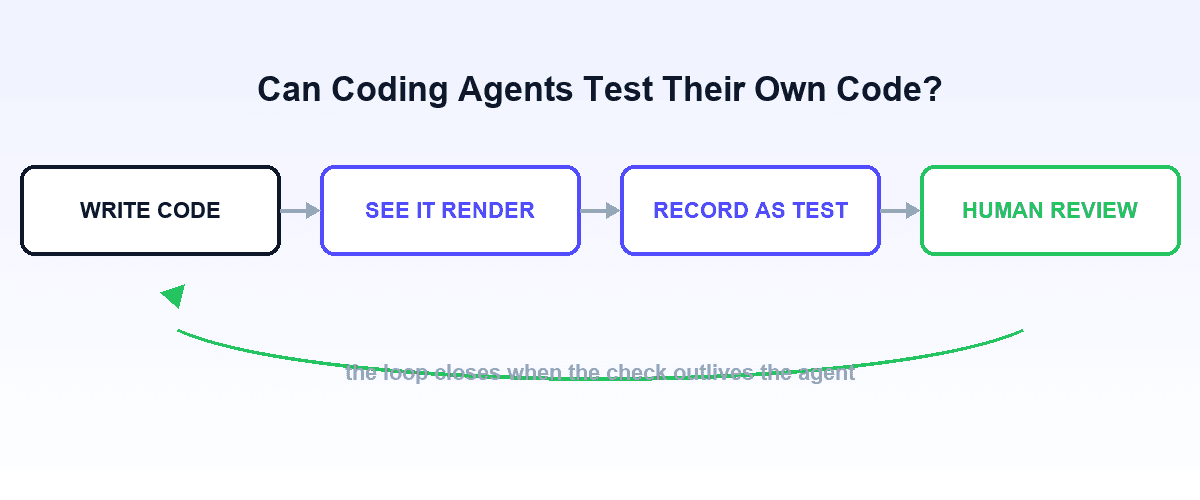
Whether an agent checking its own work is trustworthy at all is a fair question, and we take it up separately in can coding agents test their own code? The short version: self-verification works when the agent's evidence comes from a source it cannot wish into passing, like a real browser, rather than from its own reasoning.
What Copilot Can and Cannot Verify Natively
Be precise about which layer needs help, because Copilot is not equally limited at all three:
| Layer | Can Copilot do it out of the box? | What changes with a browser layer |
|---|---|---|
| Unit tests (Jest, Vitest, pytest) | Yes. Agent mode writes them, runs them, and fixes failures from the output | Nothing; no browser needed |
| Integration tests (API routes, services, DB) | Yes, when your test runner covers it; the coding agent runs these in its Actions environment | Nothing for backend-only flows |
| End-to-end tests (real browser, real UI) | No. Copilot can write Playwright code, but cannot observe whether the UI behaves without a browser tool | The agent drives the app itself, verifies flows, and captures them as regression tests |
The distinction that matters is between writing tests and operating them. Copilot is genuinely good at the first, and the last section of this guide is honest about how far that gets you. The second, running a browser, watching real behavior, keeping the suite alive as the UI churns, is what the MCP layer adds.
Adding a Browser MCP Server to Copilot
Copilot speaks MCP on both of its agent surfaces, with different configuration for each.
In VS Code (agent mode)
Workspace-level MCP servers live in .vscode/mcp.json, which is committed to the repo so the whole team shares the configuration. User-level servers, available in every workspace, are managed through the MCP: Open User Configuration command. You can also run MCP: Add Server from the Command Palette for a guided setup, or install servers from the Extensions view by searching @mcp.
The file uses a servers object:
{
  "servers": {
    "shiplight": {
      "command": "npx",
      "args": ["-y", "@shiplight/mcp"]
    }
  }
}
Once the server starts, its tools appear in agent mode's tool picker (the Configure Tools button in the chat input), and Copilot can call them autonomously during a session. The general pattern of browser-through-MCP is covered in MCP for testing and Playwright MCP.
In the Copilot coding agent
The cloud agent does not read .vscode/mcp.json. Its MCP configuration lives in the repository's settings on GitHub, under Copilot's MCP servers section, as JSON with an mcpServers object. Each entry declares a type (local, http, or sse) and a tools allowlist; secrets are passed as $COPILOT_MCP_* environment variable references rather than inline.
Two servers are enabled by default: the GitHub MCP server and a Playwright MCP server, which means the coding agent already has basic browser reach out of the box.
One caution that GitHub's own docs flag: the coding agent uses configured MCP tools autonomously, without per-call approval. Allowlist deliberately, prefer read-only tools where you can, and treat the tools array as a security boundary, not a formality. MCP security covers the threat model.
The Shiplight Setup for Copilot Workflows
Disclosure: Shiplight is our product. Shiplight is a browser MCP server built for exactly this verification loop, and it slots into both Copilot surfaces with the configuration above. No account is needed for local use.
What changes once it is connected:
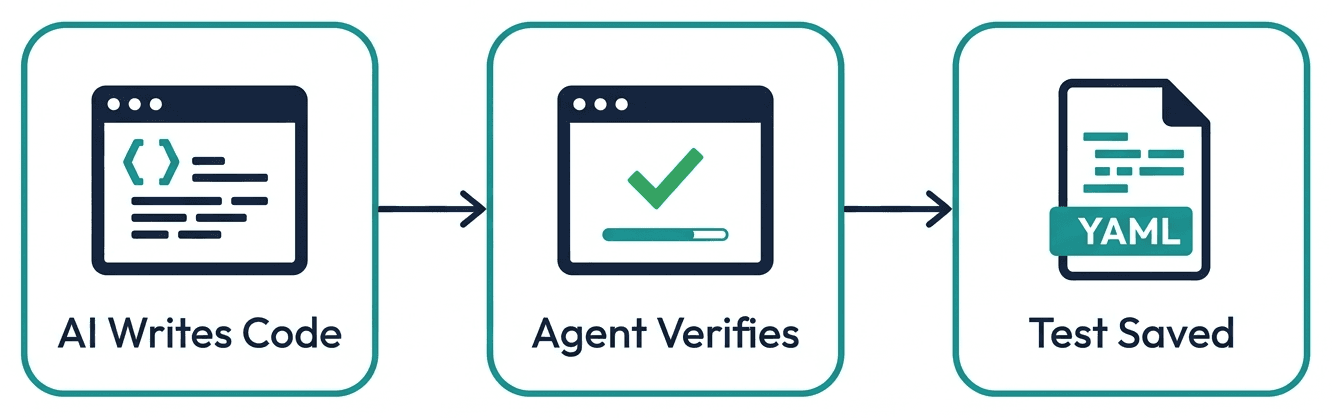
- Copilot verifies in a real browser. After agent mode implements a feature, you prompt: "Verify the new billing page end-to-end in the browser before finishing." The agent opens the app, walks the flow, checks assertions, and captures screenshots as evidence.
- Verifications become tests in your repo. Instead of evaporating when the session ends, a verification is saved as an intent-based YAML test:
goal: Verify invoice download works for a paid account
base_url: http://localhost:3000
statements:
  - URL: /billing
  - intent: Open the most recent invoice row
  - intent: Click the "Download PDF" button
  - VERIFY: A PDF download begins and no error toast appears
Steps are intents, not selectors, so when Copilot refactors the DOM next sprint, the test heals instead of breaking. Under the hood it transpiles to standard Playwright, so there is no lock-in and you can eject to plain Playwright code at any time.
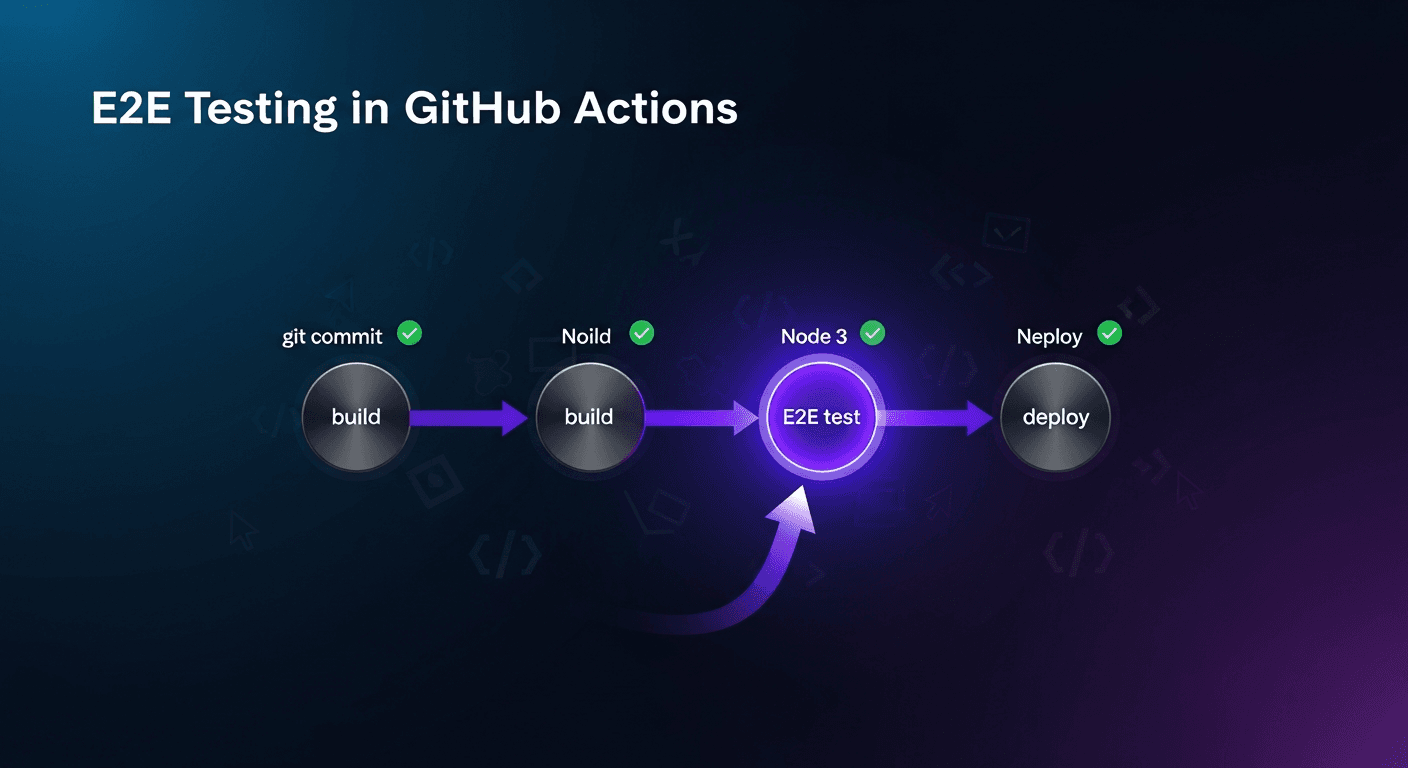
- CI gates every Copilot PR. The suite runs in GitHub Actions on each pull request, which matters most for the coding agent, whose entire output arrives as a PR. Setup is a single workflow step; the full walkthrough is in GitHub Actions E2E testing, and the reasoning behind gating agent PRs on browser evidence is in a quality gate for AI pull requests.
The loop closes: Copilot implements, verifies in a browser, commits a test, and CI enforces that test on every future change, including changes made by the next Copilot session.
Best Practices for Prompting Verification
Ask for verification explicitly. Copilot does not open a browser unless the task says to. End implementation prompts with a verification clause: "...then verify the flow in the browser and save the verification as a test." Without it, agent mode stops at green unit tests.
Put standing instructions in the repo, not in prompts. Copilot reads repository custom instructions (.github/copilot-instructions.md). A line like "after any UI change, verify the affected flow in the browser and update or add a YAML test" applies to every session, including coding-agent sessions where nobody is typing prompts.
Committed tests also work as durable context: they tell the next session what the feature is supposed to do, a pattern explored in tests as context for coding agents.
Scope tests to user journeys. Ask Copilot to test what the user does, not what the code does. "A signed-in user can export their data" survives refactors; "the ExportButton component calls handleExport" does not.
Review the test file, not just the diff. A generated test is documentation of what was verified. If it only covers the happy path, say so: "Add cases for validation errors and an expired session." For UI-heavy changes, screenshots beat descriptions; how to verify AI-written UI changes covers what evidence to require.
Keep the human review for judgment calls. Visual design quality, unspecified business edge cases, and security-sensitive flows still deserve eyes. The goal of the browser layer is that by the time a Copilot PR reaches you, mechanical correctness is already proven, so your review time goes to the parts that need a human.
Where Copilot's Own Test Generation Is Enough
Honesty about scope: you do not need any of the above for a real share of everyday work.
Copilot's native test generation is sufficient when the failure mode is local. Pure functions, parsers, date math, reducers, validation logic: ask agent mode for unit tests and it produces good ones, runs them, and fixes what fails, entirely inside the terminal loop.
The same holds for API-level integration tests when your runner can hit the route directly, and the coding agent will happily execute those suites in its Actions environment before opening the PR.
The browser layer earns its setup cost when three things are true: the change touches UI, the correctness question is "does the flow work," and the code will keep changing (so the verification needs to persist as a regression test, not a one-time click-through).
A CLI tool, a data pipeline, or a backend service with solid contract tests may never need it.
Adding a browser MCP server to a repo with no UI is ceremony, not testing.
Frequently Asked Questions
Can GitHub Copilot test its own code?
Partially. Agent mode runs unit and integration tests in the terminal and fixes failures from the output, and the coding agent runs tests and linters in its GitHub Actions environment before opening a PR. What Copilot cannot do alone is verify behavior in a real browser; that requires adding a browser MCP server.
How do I test code written by GitHub Copilot?
Keep unit and integration tests in Copilot's native loop, then add a browser MCP server for end-to-end verification: .vscode/mcp.json for agent mode, or the repository's Copilot MCP settings for the coding agent. Have verifications saved as tests in the repo, and run them in CI on every pull request.
Does Copilot agent mode support MCP servers?
Yes. Agent mode in VS Code loads MCP servers from .vscode/mcp.json at workspace level or from a user-level configuration, and exposes their tools in the chat tool picker. Servers can be added via the MCP: Add Server command, the Extensions view, or by editing the file directly.
Does the Copilot coding agent support MCP servers?
Yes, configured in the repository's settings on GitHub rather than in VS Code files. The GitHub MCP server and a Playwright MCP server are enabled by default, and additional servers are declared as JSON with an explicit tools allowlist. The agent uses configured tools autonomously, so allowlist conservatively.
Can Copilot write Playwright tests?
Yes, and often competently, but writing a Playwright test is not the same as knowing it verifies real behavior. Without a browser tool, Copilot cannot watch the test interact with the live app, so selector guesses and stale assumptions go unnoticed until CI. A browser MCP server closes that gap; Shiplight additionally transpiles its intent-based YAML tests to standard Playwright.
Who is responsible when Copilot-written code breaks production?
You are; authorship does not transfer accountability. That is the practical argument for a verification layer the team controls: browser-verified flows, tests committed to the repo, and a CI gate on every PR, so Copilot's speed does not outrun your evidence.
References
Use MCP servers in VS Code, About the Copilot coding agent, Extending the Copilot coding agent with MCP.
Related posts
Engineering
How to add automated testing to Cursor, Copilot, and Codex
Apr 6, 2026 · 11 min read
Engineering
A quality gate for AI pull requests
Mar 25, 2026 · 6 min read

Engineering
How to verify AI-written UI changes
Mar 25, 2026 · 7 min read
Guides
GitHub Actions E2E testing
Apr 7, 2026 · 11 min read
Guides
GitHub MCP server
Jul 30, 2026 · 4 min read
AI Testing
Can coding agents test their own code?
Jul 12, 2026 · 9 min read