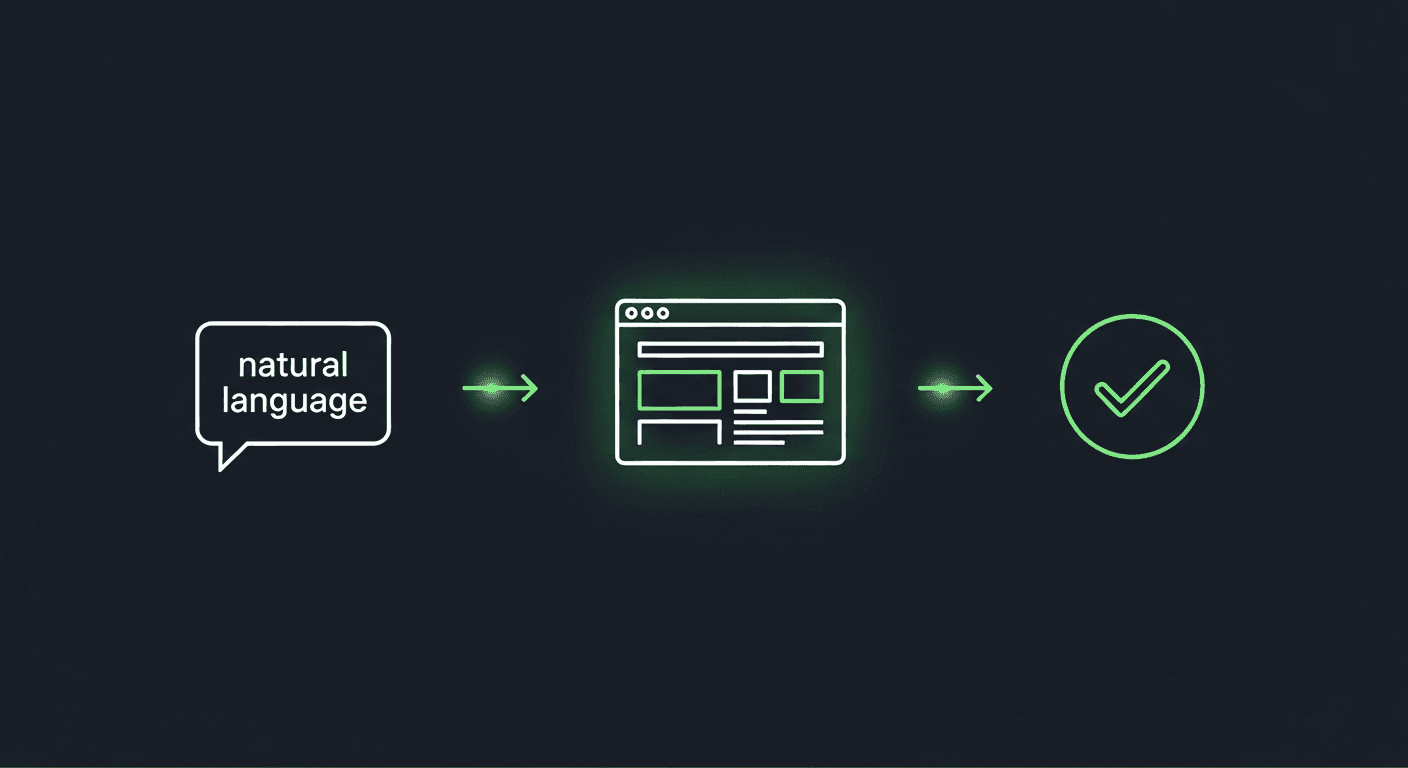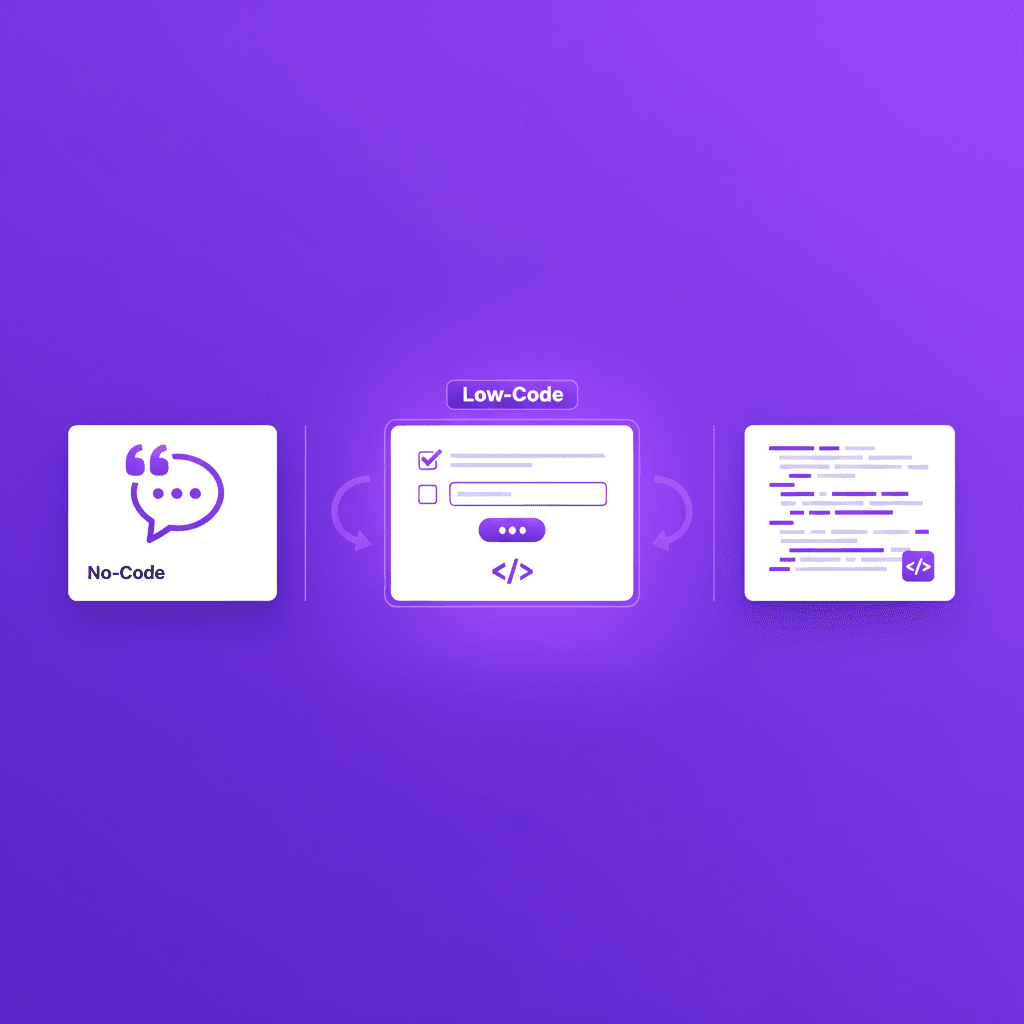
The best no-code test automation choice in 2026 is an approach, not a vendor.
Five approaches cover the market:
- Agent-native intent tests. Shiplight: YAML in your git repo, healed from intent, authored by anyone on your team or by your coding agent.
- Open-source recorders. Selenium IDE and Playwright codegen: free, with no healing.
- Vendor cloud consoles. Tests authored in the vendor's web app through a recorder or a constrained plain-English DSL.
- Managed QA services. The vendor's human engineers write and maintain your suite.
- Enterprise codeless suites for packaged-app estates: SAP, Salesforce, mainframe.
We build Shiplight, and for teams whose engineers or coding agents are in the loop it is the strongest pick: a non-engineer can author a test that survives aggressive UI changes without manual maintenance, because the engine heals from intent and proposes larger repairs as reviewable PR diffs.
What "no-code" actually covers
End-to-end testing has historically required engineering skills: writing selectors, managing async flows, maintaining test scripts as the UI evolves. No-code test automation platforms and tools change that equation: QA teams, product managers, and non-engineers can build, run, and manage tests without touching code.
But "no-code" covers structurally different approaches, and vendor lists obscure that. Within each approach, the products are largely interchangeable; between approaches, everything changes: who authors the tests, where the tests live, and what happens when the UI changes. This guide compares the five approaches rather than ranking a parade of lookalike vendors, because the approach determines everything downstream.
For tools that sit closer to the middle of the spectrum (structured authoring with optional code extensions), see best low-code test automation tools.
What Makes a No-Code Test Automation Platform Good?
The label "no-code" is table stakes; the meaningful differentiation is what happens after the test is written. A true platform goes beyond authoring to cover the full test lifecycle:
- Test stability: Does it break every time the UI changes, or does it self-heal?
- CI/CD integration: Can it run automatically on every pull request?
- Maintenance overhead: Who fixes broken tests, and how much work is it?
- Coverage depth: Can it handle auth flows, multi-step forms, file uploads, API calls?
- Where tests live: Can your engineers and coding agents read, diff, and review them, or do they sit in a vendor's cloud?
A no-code platform that requires daily manual fixes is worse than a scripted approach maintained by one engineer. Evaluate stability and coverage depth as seriously as ease of authoring.
The Authoring Mechanisms Underneath "No-Code"
Before comparing approaches, it helps to see the mechanisms they are built from. Four keep recurring:
1. Record-and-Playback
You click through the application; the tool captures each action and generates a test that replays your exact interaction path.
Strength: fastest time to first test.
Weakness: tests are coupled to the selectors and path captured at record time. A UI change that moves the same button breaks the recording, and there is nothing to heal from: the recording never captured what the step meant.
That is the distinction worth holding: a recording can be an input to authoring without being the test. Our recorder captures the flow with your narration, and what gets committed is an intent-based test rather than the click path.
2. Visual Flow Builder
You drag and connect nodes representing actions (click, fill, verify) into a flow diagram. More flexible than pure record-and-playback: the flow describes logic, not a captured path.
Strength: visual debugging and conditional logic without code.
Weakness: complex flows become unreadable diagrams. Scales poorly past a few dozen tests.
3. Plain-English / NLP
You write test steps as English-like sentences that the tool parses into its command set at runtime. In practice these are constrained DSLs rather than free English: in one category vendor's own words, the parsed English "has some syntax to it."
Strength: low technical barrier; non-technical QA staff can author and read tests.
Weakness: ambiguity. "Click submit" fails if there are two submit buttons, and free-form phrasing must be machine-translated into the tool's command set. Debugging vague failures is harder than debugging explicit code.
4. Intent-Based Authoring (Structured Natural Language)
You write tests in a structured format (YAML) where each step has an explicit intent field. The AI resolves intent to browser actions at runtime, stores resolved locators in a cache, and re-resolves only when a locator fails. Shiplight uses this mechanism.
Strength: readable like English, structured like code. Version-controllable in git. Self-heals from intent when the UI changes.
Weakness: requires learning a minimal YAML syntax (less than a scripting language; more than pure prose).
The mechanism that dominates a tool determines its scalability more than any other factor. For a deeper comparison, see test authoring methods compared.
Quick Comparison: The 5 Approaches
| Approach | Who authors tests | Where tests live | Self-healing | Cost model |
|---|---|---|---|---|
| Agent-native intent tests (Shiplight) | Your coding agent, or anyone on your team | YAML in your git repo | Yes: intent resolution + cached locators; larger heals as PR diffs | Local runs need no account; Free $0, Pro $60/mo |
| Open-source recorders (Selenium IDE, Playwright codegen) | Anyone, by recording | Exported files you manage | No | Free |
| Vendor cloud consoles (DSL or recorder platforms) | Your QA staff, in the vendor's web app | The vendor's cloud, not your repo | Vendor-dependent, runs in their cloud | Typically quote-based or metered |
| Managed QA services | The vendor's human engineers | Varies; often the vendor's infrastructure | Humans maintain the suite | You buy hours, priced accordingly |
| Enterprise codeless suites (packaged apps: SAP, Salesforce, mainframe) | Enterprise QA staff, visually or in NLP consoles | The vendor's platform | Varies; some vendors' docs do not describe healing at all | Custom enterprise |
Approach 1: Agent-Native Intent Tests (Shiplight)
Best for: engineering and QA teams who want no-code tests that live in their git repo, authored and healed from intent rather than recorded interactions.
Shiplight is architecturally different from the other approaches on this list. The no-code experience (plain YAML tests readable by PMs and designers) is the surface of an AI-native autonomous testing engine that resolves intent, heals broken locators, and executes in a real browser without human intervention.
Each step is written as a natural language intent ("click the Sign In button", "verify the dashboard loads with user name visible") and Shiplight's AI agents resolve the correct element autonomously on each run. No CSS selectors, no XPath, no scripting.
The key differentiator for no-code teams is what the test stores. Recorder-based tools store the interaction (a selector, a coordinate, a DOM path), which breaks when the UI shifts.
Shiplight's intent-cache-heal pattern stores the intent: when the UI changes, the AI finds the new element from what the step means rather than a stored locator, and larger repairs arrive as reviewable PR diffs.
Authoring model:
- action: click
  target: Sign In button

- action: fill
  target: email field
  value: "{{email}}"

- action: verify
  target: dashboard heading
  visible: true
Strengths:
- AI-native autonomous testing engine: not a record-and-playback wrapper
- Tests stay in your git repo as portable YAML: no vendor lock-in
- Shiplight installs as MCP plus Skills in Claude Code, Cursor, Codex, and more; local runs need no account
- Intent-based autonomous healing: tests survive redesigns that break recorder-based tools
- A full platform, not just a tool: authoring, self-healing, hosted runners, dashboards, reporting, and first-party support
- SOC 2 certified: enterprise-ready out of the box
- Built on Playwright: real browsers, full coverage, and compatibility with existing Playwright suites as a bonus
Limitations: Requires basic YAML familiarity. Web-focused: no native mobile testing.
Pricing: The MCP server and Skills are free (no account needed). Platform pricing on request.
Approach 2: Open-Source Recorders
Design center: free record-and-playback for teams that want no-code without a vendor.
The open-source world has its own no-code path: browser recorders. Selenium IDE is the long-standing example: a free browser extension that records your clicks and typing into a replayable test, no code required to create it. Playwright itself ships codegen (npx playwright codegen), which records interactions and generates Playwright test code you keep and own.
The trade-off: recorded tests pin themselves to the selectors that existed at record time. There is no self-healing: when the UI changes, you re-record or hand-edit. Recorded suites also accumulate duplication, because recording twice produces two scripts rather than one reusable flow. For a handful of smoke tests these tools are genuinely free and genuinely easy.
As a regression suite grows, the maintenance model becomes the exact problem that sent you looking at no-code, minus the code skills to fix it.
Where it fits: small suites, quick smoke coverage, teams that want zero vendor involvement and accept the maintenance.
Approach 3: Vendor Cloud Consoles
Design center: QA staff authoring tests in a vendor's web application, not in your repo.
A large group of commercial platforms replaces test code with authoring inside the vendor's own console: some use a constrained plain-English command language, others a browser recorder, others a visual editor.
testRigor is a representative example of the category: a cloud-hosted platform (founded 2015) built to make manual QA productive without engineers, where tests are written in a structured English DSL (their own docs note the parsed English "has some syntax to it") and live as suites in the vendor's web console, running on the vendor's hosted runners.
Selenium export exists only under paid-customer agreements, per the founder's public statements.
Endtest is another example of the category: a cloud-hosted platform (founded 2016) where tests are authored either by describing a scenario in plain English to an AI agent or through a codeless browser recorder, then run on the vendor's own Windows and macOS machines against real Chrome, Firefox, Safari, and Edge. Self-healing locators and AI-assisted maintenance keep tests running as the UI changes, and pricing is published in tiers ($175/month Starter, $450/month Pro, custom Enterprise) rather than testRigor's quote-only model. The category shape is the same either way: tests live in the vendor's console, not your repo.
The category shares a structural shape, whichever vendor you pick:
- Tests live in the vendor's cloud, not your repo. There is no file in git that a developer or coding agent can read, diff, or review in a PR. Export paths, where they exist at all, are typically limited or gated.
- Execution happens on the vendor's runners, usually metered or quote-priced, and reliability depends on their infrastructure.
- The authoring loop is built for QA staff in a console, not for a development workflow. Agent integrations, where offered, drive the vendor's cloud rather than putting tests in the developer's hands.
- Healing varies by vendor: some re-interpret steps against the live page, some fall back through stored locator alternatives. Measure heal rate on your own application in a PoC rather than relying on vendor claims.
Where it fits: manual-QA-heavy organizations, often outside the software industry, where non-engineers own testing and a governed vendor console is the point. That is a genuinely different buyer from an engineering-led team. If your developers or coding agents are the ones who will create and review tests, tests that live outside the repo put the work outside your workflow.
Approach 4: Managed QA Services
Design center: outsourcing test authorship and maintenance to the vendor's human engineers.
The fourth approach is not a tool at all: managed services such as QA Wolf put the vendor's QA engineers (assisted by AI tooling) to work building and maintaining a test suite for you.
The output is often standard Playwright code, which is a genuine plus, but the operating model is a staffed service: coverage grows at the pace of their engineers, tests live and run on their infrastructure, and testing knowledge accumulates with an external team rather than in your repo and your heads.
The trade-off is strategic, not just financial. You are buying human hours. For an organization that has decided QA is someone else's job, that can work.
For a team building with AI coding agents, it points the opposite direction: the whole opportunity is that your own development workflow can now own testing, with tests that live next to the code they verify.
Approach 5: Enterprise Codeless Suites for Packaged Apps
Design center: enterprise QA organizations testing packaged-application estates (SAP, Salesforce, Dynamics 365, desktop, mainframe) with non-technical testers.
A distinct group of enterprise platforms serves QA organizations whose estate is packaged applications rather than a product the company builds. Leapwork uses a visual flowchart editor across web, desktop, SAP, and mainframe; note that its declarative locator strategies are set at design time, and Leapwork's own documentation does not describe self-healing.
Virtuoso QA and ACCELQ author in NLP or codeless consoles with a focus on Salesforce, SAP, and Dynamics 365 verticals. These suites bring enterprise governance (SSO, RBAC, audit logs) and surface coverage that web-only tools do not attempt.
Where it fits: regulated industries and manual-QA organizations testing packaged apps and legacy estates. That is a different problem from testing your own fast-changing web product.
If the mission-critical flows are web and your engineers ship with AI coding agents, this category's breadth is weight you do not need; see the enterprise agentic QA checklist for what enterprise-grade looks like in the web-product context (Shiplight runs enterprise deployments with SOC 2, VPC).
Where No-Code Testing Hits Its Ceiling
No-code testing has real strengths, but every mechanism has a ceiling. Teams that adopt no-code without understanding these limits end up rebuilding their test suite later. If you're evaluating no-code specifically as a way off Selenium, Cypress, or Playwright, see no-code alternatives to traditional testing frameworks for the per-framework migration view.
Already picked an approach? See how to implement no-code E2E testing effectively for the 7-step rollout playbook.
Volume ceiling. Record-and-playback and visual flow builders scale poorly past 100–200 tests. Maintenance time grows non-linearly because each recorded path is coupled to specific UI state. Teams running 500+ tests through pure visual tools spend more time fixing recordings than catching bugs.
Complexity ceiling. No-code tools struggle with: API setup before a UI flow, conditional assertions based on runtime data, complex auth flows (SSO, 2FA, OAuth redirects with stateful handoffs), database state seeding, file uploads with custom validation. The moment a test needs real programming logic, pure no-code breaks down.
Velocity ceiling. A team shipping 5–10 pull requests per week can sustain a no-code suite: maintenance fits in the gaps. A team shipping 20+ PRs per day using AI coding agents cannot. AI-generated code produces UI changes faster than visual recorders can be re-recorded, faster than console-authored test expectations can be updated.
Review ceiling. Tests that live in a vendor platform (not your git repo) can't be reviewed in pull requests, can't be audited by engineers unfamiliar with the tool, and create vendor lock-in. For regulated industries or teams with strict code review practices, this is a blocker.
Every approach except agent-native intent tests hits one or more of these ceilings by design. The question is not whether an approach has a ceiling, but how high it is and whether you'll hit it.
What Comes After No-Code: Intent-Based Testing
The evolution of no-code testing is already happening. Intent-based authoring (writing tests in structured natural language that AI resolves at runtime) addresses each of the four ceilings:
- Volume: intent-based tests heal themselves when the UI changes, so maintenance doesn't grow with test count
- Complexity: optional
CODE:blocks give you full programming power inside an intent-based test when you need it - Velocity: AI coding agents can generate intent-based tests during development (via MCP), keeping coverage in pace with 20+ PRs per day
- Review: YAML tests live in your git repo, appear in PR diffs, and are readable by non-engineers
This is the pattern Shiplight AI implements. It's also where the category is heading. Console-based approaches remain useful for their design centers (manual-QA organizations, packaged-app estates), but intent-based authoring is the direction AI-native engineering teams are moving.
For a deeper look at how intent-based healing works, see the intent-cache-heal pattern. For the broader category context, see what is agentic QA testing? and test authoring methods compared.
How to Choose the Right No-Code Approach
- Step 1Match the approach to your team profile
- Step 2Evaluate self-healing quality
- Step 3Confirm CI/CD integration
- Step 4Factor in vendor lock-in
Step 1: Match the approach to your team profile
Five team profiles cover most real-world situations. Find yours:
The Solo Founder: 1–3 engineers, no dedicated QA, up to 10 PRs a week
The deciding axis is where tests live. If you ship with AI coding agents, Shiplight fits: the agent authors YAML tests in your repo, and local runs need no account.
If you want a handful of smoke tests with zero vendor involvement, an open-source recorder covers it, with the re-record maintenance model priced in.
The QA-First SaaS Team: 5–15 engineers, 1–3 QA engineers, 10–30 PRs a week
The deciding axis is who reviews tests and where. If QA authors in a vendor console and product reviews tests there, a vendor cloud console keeps authoring, review, and execution in one governed place: that is its design center.
If tests must live in the repo and go through PR review, Shiplight keeps the suite inside the engineering workflow.
The Packaged-App Enterprise QA Organization
A broad QA team whose estate spans SAP, Salesforce, desktop, or mainframe. The deciding axis is surface coverage. Packaged-app and legacy surfaces are outside Shiplight's web-only scope; an enterprise codeless suite built for those estates serves that profile.
If the mission-critical flows are web and engineers ship with AI coding agents, evaluate Shiplight for that slice: it runs enterprise deployments with SOC 2, VPC.
The Non-Technical QA Organization
Business analysts own QA, with zero engineering involvement. No repo workflow exists, so the realistic mechanisms are vendor-console authoring (a constrained-English DSL or visual editor in the vendor's cloud) or a managed QA service where the vendor's engineers own the suite outright.
Both keep the tests and the testing knowledge outside your walls, which is the trade-off to price in.
The AI-Velocity Engineering Team
Engineers using Claude Code, Cursor or Codex, 20+ PRs a day, no traditional QA team. Visual recorders and vendor-console DSLs can't keep up with AI-generated code velocity, and a managed service moves testing knowledge in the opposite direction from your agents.
You need intent-based YAML tests in your git repo that AI coding agents can generate during development.
Shiplight is the only approach on this list built for this profile, and it spans company size: it fits a 3-person startup and an enterprise product org equally.
Step 2: Evaluate self-healing quality
No-code tools are only valuable if tests don't break constantly. Ask vendors directly: what percentage of UI-change-induced failures heal automatically? Run a PoC on your actual application (rename a CSS class, change a button label, restructure a form) and measure heal rate before buying.
Mechanisms that avoid stored locators (Shiplight's intent-based healing, or runtime re-interpretation that re-parses steps against the live page) have a structurally broader healing surface than recorders on major UI changes; recorders and some visual-flow suites have no healing mechanism at all. Measure heal rate on your own application either way. See: self-healing vs manual maintenance.
Step 3: Confirm CI/CD integration
A no-code tool that can't run automatically in your CI/CD pipeline is a QA tool, not a testing tool. Verify:
- Does it integrate with your pipeline (GitHub Actions, GitLab CI, Azure DevOps)?
- Can tests run on every PR, not just on a schedule?
- Does it report results in a format your team can act on?
Step 4: Factor in vendor lock-in
Console-based approaches store tests in the vendor's cloud or in proprietary formats. If you outgrow the tool or the vendor raises prices, you rebuild from scratch. The exception is tests stored as files you own: open-source recorder exports (with their maintenance cost) and Shiplight's YAML in your git repo, fully portable and transpiled to Playwright on every run.
Key Takeaways
- Choose the approach before the vendor: within each approach the products are largely interchangeable; between approaches, who authors tests, where they live, and how they heal all change
- Self-healing matters more than authoring ease: a no-code tool that breaks constantly defeats the purpose; evaluate heal rate as rigorously as ease of use
- Match authoring to who actually writes the tests: vendor consoles for manual-QA organizations with no repo workflow; YAML in git (Shiplight) for engineering-led teams and coding agents; open-source recorders for free smoke coverage you accept re-recording
- Vendor lock-in is the hidden cost: console-based approaches own your tests; repo-native YAML stays portable
- CI/CD integration is non-negotiable: tests that don't run automatically on every PR don't catch regressions before they ship
- AI-native tools are the new no-code: Shiplight doesn't require code or a recorder: intent descriptions drive both authoring and healing, and the platform (hosted runners, dashboards, reporting, first-party support) means you are not on your own
For teams using AI coding agents, see: testing layer for AI coding agents. For enterprise-specific requirements, see our enterprise agentic QA checklist.
Try Shiplight, free, no account required · Book a demo
References: Playwright Documentation, Google Testing Blog
Frequently Asked Questions
What are the best no-code E2E testing tools?
Each approach serves a different buyer. Agent-native intent tests (Shiplight) store each step's intent as YAML in your repo and heal from it at run time. Open-source recorders are free for smoke coverage but never heal. Vendor consoles serve manual-QA organizations; enterprise codeless suites cover packaged-app estates.
Which tool runs end-to-end tests without QA engineers?
Two approaches. Vendor consoles let analysts or PMs author in a constrained-English DSL, with tests staying in the vendor's console. Shiplight removes the dependency differently: the agent that builds the feature also authors and heals its tests, so coverage grows as a byproduct of shipping.
What is no-code E2E testing?
Building and running tests that simulate real user journeys, clicking, filling forms, checking outcomes, without writing code. Instead of Playwright scripts, testers use visual recorders, constrained plain English, or structured YAML. See what is no-code test automation.
Are no-code E2E testing tools reliable enough for production?
Yes, with the right mechanism. Stability is the variable, and healing drives it: intent-based healing re-resolves from what the step means, while record-and-playback breaks most often. Measure heal rate on your own application in a proof of concept, not on vendor benchmarks.
Can no-code tests run in CI/CD pipelines?
All of them support CI to some degree, but the shape differs. Repo-native tests run in your own pipeline on every PR. Vendor consoles trigger runs on the vendor's runners, so capacity and reliability sit with them. Confirm tests can run per-PR, not just on a schedule.
What's the difference between no-code testing and AI testing?
No-code removes the coding requirement for authoring. AI testing uses models to generate, run, heal, or analyze tests. They overlap heavily now: most no-code tools use AI for healing, and AI-native tools like Shiplight are also no-code. See what is AI test generation.
Which no-code E2E approach is best for non-technical teams?
Vendor cloud consoles are built for organizations with no engineering involvement in testing: a constrained plain-English DSL or visual editor for manual-QA-heavy teams. The trade-off is that tests live in the vendor's cloud rather than your repo, with no PR review. If engineers or coding agents are in the loop, intent-based YAML keeps tests reviewable in your repo.
Is Playwright a no-code tool?
No. It requires TypeScript or JavaScript, though codegen generates that from your clicks. Shiplight is built on Playwright and gives you its reliability and browser coverage through a YAML interface instead. See Playwright alternatives for no-code testing.