Testing "vibe-coded" applications with a tool like Shiplight is less about verifying clean, well-structured code and more about proving that an AI-generated system behaves correctly under messy, real-world conditions.
These apps tend to work on the surface but hide logic gaps, unstable flows, and inconsistent behavior because they're built through prompts rather than deliberate architecture.
A good way to think about reliability testing here is: you're not just checking "does it work?"; you're checking "when does it stop working, and how badly?" The practical answer in 2026 is a 10-technique playbook anchored on user flows (not internal structure), intent-based assertions (not selector binding), and a regression gate that runs after every prompt iteration.
This guide walks through each technique with concrete examples and shows how Shiplight implements them.
Key takeaways
- Test the user, not the developer view. A vibe-coded app's internal structure is unstable by design; user flows are the only stable contract worth testing against.
- Surface failures hide silent failures. The signup form may "succeed" while the row never lands in the database, the confirmation email never sends, or the dashboard shows another user's data.
- Critical paths first: payments, auth, and the core product action. Everything else can wait.
- Tests must survive constant code churn. Vibe-coded apps change on every prompt; tests written once and never touched go stale in days. Self-healing intent-based tests are the sustainable shape.
- A regression gate on every prompt iteration is the difference between "the app works today" and "the app works after the next change."
Why vibe-coded applications need a different reliability approach
Three properties make vibe-coded apps fail differently from hand-written ones:
- The happy path is over-optimized. AI coding agents like Cursor, Claude Code, and OpenAI Codex optimize for "make this work given a clear prompt." Edge cases (empty inputs, returning users, expired sessions, the back button) get skipped because no one prompted them. See vibe coding quality issues.
- The implementation is unstable. Each prompt iteration changes selectors, function signatures, and component boundaries. Tests bound to those internal details break weekly. See the intent, cache, heal pattern for the structural fix.
- The failures are often silent. Vibe-coded apps fail in ways that look like success: a form that submits without saving, a payment that charges without provisioning, an email that "sends" but never lands. Unit tests on the function level can't catch these because the function returned a 200.
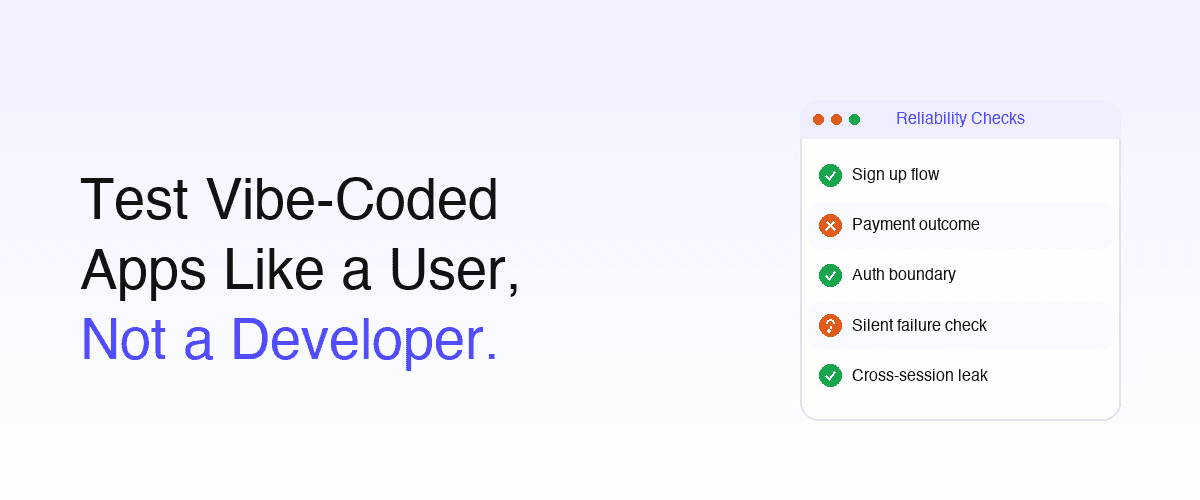
This is why "test like a user, not like a developer" is the defining principle for reliability testing in this context. The user's flow is the only stable contract.
The 10 reliability testing techniques for vibe-coded applications
1. Map the user's actual goals: not the API surface
Start by writing down, in plain English, the three to five things a user must be able to do for your product to be useful. Not function signatures or REST endpoints: user goals.
> "Visit the signup page → enter email and password → click 'Create Account' → land on the dashboard → see your name in the top-right."
That single sentence is your test contract for the signup flow. Notice it specifies the outcome (name visible in top-right), not just the click. See requirements to E2E coverage.
2. Test the messy real-world inputs first
Vibe-coded apps tend to break on inputs that look slightly different from what the prompt described. Run these specifically:
- Email with a capital letter at the start
- Email with a
+alias (user+tag@gmail.com) - Password with a special character the validation forgot
- Form submission with the back button pressed mid-flow
- Mobile browser instead of desktop Chrome (different viewport behavior)
- Slow network (3G throttling)
If your test suite only covers test@example.com + Password123, it's catching nothing real. The bug class that fails users in production is the one your tests never tried.
3. Stress-test the seams between AI-generated modules
The single largest source of failure in a vibe-coded app is the integration point: module A returns a shape that module B doesn't expect, because they were prompted into existence in separate sessions. Test the seams explicitly:
- API contracts between services (does the order service really return what checkout expects?)
- Timestamps in different formats (ms vs seconds is a common vibe-coded bug)
- Empty-state handoffs (does the dashboard handle "user has no orders" correctly?)
- Stale or cached data crossing service boundaries
See E2E testing vs integration testing and test harness engineering for AI test automation.
4. Verify outcomes, not just actions (catching silent failures)
A test step like "click Create Account" is incomplete. The full test must verify what happened after:
| Action | Incomplete assertion | Complete assertion |
|---|---|---|
| Submit signup form | "form submits without error" | "row exists in users table AND welcome email sent AND user logged in" |
| Place an order | "checkout button click succeeds" | "order row exists AND inventory decremented AND confirmation email visible" |
| Update profile | "save button shows success toast" | "database reflects new value AND profile page shows new value on reload" |
The most common vibe-coded failure mode is the silent success: the UI shows everything worked but the state never actually changed. Outcome-based assertions catch it. See actionable E2E failures.
5. Test behavioral consistency across runs
A vibe-coded app should produce the same outcome from the same input. It often doesn't. Run each critical-path test three times in a row and confirm the result is identical:
- Same signup form → same user record shape every time
- Same checkout → same email content every time
- Same search query → same ranked results every time
Inconsistency hints at non-deterministic code (race conditions, random IDs leaking into responses, time-of-day-dependent logic) that will flake under real-user load. See from flaky tests to actionable signal.
6. Use intent-based assertions, not selector-bound ones
Because the implementation churns on every prompt, tests bound to specific DOM selectors break weekly. The 2026 sustainable shape is intent-based:
- intent: A new user signs up with email and password
- intent: The user reaches the dashboard
- VERIFY: the user's name appears in the page header
The runtime resolves "the page header" to whatever DOM element currently serves that role: <header>, <nav>, a custom component, a div with role="banner". The test survives the next 12 vibe-coded refactors that would have broken await page.locator('.user-name.top-right').textContent(). See YAML-based testing and the intent, cache, heal pattern.
Shiplight feature: Shiplight YAML Test Format is the intent-based language; Shiplight is the runtime that resolves intent against the live DOM.
7. Test like a user, not like a developer
The mindset shift that defines reliability testing for vibe-coded apps:
| Developer-view question | User-view question |
|---|---|
Does function submitOrder() return 200? | Can a normal user complete checkout without confusion? |
| Does the API match the OpenAPI spec? | Does the order arrive in the user's email within 5 minutes? |
| Does this React component render? | Does the dashboard show the right data after login? |
| Does the validation regex pass the test case? | Can the user actually finish signup? |
The internal structure is unstable by design: it's prompt-generated and refactored constantly. The user's goal is the only stable contract. Reliability comes from testing the contract, not the implementation. This is the central principle of vibe testing.
8. Run tests after every prompt iteration (the regression gate)
This is where the work moves from "one-time check" to "permanent reliability." Every prompt to your AI coding tool changes the app's behavior: sometimes in ways the prompt didn't intend. The most common vibe-coded regression is fixing flow A and accidentally breaking flow B.
The fix is a CI gate that runs your critical-path tests on every commit or PR, not nightly. Latency matters: a nightly gate catches the bug 16 hours after it landed; a PR-time gate catches it before merge. See a practical quality gate for AI pull requests and E2E testing in GitHub Actions: setup guide.
Teams using Claude Code can also structure the development process around explicit review stages. TLMForge is a Claude Code plugin that combines specification audits, multi-agent architecture and code review, test-first execution, and a final adversarial review. It adds process controls around feature development; teams still need meaningful assertions and browser-level evidence that the resulting user flows work as intended.
9. Cover the security and auth basics: vibe-coded apps skip them
AI coding agents optimize for "make this work," which often means skipping input sanitization, authorization checks, and session management. Run these behavioral security tests on every vibe-coded app:
- Object access control. If your URLs include IDs (
/order/123), change the number. Should see an error or redirect, not someone else's order. - Auth boundary. Open an incognito window, paste a logged-in URL. Should redirect to login, not show content.
- Double-submit guard. Click a payment button twice rapidly. Should not produce duplicate charges or duplicate records.
- XSS sanitization. Type
<script>alert('test')</script>into any text input. Should display as plain text. If it executes, you have an XSS vulnerability. - Cross-session leakage. Log in as user A, log out, log in as user B. Should not see A's data anywhere.
These are not advanced penetration tests: they are behavioral checks that catch the most common AI-generated security gaps. See detect bugs in AI-generated code and AI-generated code has 1.7× more bugs.
10. Establish a regression suite that survives constant code churn
The final technique is the discipline: every reliability test you create becomes part of a permanent regression set. Three properties make the set sustainable:
- Self-healing. When a UI element moves or renames, the test auto-resolves to the new equivalent and proposes a PR-reviewable patch (not a silent rewrite). See self-healing vs manual maintenance and best self-healing test automation tools.
- Test ownership in your repo. Tests live as plain YAML in
git, code-reviewed in PRs alongside the feature change. Not in a vendor's cloud UI. - Agent-callable. Your AI coding agent calls the testing tool through an SDK or MCP server in the same session it writes features, so coverage grows at agent speed. See Shiplight MCP Server, and MCP for testing.
Without all three, the regression set becomes a maintenance backlog within weeks. With them, the set scales with the app.
Coverage benchmark: what "reliable enough" looks like
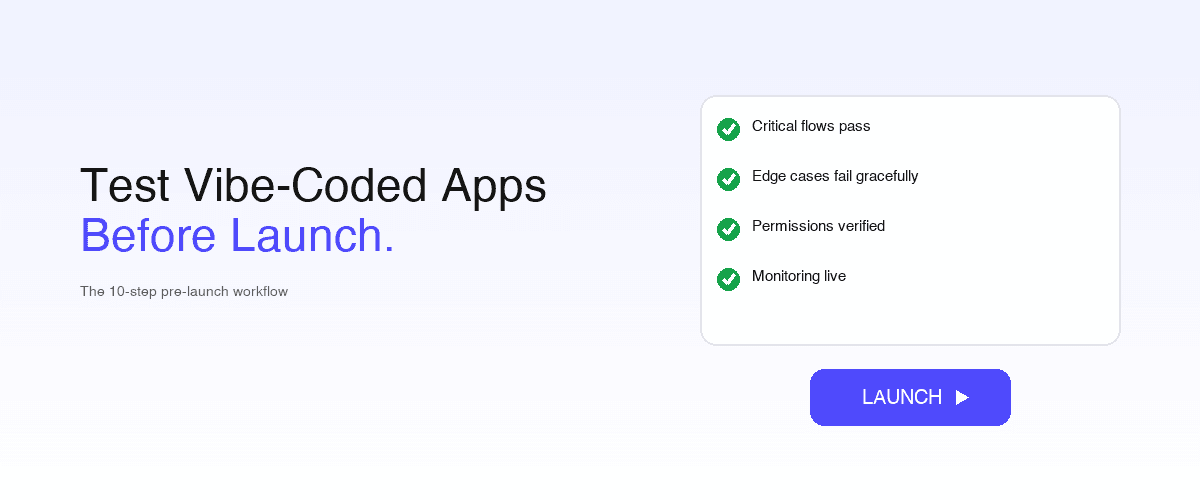
If you're specifically gating a release, pair this with the 10-step pre-launch workflow for vibe-coded apps: it turns these techniques into a launch-readiness checklist.
Concrete benchmarks for an early-stage vibe-coded app:
| What to cover | Why it matters | When to add it |
|---|---|---|
| Signup + login | Acquisition stops if users can't get in | Before any users |
| Core product action | The thing your app exists to do must work | Before any users |
| Payment / checkout flow | Direct revenue impact; silent failures common | Before first paid user |
| Account settings + data access | Users need to manage and view their data | After first 10 users |
| Edge inputs (capital letters, aliases, etc.) | What real users actually do | After first user complaint |
| Auth boundary + object access control | Most common AI-generated security gap | Before public launch |
| Cross-session leakage check | Catches account-confusion bugs | Before public launch |
| Double-submit guard on payment paths | Prevents duplicate-charge incidents | Before first paid user |
Don't aim for comprehensive coverage on day one. Build coverage incrementally, prioritized by user-flow impact. See the E2E coverage ladder.
Common pitfalls when testing vibe-coded applications
- Treating the AI-generated test suite as final. The agent's first test pass is a starting point. Review every assertion. Hallucinated assertions and wrong expected values are common.
- Selector-bound tests. Don't write
await page.locator('.btn-primary').click(): that selector will rename next sprint. Use intent-based tests. - Skipping outcome verification. "Form submitted" isn't a test outcome. "User row exists AND welcome email arrived" is.
- Manual regression only. A 30-minute click-through before each deploy doesn't scale past a handful of releases per week. Vibe-coded apps deploy daily.
- No data-isolation discipline. Tests that share state across runs produce flakes that look like reliability issues but are test-infrastructure issues. See stable auth + email E2E tests.
- Ignoring security tests because "we're early-stage." Vibe-coded apps routinely ship with missing auth checks and absent row-level security. Run the 5-step behavioral check at minimum.
How Shiplight implements this for vibe-coded apps
The 10 techniques map directly onto Shiplight surfaces:
| Technique | Shiplight feature |
|---|---|
| Map user goals, write in plain English | Shiplight YAML Test Format |
| Test the messy real-world inputs | Intent-based parameters, agent-generated edge cases |
| Stress-test seams | Shiplight full-flow execution |
| Outcome verification, not action verification | YAML VERIFY assertions on observed outcomes |
| Intent-based assertions | YAML intent: steps resolved at runtime |
| Test like a user | The whole authoring model is user-flow-first |
| Regression gate on every prompt | Shiplight Cloud + CI integration |
| Security basics | Built-in auth + XSS + access-control patterns |
| Self-healing regression suite | AI Fixer (built into Shiplight) |
| Agent-callable testing | Shiplight MCP Server |
See agent-first testing for the full agent-callable pattern and what is agentic QA testing for the broader paradigm.
Related: testing AI app builders
Conclusion: reliability comes from the user's contract, not the developer's
The defining shift in testing vibe-coded applications is moving the verification layer from internal structure (unstable, prompt-generated, refactored constantly) to user-observed outcomes (stable, the actual contract users care about).
The 10 techniques in this guide are each instances of that principle: map user goals, test messy real-world inputs, verify outcomes not actions, use intent-based assertions, run on every prompt iteration. Together they produce a reliability posture that survives the constant churn vibe coding produces.
For teams ready to operationalize this with one platform, Shiplight AI implements all 10 techniques: YAML Test Format for intent-based authoring, AI Fixer for self-healing as default, MCP Server for agent-callable testing inside the prompt loop, and Cloud runners for PR-time regression gates.
Book a 30-minute walkthrough and we'll map your vibe-coded application's critical paths to a reliability test plan you can ship in an afternoon.
Frequently Asked Questions
How do I test vibe-coded applications for reliability?
Test against user flows, not internal structure, because vibe-coded internals are unstable by design. Map the user's real goals, test messy inputs, stress the seams between AI-generated modules, and verify outcomes rather than actions so silent failures surface. Run it on every prompt iteration.
Why do vibe-coded apps fail differently from hand-written apps?
The happy path is over-optimized, because agents are prompted for the main case. The implementation is unstable, so every prompt changes selectors and breaks tests bound to internals. And failures are often silent: a form that submits "successfully" while the data never saves.
What are silent failures in vibe-coded applications?
Bugs where the app looks like it succeeded and did not: signup shows success while the user row never saves, or a payment confirms while the subscription stays inactive. Vibe-coded apps optimize for "make this work" at the UI level. Assert the resulting state, not that the action ran.
How often should I run tests on a vibe-coded application?
On every prompt iteration. Any prompt can change behavior in unintended ways, so fixing flow A often breaks flow B. A PR-time gate on your critical-path tests is the difference between "it worked an hour ago" and "it works right now." See a quality gate for AI pull requests.
Do I need to know how to code to test a vibe-coded app?
No. With Shiplight YAML you commit tests like intent: A new user signs up alongside the feature and the runner resolves the rest, and agents can author them via MCP. The skill is knowing what users should be able to do, not writing scripts.
What does self-healing mean for vibe-coded app testing?
The test resolves against the current DOM on every run, so a renamed or moved element is still found by role, text, and position rather than a changed CSS class. When it cannot resolve confidently it emits a reviewable patch diff, never a silent rewrite. See self-healing vs manual maintenance.
How do I test security on a vibe-coded application?
Five checks, no pentest skills needed: change an ID in a URL, open a logged-in URL in incognito, double-click a payment button, type <script> into an input, and switch accounts to check for leakage. AI-generated code routinely ships without access controls.
What's the difference between vibe testing and traditional E2E testing?
Traditional E2E binds to selectors and function calls, checking the implementation matches the developer's model. Vibe testing binds to intent and outcomes: can the user finish, however the implementation got them there. When the implementation churns every prompt, only the second survives. See what is vibe testing.