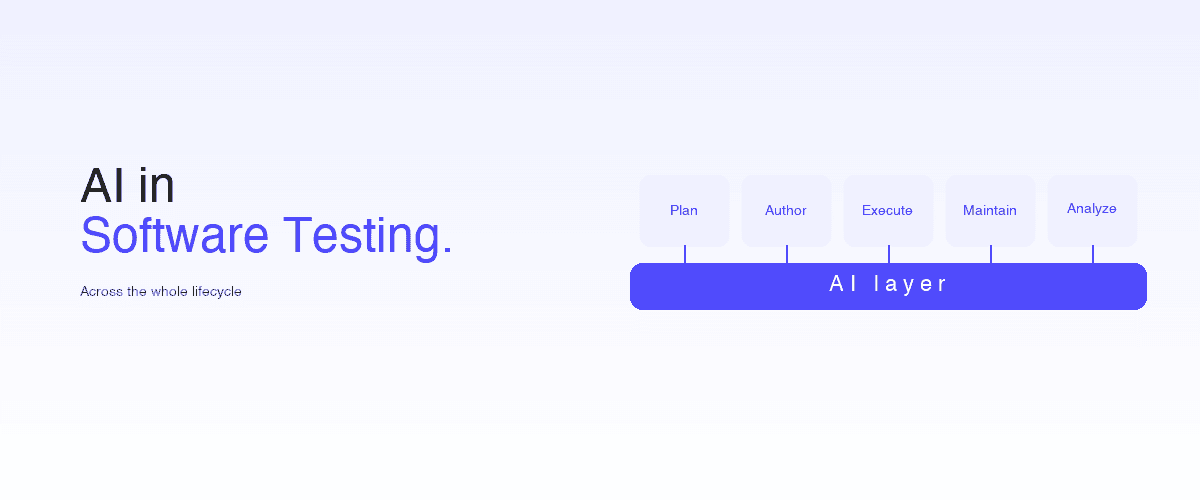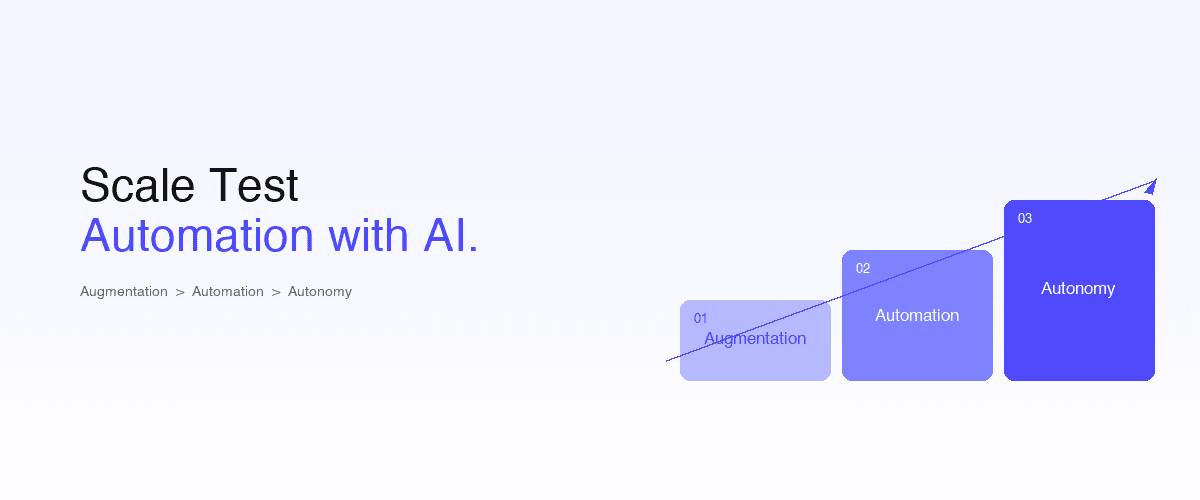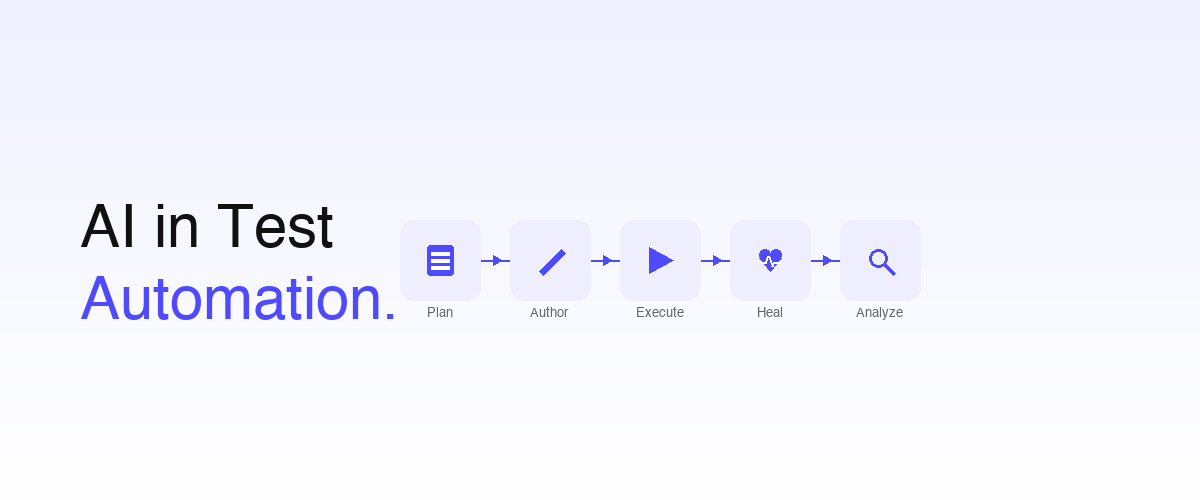
AI in test automation refers to the application of artificial intelligence (large language models, machine learning, computer vision, and agentic systems) across the five stages of the test automation lifecycle: planning, authoring, execution, healing, and analysis.
In 2026, AI is no longer a premium feature bolted onto a Selenium script. It is the default operating layer for teams that ship via AI coding agents like Claude Code, Cursor, and OpenAI Codex.
This guide explains where AI plugs into each lifecycle stage, and how Shiplight combines all five patterns into one platform. It also covers the measurable benefits, the limitations to plan around, and the tools that implement each pattern.
For the broader practice beyond just automation (including manual-vs-AI, pros and cons, and the future), see AI in software testing: the complete guide.
Key takeaways
- AI in test automation is not one technique: it's a category that covers test generation, self-healing, autonomous exploration, AI-augmented authoring, and agent-native verification. Each plugs into a different stage of the lifecycle.
- The five lifecycle stages where AI augments traditional automation: Plan (test scope), Author (writing tests), Execute (running them), Heal (recovering from UI change), Analyze (interpreting failures).
- The measurable benefits in 2026: 5–10× authoring throughput, 50–80% user-journey reach (vs 5–15% in traditional regimes), maintenance hours dropping from 40–60% of QA time to under 5%.
- The limitations to plan around: hallucinated tests, opaque failure modes, data residency, and the risk of false confidence when humans stop reviewing.
- The 2026 default operating model pairs AI-driven authoring (intent-based + agent-generated) with self-healing as default and PR-time CI gates. See software testing basics in 2026.
What is AI in test automation?
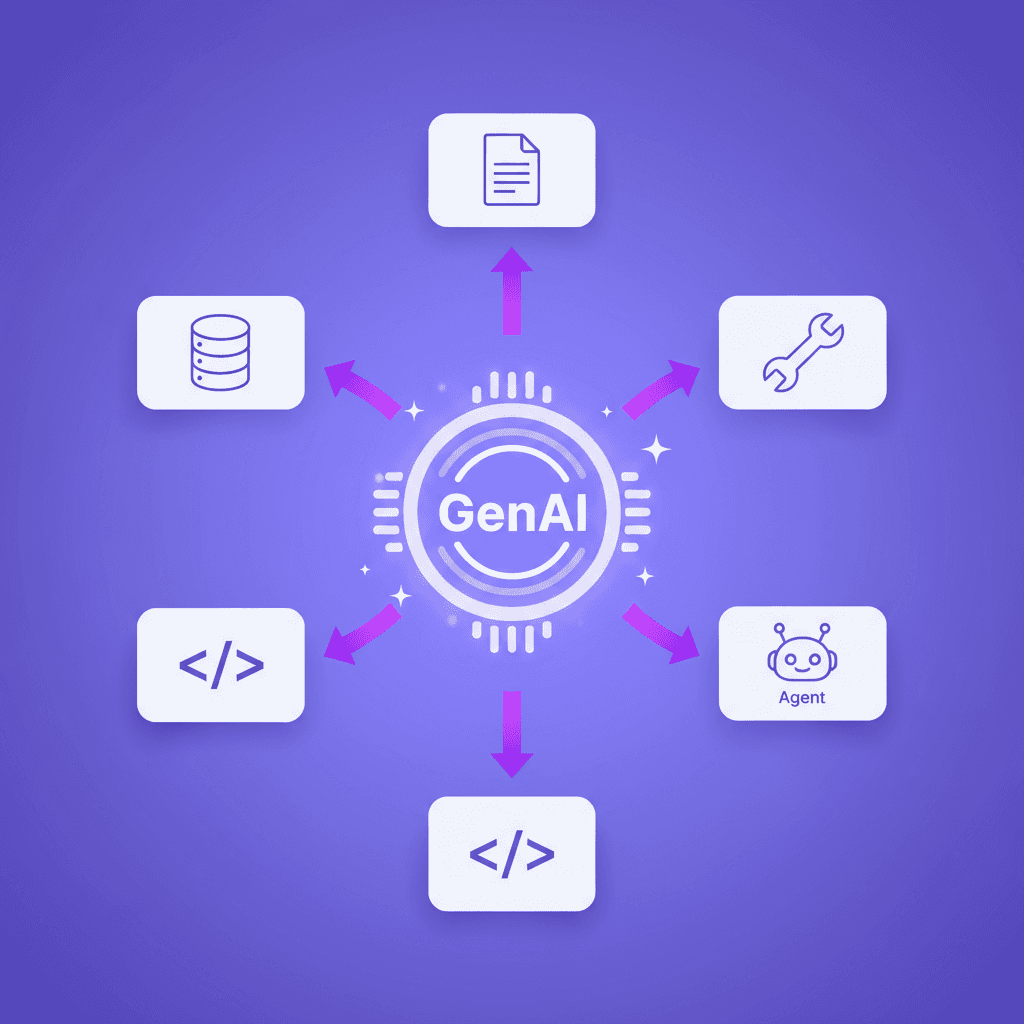
AI in test automation is the use of artificial-intelligence techniques to augment one or more stages of the automated testing lifecycle, replacing manual work that engineers previously did by hand. The "AI" part is broader than a single model class:
- Large language models (LLMs) for generating tests from natural-language intent or product specs
- Computer vision for identifying UI elements by appearance rather than DOM selector
- Machine learning for flakiness detection, test prioritization, and anomaly-aware failure analysis
- Agentic systems that combine the above into a planning–acting–learning loop
The umbrella term, AI testing, is broader still: it includes non-automation categories like no-code authoring experiences. AI in test automation is specifically the subset that augments the automation side of the testing function.
The 2026 honest definition: an AI-in-test-automation tool is one where AI does at least one of the five lifecycle stages below at human-comparable quality, repeatably, without requiring an engineer to babysit every output.
The 5 stages of the test automation lifecycle where AI plugs in
- Step 1Plan (what to test)
- Step 2Author (writing the tests)
- Step 3Execute (running the tests)
- Step 4Heal (recovering from UI change)
- Step 5Analyze (interpreting failures)
Stage 1: Plan (what to test)
The first job in any test automation effort is deciding what to cover. Historically, this was a manual exercise: a QA engineer reads requirements, maps user flows, decides priority. AI augments this stage by:
- Spec-driven test generation. Feed user stories or PRD sections into an LLM; it outputs candidate test scenarios. A human approves before they enter the suite.
- Autonomous exploration. AI agents traverse the running application and surface flows no one had written down (returning user × expired session × edge-case coupon).
- Risk-weighted prioritization. ML classifies which areas of the codebase or which user flows have the highest historical failure rate, suggesting where coverage should be densest.
The upper bound on traditional planning is your most senior QA engineer's memory of the product surface. AI raises that bound by enumerating combinations and pulling from prior-incident data. See requirements to E2E coverage and the agentic QA benchmark.
Stage 2: Author (writing the tests)
This is the stage where AI has the largest measurable impact. Traditional automation requires an engineer to write code bound to selectors:
await page.locator('button.btn-primary[data-testid="add-to-cart"]').click();AI-driven authoring replaces it with intent the runtime resolves against the live DOM:
- intent: Add the first product to the cartThree sub-patterns within Author:
- AI test generation from specs. An LLM converts product requirements into test candidates. See AI testing tools that automatically generate test cases and what is AI test generation.
- Agent-authored tests. The AI coding agent (Claude Code, Cursor, Codex) writes the test for the feature in the same session it writes the feature code. Requires the testing tool to expose a programmatic API or MCP server.
- Engineer-with-AI-copilot. A human writes intent; the tool fills in matchers, assertions, and edge cases.
Shiplight feature. Shiplight YAML Test Format is the intent-based language; Shiplight MCP Server let coding agents author tests programmatically. See how to QA code written by Claude Code.
Stage 3: Execute (running the tests)
Execution looks the most like "traditional automation": run the test, see if it passes. But AI augments this stage in three ways:
- Vision-based element resolution. Instead of failing when
.btn-primaryno longer exists, the runner identifies the button by appearance, role, and position. The test continues. - Smart waits and synchronization. ML-trained heuristics figure out when the page has actually stabilized vs when it's still loading, replacing fixed
sleep(2000)calls that cause 90% of flakes. - Parallel orchestration. AI schedulers distribute tests across runners by historical duration and failure-rate, hitting target wall-clock without overprovisioning.
See intent, cache, heal pattern for how execution-time resolution actually works.
Stage 4: Heal (recovering from UI change)
The most expensive failure mode in traditional test automation is the false negative caused by a UI change: a test fails not because of a bug, but because someone renamed a CSS class. AI-driven healing eliminates this category:
- Self-healing locators. When a step can't resolve, the runner finds an alternative element matching the user intent.
- Confidence-ranked patches. When healing isn't confident, the runner emits a PR-reviewable patch suggestion (not a silent rewrite), preserving the audit trail.
- Coverage-decay tracking. ML measures how much of the suite is "passing because we last updated it" vs "passing because the application still works."
The 2026 standard is self-healing as the default state, not a premium feature. See self-healing vs manual maintenance, best self-healing test automation tools, and near-zero maintenance E2E testing.
Stage 5: Analyze (interpreting failures)
After execution, someone has to decide: was this a real bug, a flake, or a UI drift the healer couldn't handle? AI augments this final stage:
- Flake detection. Statistical models flag tests that pass-on-retry without an underlying code change, separating noise from signal.
- Anomaly-aware failure attribution. Computer vision diffs of failing screens narrow the failure to a region of the UI. ML clusters similar failures into incident groups, so 50 broken tests turn into 1 reviewable cluster.
- Root-cause hint generation. LLMs convert raw test logs + DOM snapshots + recent code changes into a structured "likely cause" line that goes into the failure report.
Net effect: triage time per failed run drops from hours of human investigation to minutes of confirmation. See actionable E2E failures and from flaky tests to actionable signal.
Real-world use cases for AI in test automation
The lifecycle stages above are abstract. Concrete patterns where teams use AI in test automation in 2026:
- Generate regression tests from a feature spec. A PM writes the user story; AI generates the candidate test; an engineer reviews and commits before the PR opens.
- Cover a flow no one wrote down. Autonomous exploration finds a return-user + expired-coupon path through checkout. The team adds it as a permanent regression test.
- Survive a component-library migration. UI moves from Material UI to a custom design system. Selector-bound Playwright breaks every test. Intent-based tests with AI healing keep running across the migration.
- Verify an AI-coded PR. A coding agent writes a feature; the same session calls the testing tool via MCP to generate, run, and pass an E2E test before the PR opens.
- Triage a nightly run that fails 30 tests. ML clusters them into 3 root-cause groups; the team fixes 2 real bugs and quarantines 1 flake, total review time: 20 minutes instead of half a day.
- Reduce a 200-test maintenance backlog. Self-healing handles 180 of them automatically; the remaining 20 surface as PR-diff patch suggestions an engineer approves.
These aren't speculative; they are the daily workflow at teams that have adopted agent-native autonomous QA.
Measurable benefits of AI in test automation
If the team isn't measuring outcomes, "we adopted AI in test automation" is marketing copy, not engineering. Track these four numbers, rolling 4-week:
| Metric | Traditional baseline | AI-augmented target |
|---|---|---|
| Authoring throughput (new tests / QA-eng / week) | 5–10 | 50–150 (most from coding agent) |
| Maintenance budget (% of QA hours on test fixes) | 40–60% | < 5% |
| User-journey reach (% of mapped flows covered) | 5–15% | 50–80% |
| PR-time verification density (% of merged PRs with E2E gate) | < 10% | > 80% |
| Mean time to triage failed run | hours | minutes |
The teams that adopted AI in test automation in 2024–25 and didn't see these gains usually fell into one of three traps: kept the legacy stack as the system of record while running AI features in parallel; treated AI healing as opt-in instead of default; or skipped the measurement step and couldn't tell if anything improved.
See evaluate AI test generation tools for the TCO framework that catches each.
Limitations and trade-offs
AI in test automation is not magic. Plan around five limitations:
- Hallucinated tests. LLMs can generate tests for behavior the application doesn't actually implement, or with subtly wrong assertions. Mitigation: every AI-generated test gets a human review in PR before entering the regression suite.
- Opaque failure modes. When AI healing or analysis is wrong, the reasoning is often not inspectable. Mitigation: require structured patch diffs, not silent rewrites; log the confidence score and reasoning for every healing decision.
- Data residency. Sending application state and DOM to LLM providers raises compliance questions in regulated industries. Mitigation: pick tools with SOC 2 certification and clear data-handling contracts. See best self-healing test automation tools for enterprises.
- False confidence. When AI handles authoring and healing, humans can drift into rubber-stamping. Mitigation: mandatory human review on PRs that add or heal tests; quarterly suite audits by a senior QA engineer.
- Cost ceiling. Per-seat or per-run AI pricing can grow faster than the headcount it offsets at unbounded scale. Mitigation: model TCO with realistic test-run volumes; many enterprise teams hit ROI in 6–12 months even at premium pricing because of the maintenance savings.
For the broader limitations discussion, see AI generated vs hand written tests.
AI-driven vs traditional test automation
| Dimension | Traditional Test Automation | AI-Driven Test Automation |
|---|---|---|
| Authoring model | Code bound to CSS/XPath selectors | Intent-based + AI-generated |
| Maintenance | 40–60% of QA hours on selector fixes | < 5%: self-healing as default |
| Coverage growth rate | 5–10 tests / QA-eng / week | 50–150 / week (coding-agent authored) |
| Failure analysis | Engineer reads logs manually | LLM produces "likely cause" hint |
| Flow discovery | Whatever someone remembers to write | Autonomous exploration surfaces new flows |
| Gate latency | Nightly (16+ hours) | PR-time (< 10 min) |
| Adapts to UI change | No: selector binding breaks | Yes: intent re-resolves against live DOM |
| Test ownership | Dedicated QA team | Engineer (or coding agent) + QA oversight |
If your operating model is mostly the left column, you're below the 2026 floor. The migration is incremental, not all-at-once. See the framework below.
How to adopt AI in test automation (4-week framework)
You don't need to rewrite. Adopt one lifecycle stage at a time:
Week 1: Author with intent, not selectors. Every new test goes into the intent-based format. Existing Playwright keeps running unchanged. Tool: Shiplight YAML Test Format.
Week 2: Enable healing as default. Run the intent tests through Shiplight with self-healing on. Patches surface as PR diffs. Measure the maintenance-budget delta.
Week 3: Wire PR-time CI gates. Add cloud runners to the pull-request pipeline; block merge on failure. See E2E testing in GitHub Actions: setup guide.
Week 4: Let the coding agent author tests. Install the Shiplight MCP server. The agent generates and runs tests for the features it ships. Coverage now tracks code-generation throughput. See agent-first testing and the 30-day agentic E2E playbook.
Month 2+: Add autonomous exploration and analysis. Turn on autonomous flow discovery in a sandbox environment; route the top candidates into the suite. Enable AI failure analysis so triage time drops. See agent-native autonomous QA.
Tools landscape for AI in test automation
The 2026 vendor landscape (honest mapping, not marketing claims):
| Tool / category | AI authoring | Self-healing default | Agent-native (MCP/SDK) | PR-time gates | Tests in git |
|---|---|---|---|---|---|
| Shiplight AI | ✓ YAML | ✓ AI Fixer | ✓ Skills + MCP | ✓ Cloud runners | ✓ |
| Vendor cloud consoles (low-code / constrained plain-English) | partial | ✓ | ✗ | ✓ | ✗ (vendor cloud) |
| Managed QA services | ✗ (vendor's engineers author) | ✓ | ✗ | ✓ | partial |
| Applitools | ✗ (visual-diff layer) | partial | ✗ | ✓ | ✓ |
| Playwright / Cypress / Selenium | ✗ (code) | ✗ | ✗ | ✓ | ✓ |
See best AI testing tools in 2026, best AI automation tools for software testing, and best agentic QA tools in 2026 for the deep platform-by-platform breakdown.
Conclusion: AI in test automation is now the default, not the differentiator
By 2026, "AI in test automation" has shifted from a buzzword tools used to attract attention to the practical default operating layer of modern QA. The five lifecycle stages (Plan, Author, Execute, Heal, Analyze) each have a mature AI augmentation pattern, each with measurable outcomes, each with named tools that implement it.
The teams that adopted these patterns in 2024–25 didn't get marginally better testing; they broke through ceilings their traditional automation suites had hit years earlier.
For teams ready to adopt all five stages in one platform, Shiplight AI integrates AI across the lifecycle: YAML Test Format for intent-based authoring, AI Fixer for self-healing on every run, MCP Server for agent-native verification, Cloud runners for PR-time gates, and built-in failure clustering for triage.
Book a 30-minute walkthrough and we'll map your current test automation stack to each of the five stages and project the four-week migration delta.
Frequently Asked Questions
How is AI different from traditional test automation?
Traditional automation runs scripts humans write and maintain. AI automation has the system do some of the writing, maintaining, and interpreting: authoring from intent, healing when the UI changes, clustering failures into root causes. It adapts to change and cuts human triage.
What are the benefits of AI in test automation?
Four measurable ones: authoring throughput from about 10 to 50–150 tests a week, maintenance from 40–60% of QA hours to under 5%, user-journey reach from 5–15% to 50–80%, and failure triage from hours to minutes.
What are the limitations of AI in test automation?
Five, each with a mitigation: hallucinated tests (review in PR), opaque healing (patch diffs and logged confidence), data residency when DOM goes to a model provider (SOC 2 tools), false confidence (quarterly audits), and cost growth at scale (TCO modeling).
Does AI in test automation work with Playwright or Cypress?
Partially. Smart locators and healing heuristics bolt onto an existing suite, but it stays selector-bound and hits the same ceiling. Replacing the code-bound layer with intent-based authoring is what moves the number, with existing suites running as you migrate. See near-zero maintenance E2E testing.
How does AI in test automation work with coding agents like Claude Code or Cursor?
The largest gain comes from pairing them: agents generate features fast, AI testing verifies fast. The link is a programmatic API such as an MCP server the agent calls in the session it writes the feature. Without it, the agent ships code your test stack never saw.
Is AI test automation reliable enough for production use?
Yes for most categories. Self-healing, test generation, and intent-based authoring are production-ready from startups to Fortune 500s. Still maturing: fully autonomous interpretation without review, and complex business-logic generation. The reliable pattern is AI authors and heals, human approves.
Will AI replace QA engineers?
No. It replaces the mechanical parts: selector maintenance, manual clicking, after-the-fact authoring. QA shifts to quality policy, reviewing discovered flows, and regulated business logic. Most teams report stable headcount with 5–10× coverage growth. See the human QA bottleneck.
How do I measure if AI in test automation is actually working?
Four numbers on a rolling 4-week dashboard: authoring throughput, maintenance budget (under 5% of QA hours), user-journey reach (over 60%), and the share of merged PRs that ran E2E (over 80%). If they are not moving, the AI features are marketing. See the agentic QA benchmark.